(5)-4 Background Color
Sets the background colors of the waveform display area and the digital display area.
(5)-5ACLineFrequency
SelectthefrequencyoftheAClineused.
Selection item Description
50Hz Foranareawithapowersupplyfrequencyof50Hz
60Hz Foranareawithapowersupplyfrequencyof60Hz
Inthissetting,selectafrequencyfornoiseremovalusingthedigitallter.Notethatnonoiseinthepower
supply can be removed if this setting is wrong. The digital filter is enabled at sampling intervals of 500 ms
and above.
(5)-6 USB ID
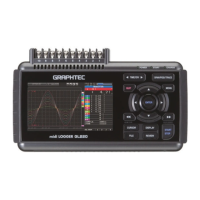
Sets the USB ID number of the GL220.
Specify a number from 0 to 9.
TocontrolmorethanoneGL220unitwithonePC,assignauniqueUSBIDtoeachofthem.
(5)-7 Temperature setting
Selection item Remarks
(1) Room Temp. Compensation This parameter enables room temperature compensation settings when thermo-
couples are used.
Internal : The GL220’s room temperature compensation settings are used (usu-
ally, you use this parameter.)
External : Select this parameter when measuring compensation other than that
of the GL220.
(2) Temp. Unit Toggles the temperature unit between °C (Centigrade) and °F (Fahrenheit) for
temperature settings.
When °F (Fahrenheit) is selected, calculation is performed using the following
formula:
°F (Fahrenheit) = °C (Centigrade) x 1.8 + 32
Calculate the accuracy as: Centigrade accuracy x 1.8.
(3) Burn Out This parameter enables or disables a function that conducts burnout check on a
thermocouple.
On: Periodical burnout check is conducted.
Off: Burnout check is disabled.
During a burnout check, voltage is applied to the GL220.
Therefore, set Burn Out to Off when the GL220 is connected in parallel with
other devices to avoid any effect from these voltages.
(5)-8 Date/Time
Makes settings related to the GL220 clock.
(5)-9 Language
This parameter sets the GL220's display language.


 To Next Page
