3-14
CHAPTER 3 Settings and Measurement
(11) CURSOR (ALARM CLEAR)
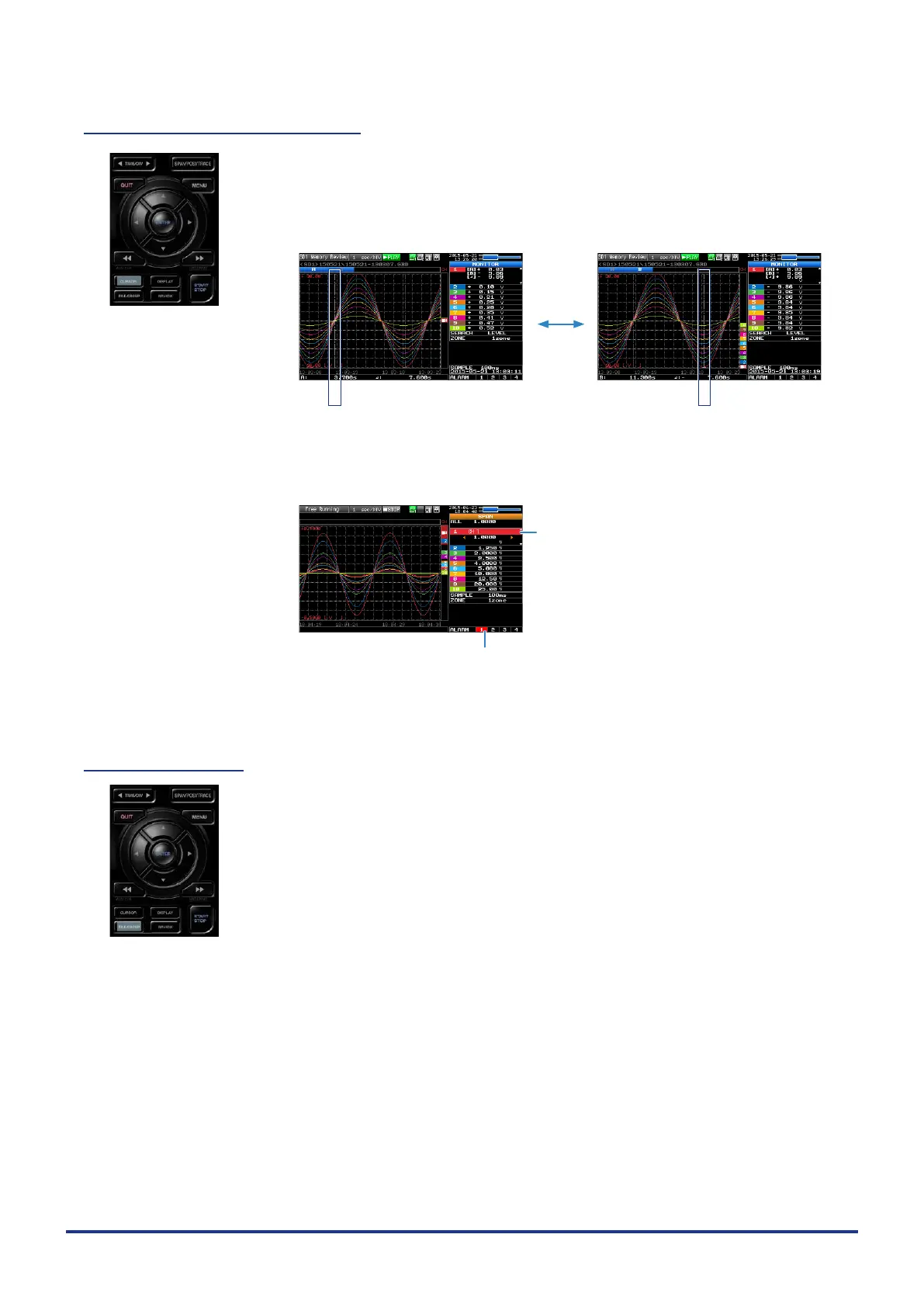
• This key is used to switch between cursors A and B during replay.
Pressing this key switches between cursor A and B.
Refer to “(10) Data replay menu” in “3.4 Setting Menus” for details on cursor
operation.
Cursor B Cursor A
Cursor A Cursor B
The selected cursor turns white, and the other one turns gray.
• When the alarm setting is “Hold generated Alarm”, the maintained alarm is
cleared.
Alarm-generated channels
Alarm output terminal status
• Black : Alarm is not issued
• Red : Alarm is issued
(12) FILE/GROUP
This key is used to perform the settings for the le and the channel group.
• When the wireless LAN unit is connected, switch to the GL100-WL channel
group.
• Performs the operations (copy and delete, etc.) for the internal memory (SD1)
and SD memory card (SD2).
• Performs the screen copy
• Saves all data or data between cursor A and cursor B during replay (can be
set during replay only)
• Saves or reads the currently set condition into the USB device. (can be set
during Free Running only).
• Replaces the SD memory card (SD2) during data capture (Settable when
capturing or backing up to the SD memory card).
Refer to “(7) FILE menu” in “3.4 Setting Menus” for details on le operation.















 To Next Page