3-47
CHAPTER 3 Settings and Measurement
(2)-6 Backup setting
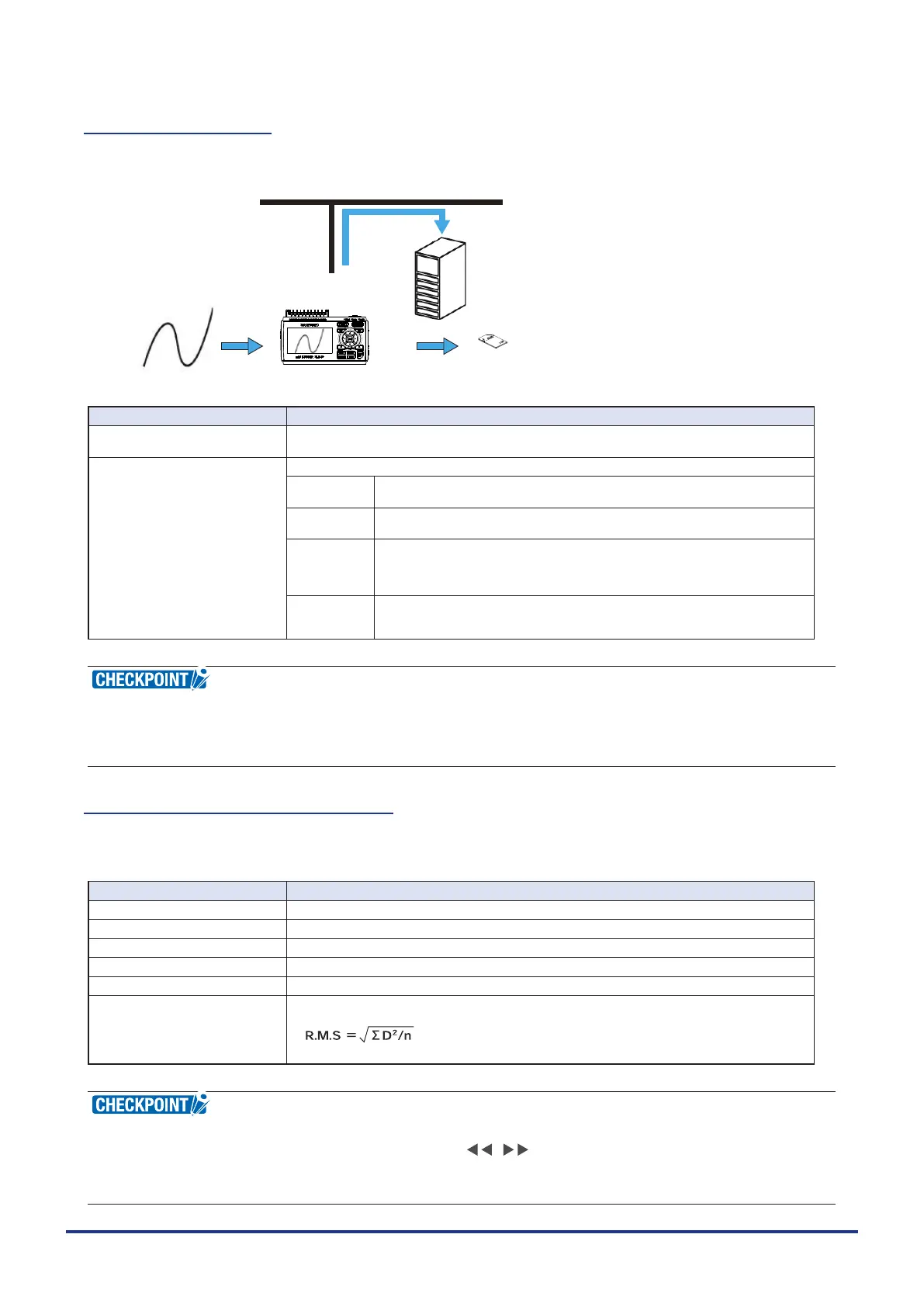
The GL240 has a function that periodically backs up captured data. (See the gure below)
GL240
FTP server
Ethernet
The data is backed up automatically
to the internal memory (SD1) or SD CARD2 (SD2)
Automatic backup to an FTP server
SD CARD
x GB
Lock
Measurement input
Setting Description
Backup interval Sets the backup interval for captured data.
Off, 1, 2, 6, 12, 24 hours
Backup destination Sets the backup destination for captured data.
SD1 (Internal
memory)
Backs up the captured data to the internal memory (SD1).
This is used only when recording to the SD memory card 2.
SD2
(SD CARD2)
Back up the data to the SD memory card in the SD CARD2 (SD2) slot.
This is used only when recording to the internal memory (SD1).
FTP Backs up data to an FTP server on the network.
* The FTP server settings must be made using the FILE menu.
(Refer to “(4)-5 FTP/WEB server settings”.)
* The wireless unit B-568 (optional) is required.
[Backup] Sets the folder for saving a backup le.
* This must be a folder on the internal memory (SD1), SD memory card (SD2)
or an FTP server.
•
If ring capture is On, the backup function is not available.
•
When the file is CSV format, it can not be backed up.
•
The memory that is the same as the capture destination cannot set as the backup save folder.
(2)-7 Statistical calculation setting
Two types of calculations can be performed on all channels.
This section explains setting what to do in statistical calculation.
Setting Description
Off Calculation is not performed.
Average Displays the simple average value of the data during data capture.
Max Displays the maximum value of the data during data capture.
Min Displays the minimum value of the data during data capture.
Peak Displays the peak value of the data during data capture.
RMS Displays the RMS value of the data during data capture.
The calculation formula is as follows:
* D: data. n: number of data
•
Calculation results are displayed in the Digital + Statistical Calculation Display screen. Use the [DISPLAY]
key to switch to the Digital screen, and then use the , key to set to All Mode.
•
At power-on, calculation is started; The result is cleared when you press the [QUIT] key or the [START/
STOP] key to start measurement.















 To Next Page