145
Program description: Telemetry menu
A: EXPO = -100% and DUAL RATE = 125%
The servo responds slowly to stick movements
around the neutral position, but the curve becomes
steeper with increasing control travel.
B: Linear setting
The servo follows the stick movement with a linear
response.
C: EXPO = +100% and DUAL RATE = 70%
The servo responds slowly to stick movements
around the neutral position, but the curve becomes
steeper with increasing control travel.
Note:
The control characteristics programmed at this point
also affect mapped receiver outputs.
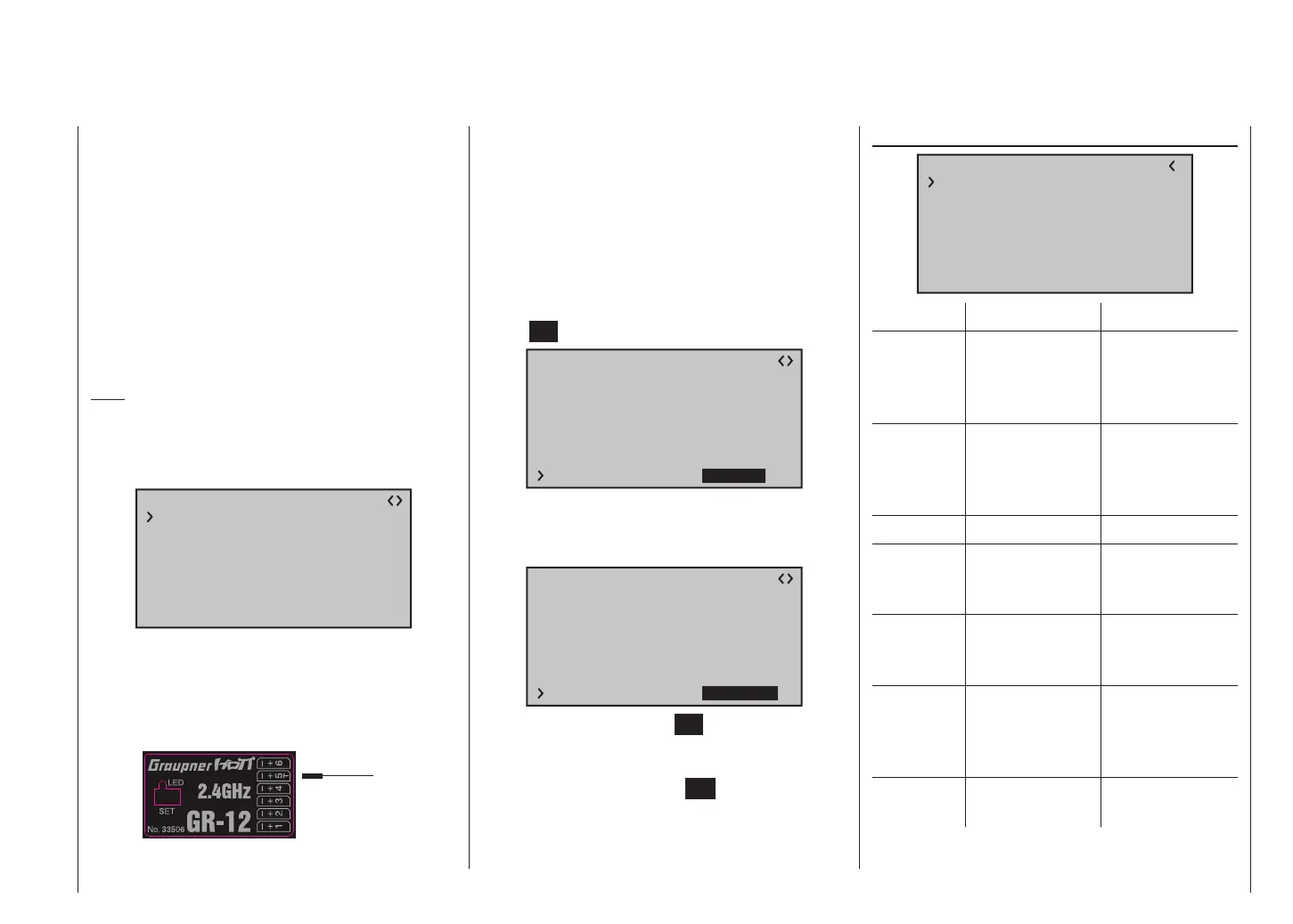
5CH FUNCTION: “SERVO” or “SENSOR”
RX CURVE
TYPE : A
CURVE1 CH : 02
TYPE : A
CURVE2 CH : 05
TYPE : B
CURVE3 CH : 04
5CH FUNCTION:SERVO
Certain receivers feature one switchable servo socket in-
stead of an independent telemetry socket. For example,
servo socket 5 of the GR-12 receiver, which is supplied
with the mx-12 HoTT, Order No. 33112, bears the
suffix “T” …
… and has two additional uses: a telemetry sensor can
be connected to it, and also the adapter lead, Order No.
7168.A, can be connected to it for the purpose of updat-
ing the receiver.
To ensure that the receiver correctly detects the device
connected to this receiver socket, servo socket 5 MUST
be switched from “SERVO” to “SENSOR” and vice versa.
This is accomplished by shifting the arrow button of
the left or right-hand touch-key the “>” symbol at the left-
hand margin of the bottom line, followed by pressing the
central SET button of the right-hand touch-key:
RX CURVE
TYPE : A
CURVE1 CH : 02
TYPE : A
CURVE2 CH : 05
TYPE : B
CURVE3 CH : 04
5CH FUNCTION:SERVO
Now use one of the two arrow buttons of the
right-hand touch-key to select the alternative “SENSOR”
setting.
RX CURVE
TYPE : A
CURVE1 CH : 02
TYPE : A
CURVE2 CH : 05
TYPE : B
CURVE3 CH : 04
5CH FUNCTION:SENSOR
A further press on the central SET button of the right-
hand touch-key concludes the selection process. You
can now return to the transmitter’s base display by
repeatedly pressing the central ESC button of the left-
hand touch-key.
RX SERVO TEST
RX SERVO TEST
ALL–MIN : 1000µsec
ALL–MAX : 2000µsec
ALARM VOLT : 3.8V
TEST : STOP
ALARM TEMP–:–10°C
ALARM TEMP+: 55°C
CH OUTPUT TYPE:ONCE
Value Explanation Possible settings
ALL-MAX Servo travel on
the “+” side for all
servo outputs in
the servo test
1500 … 2000 μs
ALL-MIN Servo travel on
the “-” side for all
servo outputs in
the servo test
1500 … 1000 μs
TEST Test procedure START / STOP
ALARM
VOLT
Alarm limit for the
receiver low-
voltage warning
3,0 … 6,0 V
Default setting:
3,8 V
ALARM
TEMP+
Alarm limit for
excessive receiver
temperature
50 … 80 °C
Default setting:
55 °C
ALARM
TEMP–
Alarm limit for
excessively
low receiver
temperature
-20 … +10 °C
Default setting:
-10 °C
CH OUTPUT
TYPE
Channel sequence ONCE, SAME,
SUMI, SUMO














 To Next Page