www.modellmarkt24.ch; www.modellmarkt24.de
12 / 16
S1031_HB_V1
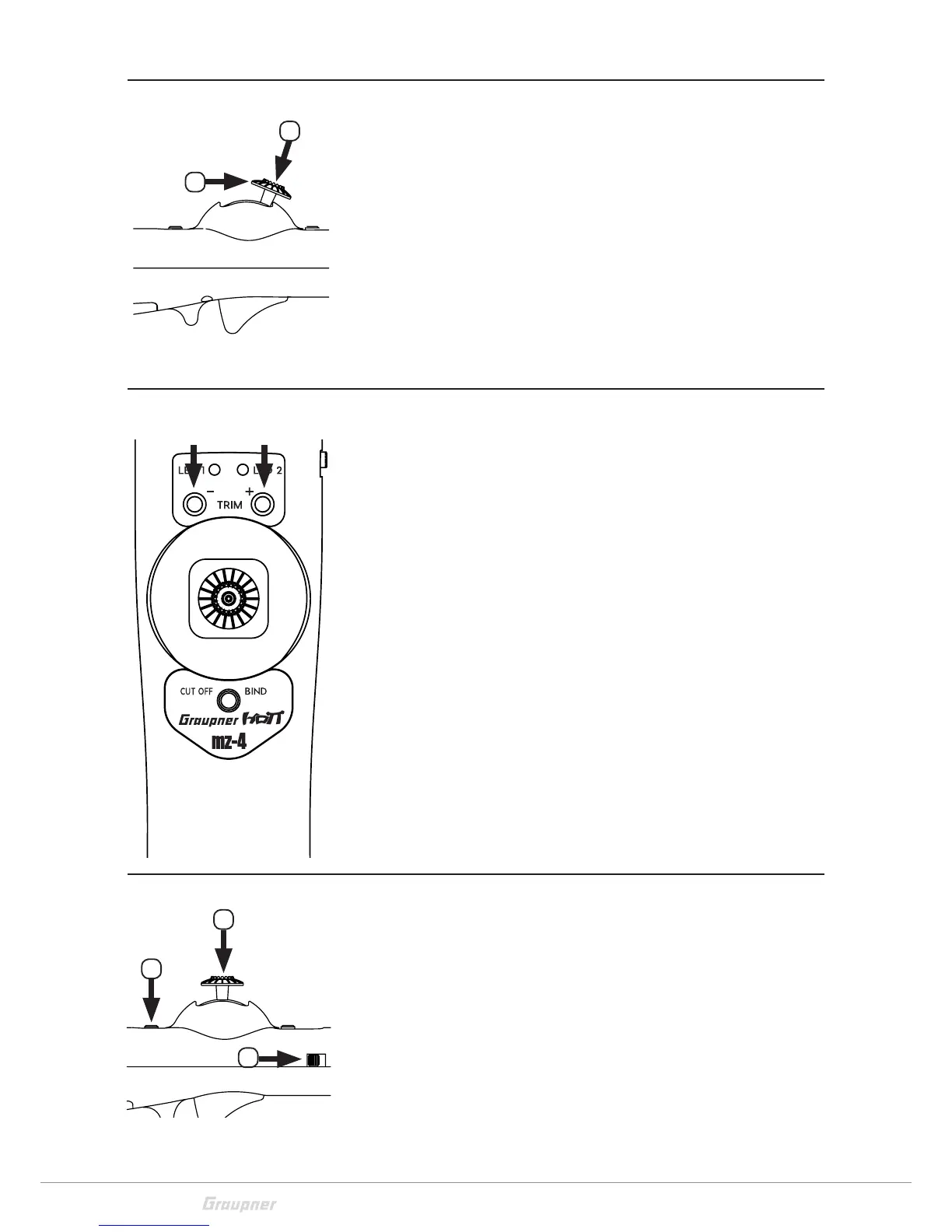
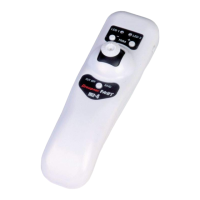
Setting channel 1 throttle travel
1. Move the control stick (6) completely forward.
2. In this position push and hold the control stick switch (6).
3. Now reduce with the trim button (3) - or increase with the
trim button (4) + the throttle travel.
For the trigger-switch (8) setting proceed as follows, push the
gimbal trigger switch (8)
Servo reverse channel 2
With this function you can reverse the control direction of chan-
nel 2. The servo reverse works only if the motor is deactivates
(motor CUT OFF), which means the yellow LED (1) must be light-
ing.
Push the trim buttons (3) - and (4) + at the same time for about
5 s.
Channel 2 will be reversed, 2 signal tones
Push the trim buttons (3) - and (4) + at the same time for about
5 s.
Channel 2 will be normal, 1 signal tone.
Factory reset
This process will set all the settings stored in the transmitter
back to the factory values and all the bound receivers will be
deleted.
Performing a factory reset:
1. Push and hold the control stick (6) and the bind button (5) at
the same time.
2. Then switch the transmitter on.
3. You will then hear a signal tone (3x), red LED (2) blinks 5x
quickly, the factory reset is performed.
1
2
2
1
1
www.modellmarkt24.ch; www.modellmarkt24.de


 To Next Page