www.modellmarkt24.ch; www.modellmarkt24.de
13 / 16
S1031_HB_V1
Fail safe
Through this function you can store in the receiver for each channel
the settings which will be recalled in case of connection interrup-
tions between transmitter and receiver.
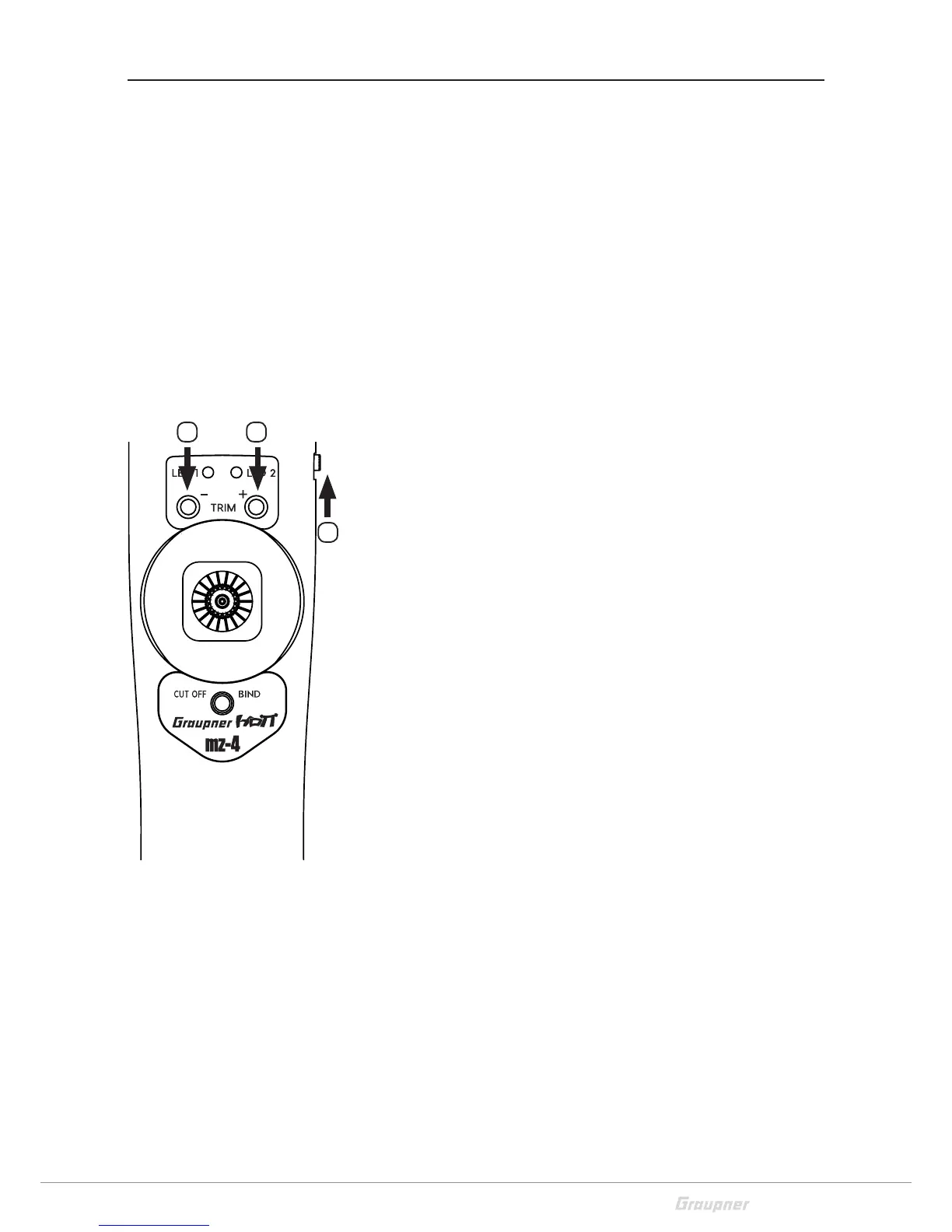
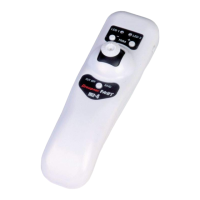
The - (3) trim button is for channel 1
The + (4) trim button is for channel 2
The LED 1 indicates by pushing the trim buttons (3) and (4) the
related status. By pushing again you will change between "Hold"
and "Position".
1 signal tone and four blinks with 1 s. pause "Hold"
2 signal tones and two blinks "Position"
Through the bind button (5) you can stop and store the fail safe
settings, two signal tones and the LED blinks 2 times.
Fail safe settings
1. Switch the transmitter and the model on.
2. Switch off the transmitter.
3. Push the trim buttons (3) - and (4) + at the same time
4. Now switch the transmitter on again
5. The LED 1 blinks once, LED 2 blinks twice with 1 s pause
You are now in the fail safe settings.
"Hold" settings
With the "Hold" setting the channels hold the last position recog-
nized as valid.
1. Recalling fail safe settings
2. Push the trim buttons (3) - and/or (4) + alternatively for the chan-
nel that you want to set on "Hold".
3. 1 signal tone and four blinks with 1 s. pause "Hold"
4. You can stop and store the settings by pushing the bind button
(5).
"Position" setting
In the "Position" setting the channels will move to the position pre-
viously programmed by you.
1. Recalling fail safe settings
2. Move the throttle stick to the desired fail safe position
3. Push the trim buttons (3) - and/or (4) + alternatively for the chan-
nel that you want to set on "Position".
4. 2 signal tones and two blinks "Position"
5. You can stop and store the settings by pushing the bind button
(5).
1 1
2
www.modellmarkt24.ch; www.modellmarkt24.de


 To Next Page