5. Workflow
Please follow the following instructions strictly to ensure normal operations of the system.
5.1 Prepare for Acquisition
Making plans for the acquisition routes can help improve the quality and accuracy of data collection. See section 6.2 Route Planning for
advice on the topic.
5.2 Initialize the System
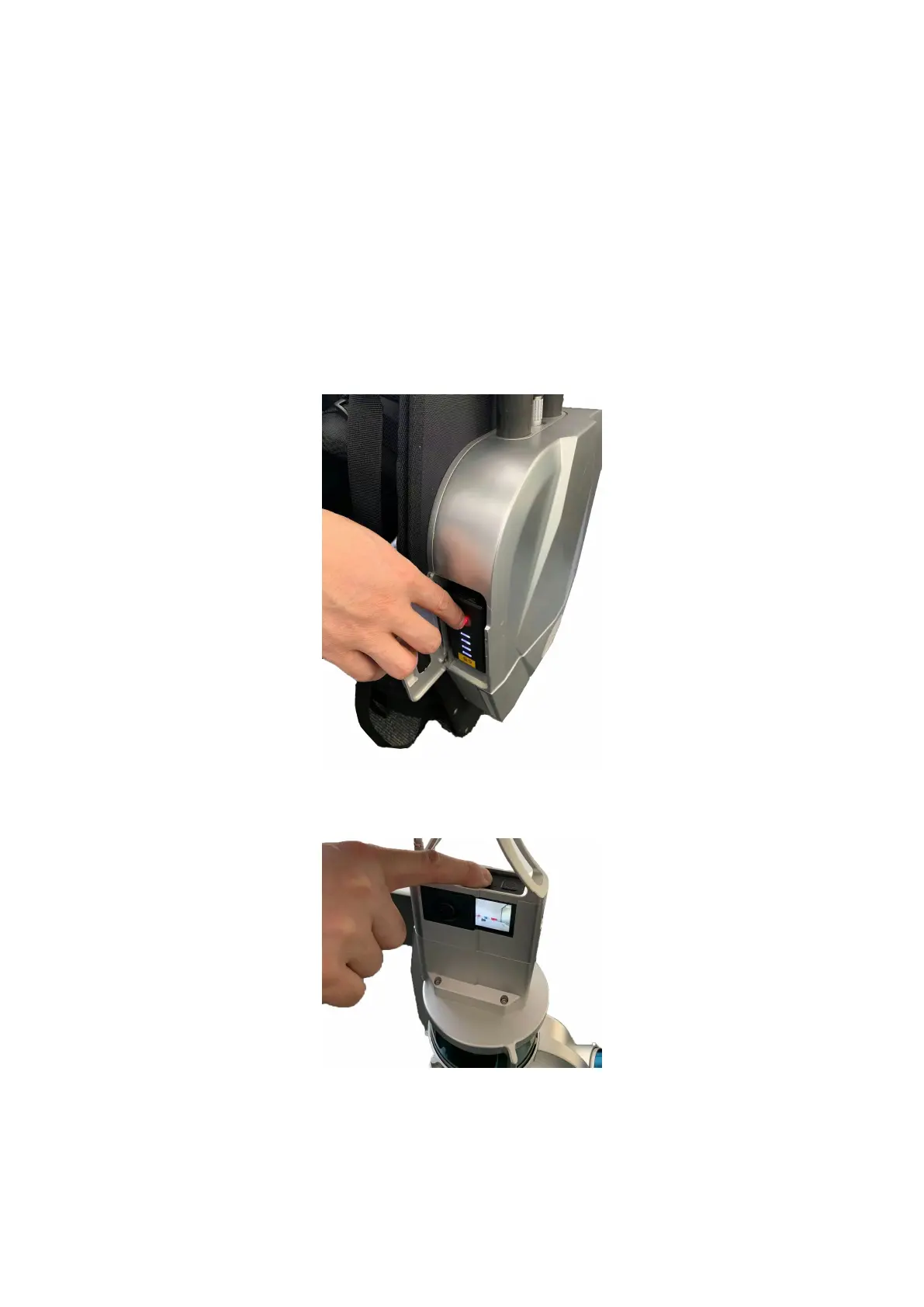
Remove the Battery Compartment Cover and insert a charged Battery. Press and release the round button on the Battery. Press and hold for
2 seconds until the red indicator light stays on to show the Battery is on. Meanwhile, both Laser Scanner and the Main Body will start working
and the laser scanner will vibrate gently.To turn off the battery and the device, repeat this procedure.
Turn On the Battery
Short-press the camera button and you will hear a short beep, indicating the camera is switched on and the camera information will appear on
LiBackpack interface.
Turn on the Camera
After the initialization process for the system, the indicator light (RUN) will stay on when LiBackpack C50 is on.



 To Next Page