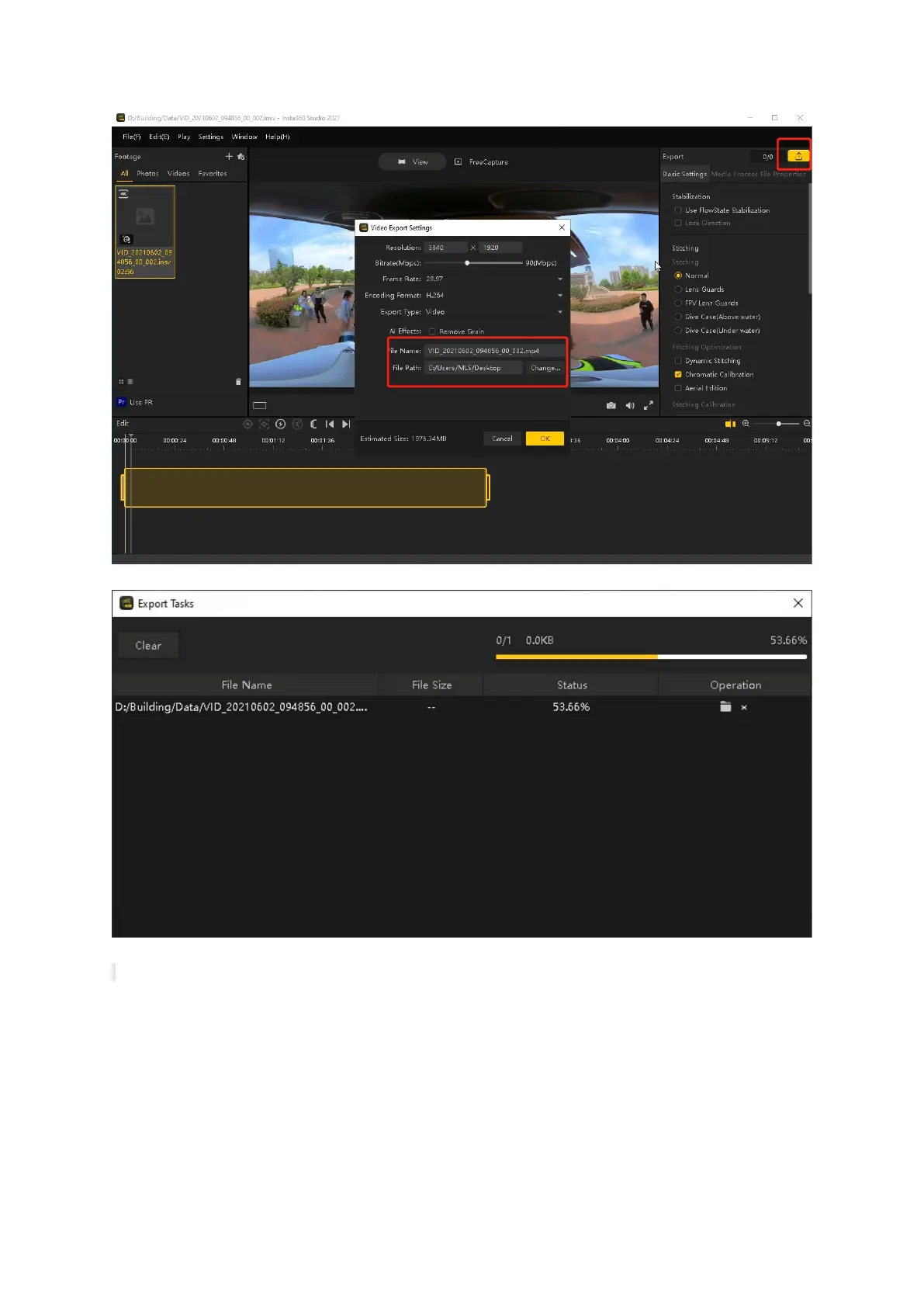
Export Setup
Process Bar
Note: Please save the .insv file and .mp4 file under the same folder for colorisation.
5.6 File Formats
5.6.1 .bag file
Raw data format. If real-time point data is not quite ideal, you can post-process in LiBackpack-Desktop for enhancement. If the result is still
not satisfying, you can send files to GVI for further processing. Please enclose a readme .txt with .bag file to provide following information:
1. Data collection location: xxxxxx;
2. Scanning equipment: LiBackpack C50;
3. Scanning scene description: xxxxxx (e.g., indoor, forest, factory);
4. Purpose of scanning: xxxxxx.



 To Next Page