3.Video Stitching
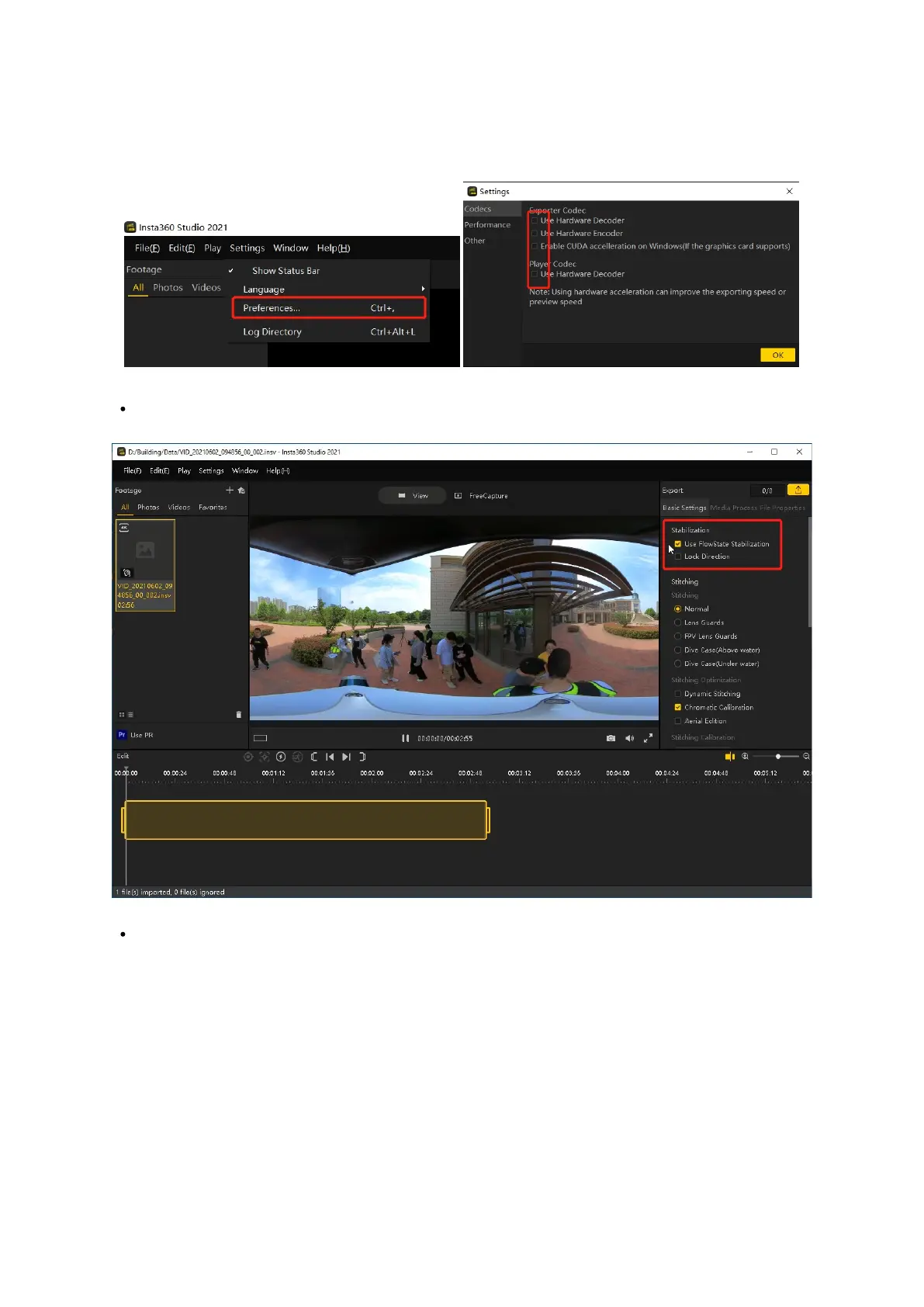
Open insta360 studio 2021 software and leave all options in "Settings - Preferences - Codec Settings" unchecked as shown in the following
picture
Softeware Preferences
Change the suffix of the .mp4 file copied in STEP 2 to .insv and drag it into the red frame as shown in the picture. After loading the video,
leave "Enable FlowState Anti-shake" unchecked as shown in the red frame in the picture.
Loading Video
Click "Export" at the top-right corner of the screen as shown in the picture. Leave the file name within the red frame unchanged and set
the export path (it is recommended that the exported .mp4 file be saved in the same directory as the original .insv file). Leave all other
parameters default and then click on OK. Wait for some time until the stitching process is complete and a panoramic video is created.



 To Next Page