5.6.2 .ply file
Real-time scanning result for data preview.
Naming rules: .ply file is named by the system time when data collection started (e.g., 2018-05-16-17-24-53.ply indicates that data collection
started at 2018/05/16 17:24:53).
5.6.3 .xyz file
Trajectory file processed in real time, including relative coordinates.
Naming rules: start time +_trajectory. Each row represents the x, y, z coordinates of a trajectory point. The starting point is the coordinate
origin.
Note: A single data collection will only generate .bag file without real-time point cloud file or trajectory file when real-time process
function is off.
5.6.4 CollectionRecords.txt file
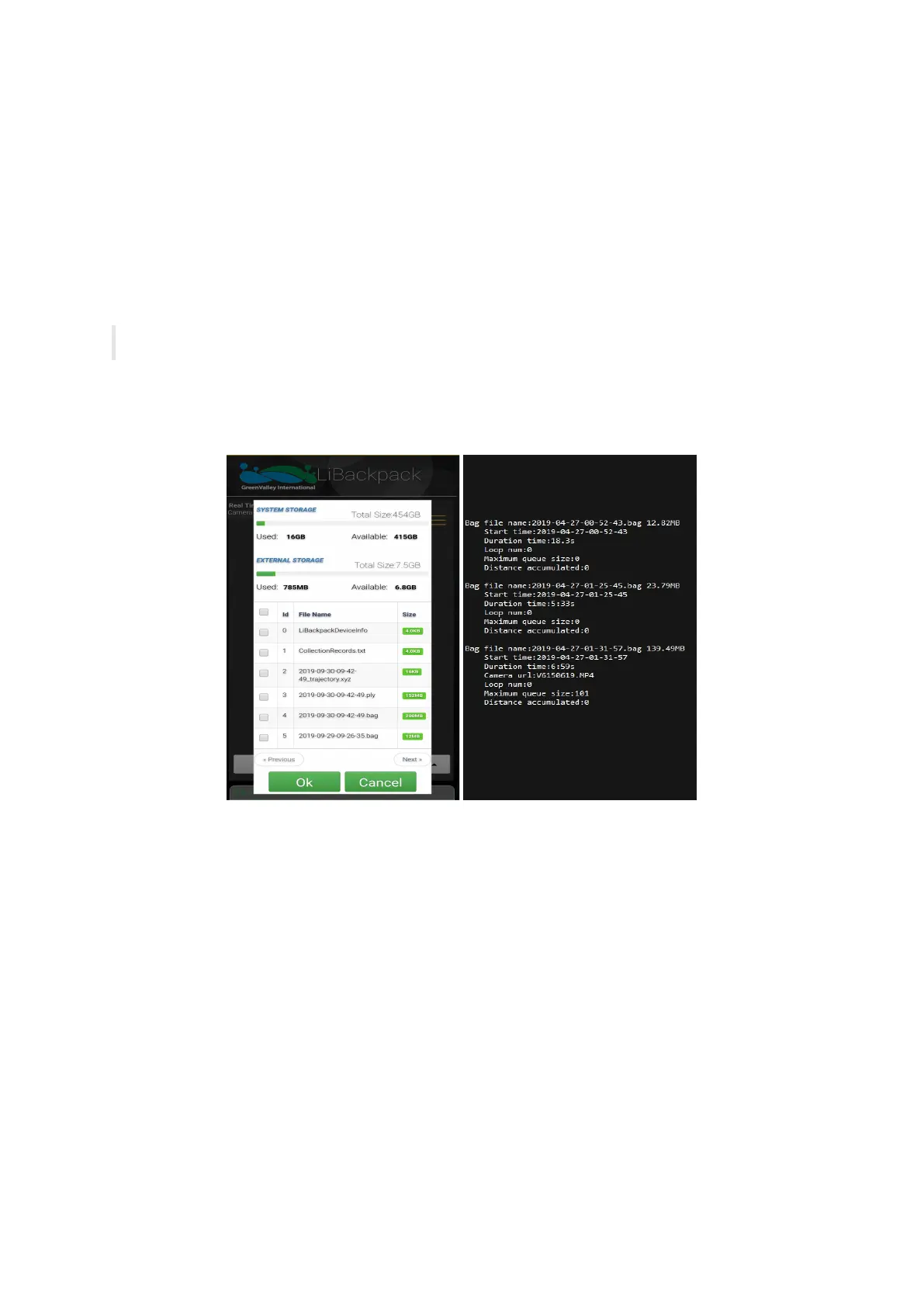
For each collecting session, a piece of record will be added to this .txt file, containing the corresponding .bag file name, time of collection,
number of closed loops and queue size, accumulated distance etc., as shown on the right picture:
Data Collected by the LiBackpack System
5.6.5 .mp4 file
Raw panoramic video data collected by the camera module. The .mp4 file would go through image processing before being imported to
LiFuser-BP for post-processing to generate color point-cloud.
5.7 Preview Point Cloud Data with LiDAR 360
Enable LiDAR360 software, click + on the menu to add point cloud data and click Apply. The following image shows the interface when
LiDAR360 opens .ply file. Click Apply all.



 To Next Page