08
PAGE
09
PAGE
08
PAGE
03
New Project
04
Functional Usage
4.1 Parameter Calculation
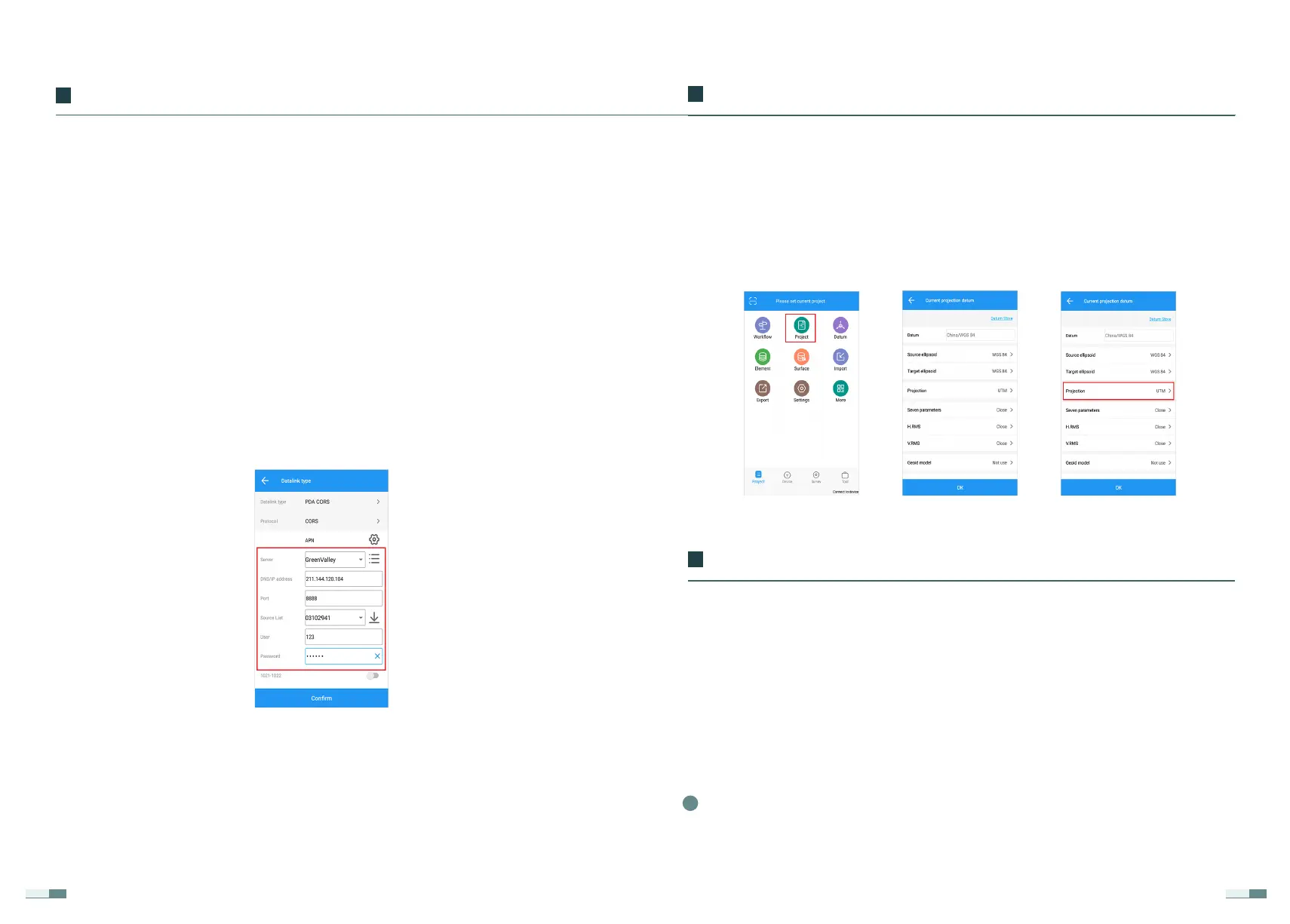
(Project) → (Project Management), click the "+" below to create, enter the
project name → select the coordinate system, obtain or enter the local
central meridian in the projection, and confirm.
Under normal working conditions, it is necessary to select control points in
the measurement area for parameter calculation and coordinate system
parameter conversion and then perform measurement operations.
The following are the control point requirements for parameter calculation:
The control points are generally required to be at least 3, and they are
evenly distributed inside the survey area;
1
The transverse Mercator projection is the Gauss-Krüger projection, and the
universal transverse Mercator projection is the UTM projection.
The host network mode (network 1+1 mode) requires a built-in SIM card, the
default IP address is 211.144.120.104, the port is 8888, the source list is the
receiver SN number (such as XXXXXXXX), and the APN is CMNET.
Connect the handbook to the LiBase receiver, click (Mobile Station),
customize the add mode, click the (Add) button in the lower-left corner,
select the host network or the handbook network for the data link, select
CORS in the communication mode, enter the server name, domain name /IP
address, and port. Click the ‘Get’ button on the far right of the source list to
get the desired source list, enter the user name and password, save the
mode, and start.
This mode needs to use the network, the SIM card is inserted in the LiBase
receiver, and the data link selects the host network; when the SIM card is
inserted in the handbook or the handbook is connected to WIFI, the hand-
book network is selected.
2.2.4 CORS Mode
Receiver Connection and Mode Settings
02


 To Next Page