12
PAGE
13
PAGE
4.4 CAD Stake
4.5 Curve Stake
(Survey) → (Curve), enter the curve library, click "+" in the lower right corner
to add, enter the curve design interface, select the line type, and enter the
curve name and related parameters. Taking the one-point method as an
example, input the starting point mileage, input or measure the starting
point coordinates, input the azimuth, line length, radius, and deflection,
and click OK to set out.
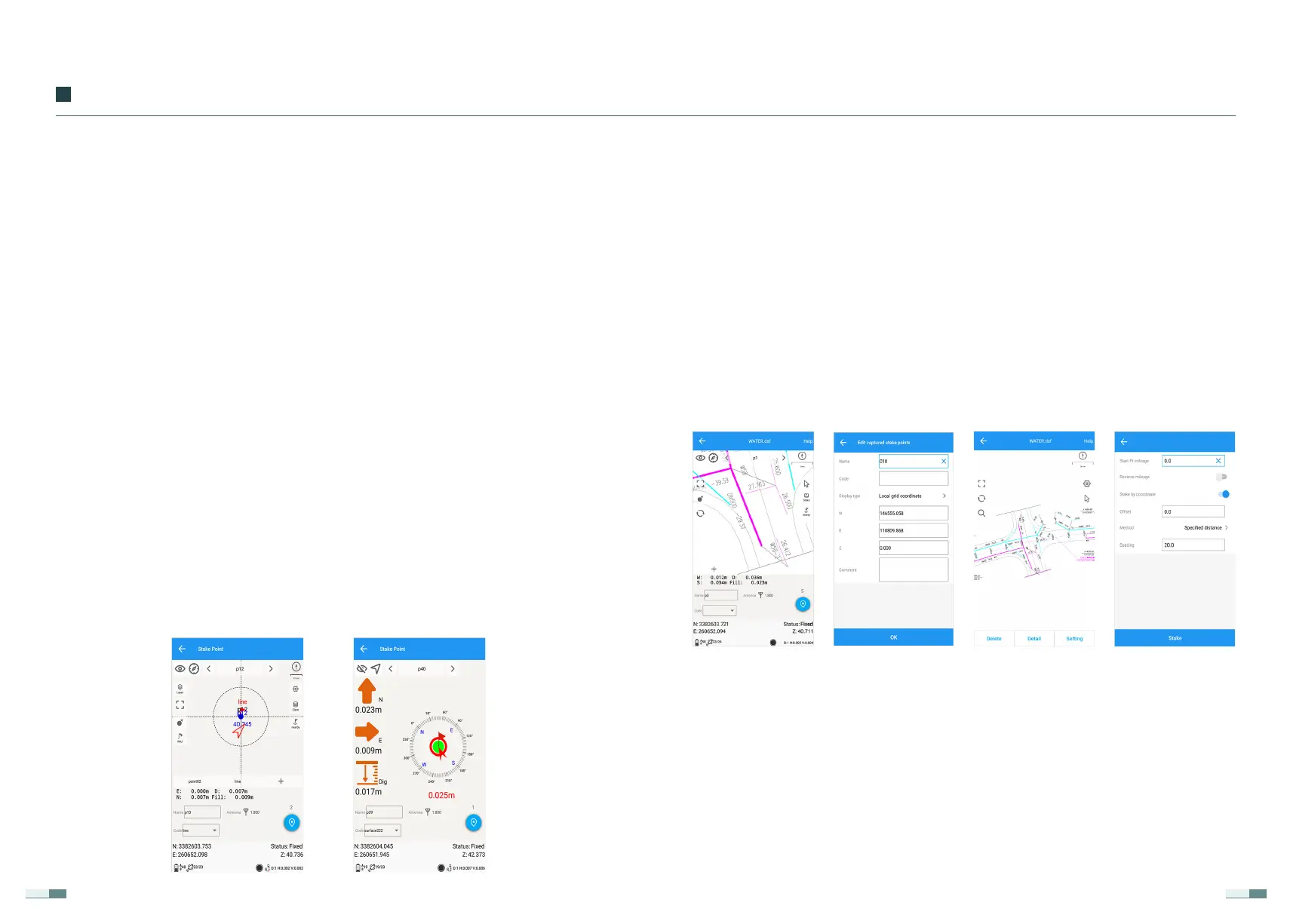
(Survey) → (CAD Stake), click "Import Drawing" at the bottom of the screen
to select the desired CAD drawing, the file type is dxf or dwg format. After
opening the diagram, click the point selection staking symbol in the upper
right corner, select a point to be staked in the diagram, and the coordinate
information of the point will pop up. After clicking OK, the point can be
staked. Select a line in the figure, click the stakeout setting in the lower right
corner to set the starting point mileage of the line and the offset distance,
calculation method, and interval of stake-by-pile coordinate stakeout. After
clicking stakeout, you can stake out the line.
4.3 Stakeout
(Survey) → (Point Stake), enter the coordinate point library, click the "..." in
the lower right corner, you can choose to add or import the coordinates of
the stakeout point, then select the point you want to stake out, and click
(Stakeout) to start stakeout.
If you need to modify the display method of the prompt data, you can click
the setting button in the upper right corner to modify it. For example, the
distance prompt can be east-west, north-south or front-back, left-right, and
the elevation can be positive or negative or fill and dig.
Note:
Before initialization of tilt compensation, it is necessary to set the rod
height value consistent with the actual value;
①
②
During initialization, it is necessary to keep the bottom position of the
centering rod unchanged during the front and rear shaking process;
Do not turn the instrument too fast when using tilt-compensated mea-
surement, otherwise it may need to be re-initialized.
04
Functional Usage


 To Next Page