28
GETTING STARTED
USING BLUETOOTH
CONNECTION
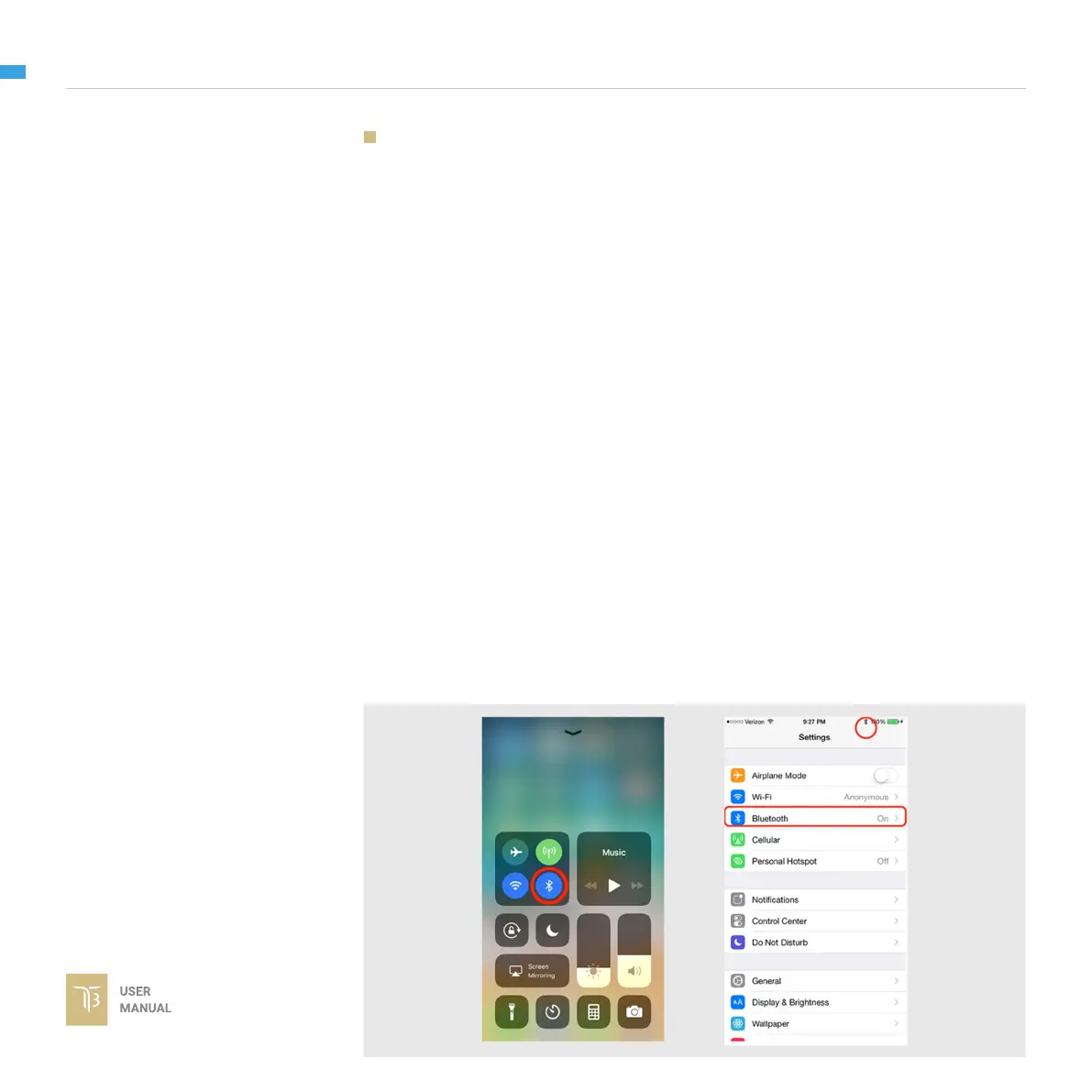
1 - Enable bluetooth adapter of mobile devices
On Android: the OS will ask for Location Data permission for BLE scanning
feature (updated by Google since Android 6.0)
On iOS: the OS will sometimes have issues with its Bluetooth adapter. Users
should check the device’s quick settings and general settings to enable the
adapter and the Bluetooth icon should appear on the device’s status bar.
2 - Turn ON the gimbal and run the app.
After switching to Bluetooth, the app will begin scanning for Gremsy Bluetooth
integrated gimbals.
If only one gimbal is found, it will be connected automatically.
If more than one gimbal is found, a list of gimbals will be shown to allow the user
to select the desired one.
If no gimbal is found, an error will be shown.
STEPS TO CONNECT:
ON MOBILE APP


 To Next Page