BALANCING 33
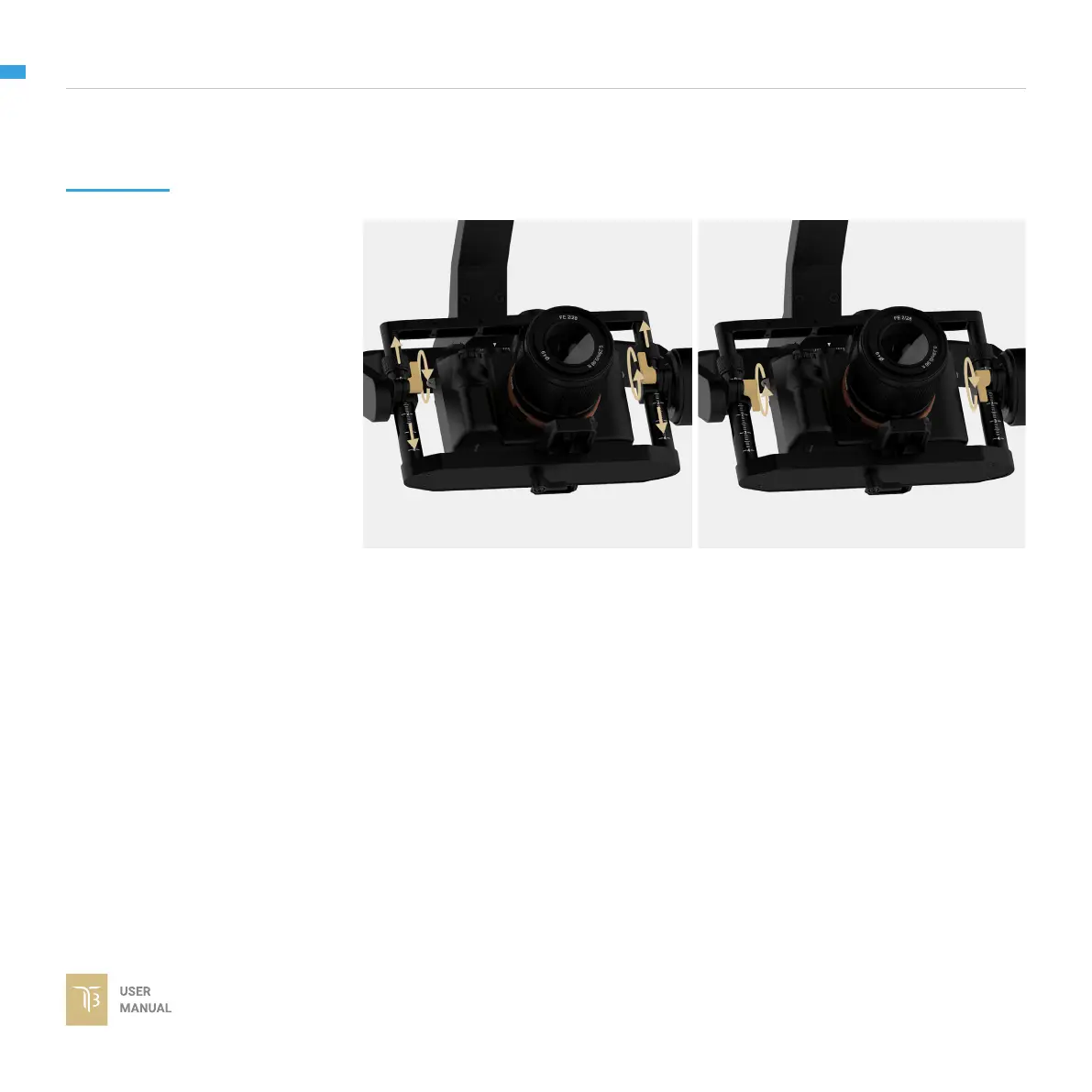
1. Rotate the tilt axis so that the lens
is pointing upward.Then, loosen both
vertical adjustment thumbscrews,
gently slide the camera mount crossbar
and the top bar forward and backward
until the camera remains pointing
upward when released.
2. Tighten the thumbscrews. Check
the number markings on both vertical
rods are the same. Sometimes, the
vertical balance could not be achieved,
the front-back balance should be re-
checked in this case.
TILT AXIS VERTICAL
BALANCE
When the proper vertical balance is achieved, you can rotate the camera in any
angle and it will stay at that position.


 To Next Page