-6-
Model G0922 (Mfd. Since 07/20)
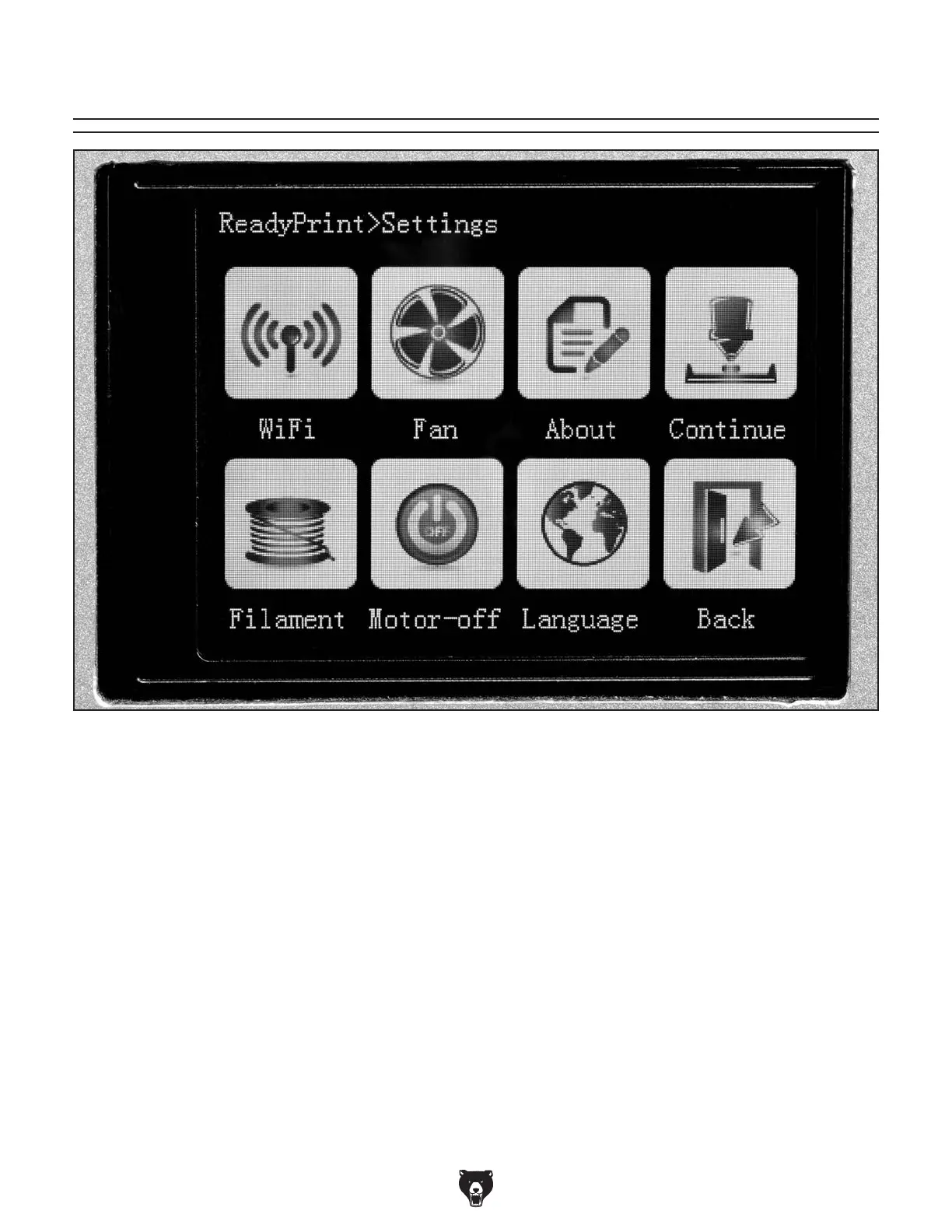
Settings Menu
Figure 4. Touch screen settings menu.
WiFi: The Model G0922 does not support WiFi.
Fan: Opens menu with settings to turn cooling
fan ON/OFF and change cooling fan speed.
About: Displays printer hardware and firmware
information.
Continue: Continues stopped print file from
breakpoint. For more information, refer to Printing
on Page 26.
Filament: Opens menu to load or unload fila-
ment. For more information, refer to Changing
Filament on Page 28.
Motor Toggle: Toggles axis motor torque ON/
OFF.
Language: Opens menu to change touch screen
language.
Back: Returns to Main Menu.


 To Next Page