Saber Hand Wind Audio Player - User Guide
5. Troubleshooting
5.1 Player will not charge
Batteries that reach critically low charge may stop accepting a charge from an external power
source. In this case, wind the handle for at least 5 minutes so the built in generator can supply a
small amount of charge, and then try charging from the external power source again. Alternately,
use an external power source with a lower voltage rating (around 5 – 5.5 volts) to apply a slow
charge over a longer period of time.
IMPORTANT: It is recommended that you keep winding the handle during playback. This will
maintain a good charge in the battery, and extend the battery life.
5.2 Files become corrupted
In some circumstances it is possible for file corruption to occur on the Saber player, preventing the
player from playing audio. This problem is primarily caused by the player being started without the
crank handle being turned before or during the start of a Saber player.
The following information will assist with identifying to see if the player has the problem, and
provide a method to resolve the issue.
5.2.1 Identifying the problem
File corruption can be identified by following these steps:
1. The Saber is charged correctly using an ACX adapter, solar panel or by turning the crank
handle for at least 5 minutes.
2. Start Saber. (press and hold the power button until green light starts flashing)
3. The Saber player green light flashes at high speed, and then turns off without playing audio.
5.2.2 Fixing the problem
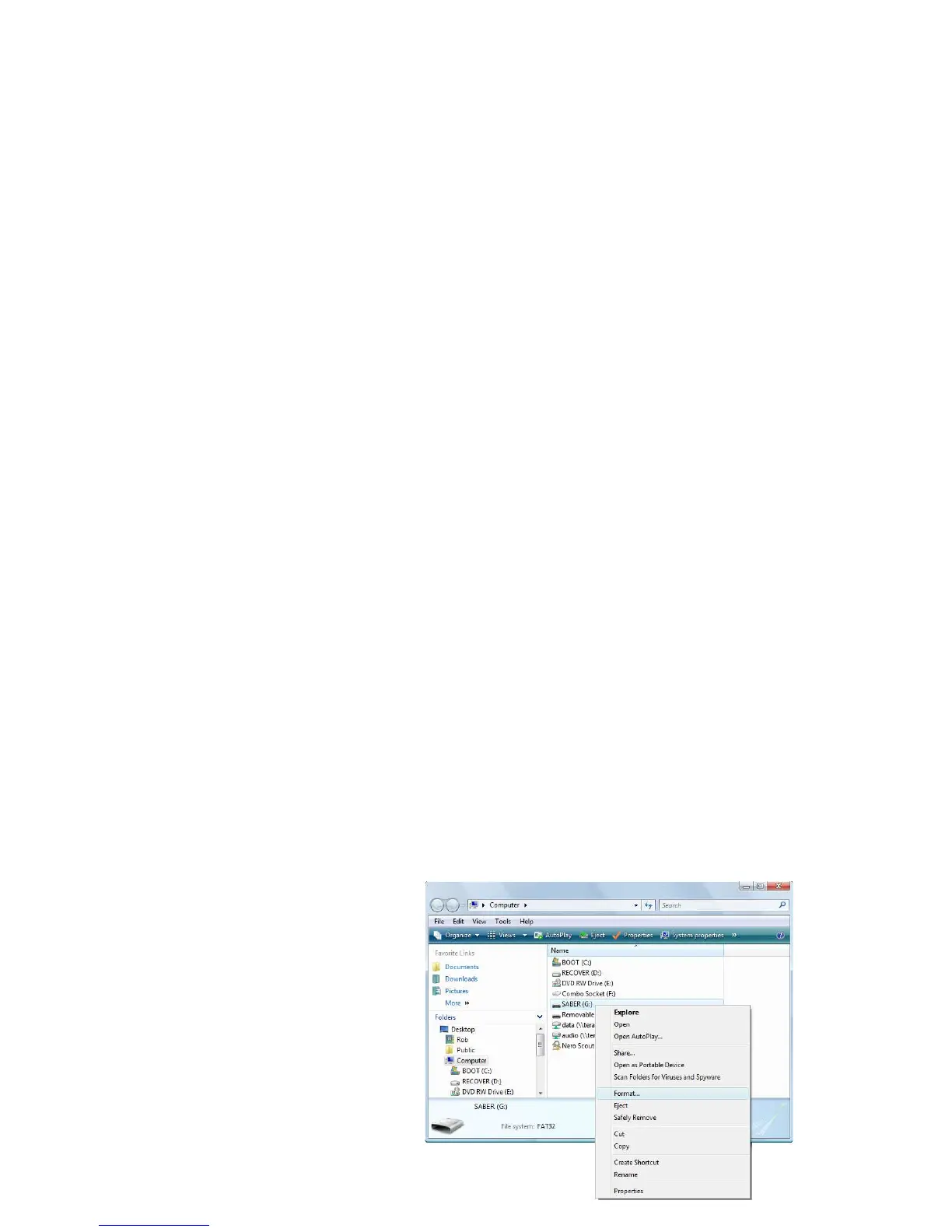
The recommended fix is to format the internal Saber drive inside the player to FAT32, and then
copy the audio files back on to the player.
Make sure you have a copy of the audio
files before formatting. The formatting
process will delete all audio files from the
player.
To format the internal Saber drive on a
Windows based computer, follow these
steps:
1. Close the SaberCopy utility and
any other window accessing the
Saber drive, if any.
Page 13 of 15



 To Next Page