EasyManua.ls Logo

Growatt AXE 5.0L - User Manual

Growatt AXE 5.0L
24 pages
Print Icon
To Next Page IconTo Next Page
Loading...
Residential Energy Storage User Manual
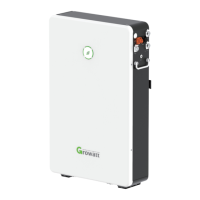
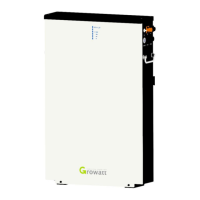
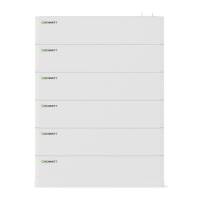
AXE 5.0L Battery System

Other manuals for Growatt AXE 5.0L

Questions and Answers

  • M
    maryadamsAug 7, 2025
    How to fix communication loss between PCS and PACK on Growatt AXE 5.0L?
    • P
      Patricia PerkinsAug 7, 2025
      If you are experiencing communication loss between the PCS and PACK, you should stop using the battery immediately. First, check if the communication terminal between the PCS and the battery is well connected. If the PCS and PACK still cannot communicate after verifying the connection, contact your installer to repair the battery.
  • T
    Tammy ThompsonAug 14, 2025
    What causes ALM light to flicker on Growatt AXE 5.0L?
    • M
      Michelle MorrisAug 14, 2025
      The ALM light on your Growatt Camera Accessories might flicker due to: * Single cell voltage being below the undervoltage protection threshold. * Single cell voltage exceeding the protection threshold. * Communication loss between the PCS and PACK. * Communication loss between two parallel connected PACK. * Communication failure between two parallel connected PACK.
  • A
    Ana AlexanderAug 22, 2025
    Why is the ALM light flickering due to single cell voltage on my Growatt AXE 5.0L Camera Accessories?
    • H
      Hannah KellerAug 22, 2025
      The ALM light might flicker because the single cell voltage is either below the threshold for undervoltage protection (in which case, stop discharging and recharge) or exceeding the protection threshold (in which case, stop charging and let the PACK idle).
  • T
    Tiffany JohnsonAug 28, 2025
    How to check CAN connection for Growatt AXE 5.0L Camera Accessories?
    • A
      Antonio WeaverAug 28, 2025
      To resolve communication issues between parallel connected batteries, check the CAN connection between the two batteries, and the CAN connection between Linkin and Linkout. Also, check the CAN connection between the Battery and PCS.

Summary

About this Document

Product Overview

Intended Use and Functionality

Details the system's purpose, operation, and capacity expansion capabilities.

Appearance and Operation Panel

Describes the physical appearance and the battery operation panel, including port functions.

Working Principle

Explains the core working principles and features of the AXE 5.0L battery system.

Safety Information

Basic Security and Precautions

Covers fundamental safety rules, environmental, and operational precautions for safe use.

Warning Labels and Emergency Actions

Explains warning symbols and outlines emergency response procedures for hazards.

Storage and Transportation

Storage Requirements

Specifies conditions for storing the battery system, including temperature and humidity limits.

Transportation Requirements

Details requirements for safely transporting the battery system, including UN certification.

Installation Procedures

Installation Environment and Tools

Outlines acceptable installation environments and lists required tools for setup.

Basic Installation and Checks

Covers general installation requirements and essential pre-installation checks.

Floor Standing Installation

Details the process for installing the battery system on the floor correctly.

Electrical Connection

Explains communication and wiring connections for the battery system to the PCS.

Power Connection

Illustrates the steps for connecting the power cables to the battery modules.

Power Management

Power On Procedure

Describes how to turn on the battery system, including different connection scenarios.

Power Off Procedure

Explains the correct method for powering down the battery system safely.

Maintenance and Troubleshooting

Preparation and Pack Replacement

Outlines preparation steps and the procedure for replacing a battery pack.

System Failure Analysis

Provides a list of errors, causes, and suggested actions for troubleshooting.

Technical Specifications

Appendix I: LED Indicators

Growatt AXE 5.0L Specifications

General IconGeneral
BrandGrowatt
ModelAXE 5.0L
CategoryCamera Accessories
LanguageEnglish

Related product manuals