- 13 -
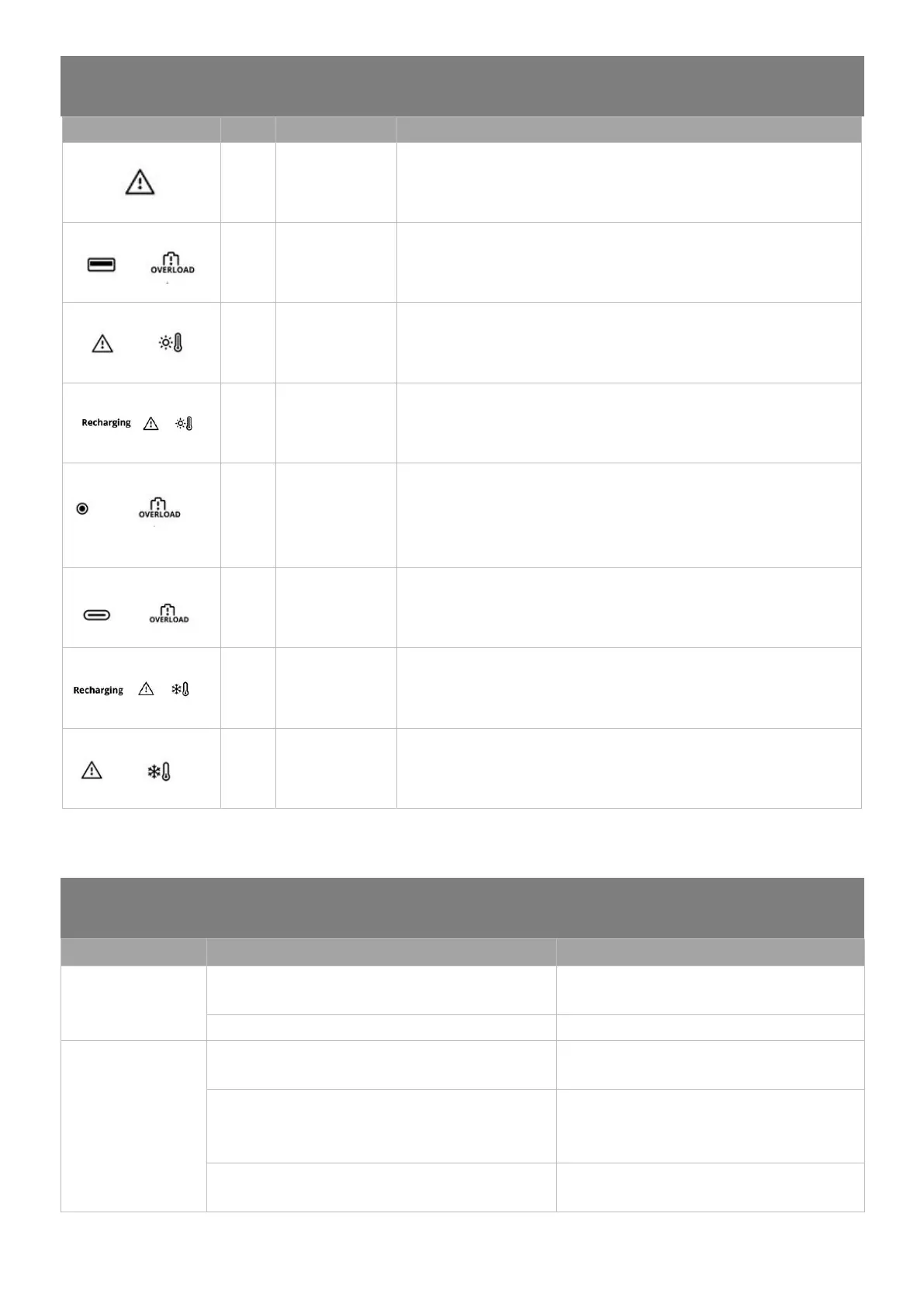
APPENDIX 1: ERROR CODES
Restart the Expansion Battery. If the problem persists after several attempts,
please contact Growatt Customer Service.
Please check the output of your USB devices. Remove your USB device(s) if
the output exceeds the maximum output of the USB port(s).
Discharge Over
Temperature
Turn off the product and place it in an open area for 2-3 hours. After cooling,
the product will continue to work normally.
Turn off the product and place it in an open area for 2-3 hours. After cooling,
the product will continue to work normally.
Car Cigarette
Lighter Output
Port Overload
Please check the output of your devices. Remove your device if the output
exceeds the maximum output of the Car Cigarette Lighter Output Port.
Please check the output of your USB devices. Remove your USB device(s) if
the output exceeds the maximum output of the USB port(s).
Please move it to a warmer spot or connect it to AC/PV power before use.
Please move it to a warmer spot or connect it to AC/PV power before use.
*Note: For other error codes, please contact Growatt Customer Service; F00: Press and hold the USB Power Button to display the actual error
codes.
APPENDIX 2: TROUBLESHOOTING
Unable to recharge
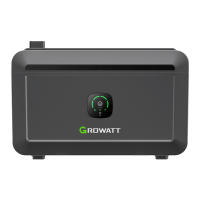
INFINITY 2000
Expansion Battery
Check if the charging cable is plugged in properly
Double-check that the interface of the charging
cable is in good contact.
None of the problems listed above were discovered.
Contact Growatt Customer Service.
INFINITY 2000
Expansion Battery is
not powering my
devices
Check if the load(s) are plugged in properly.
Please make sure the load(s) are in good
connection with the output port(s).
Please check the DC/USB power indicators and see if the
power is turned on.
Press the DC/USB power button to turn on the
DC/USB output. You should see the DC/USB
indicators light up once the output is turned on.
Please check if the battery is too low.
Please recharge the Expansion Battery using the
provided power cable.


 To Next Page