Mini-X Installation, Setup & User Manual GRT Avionics
Revision A9 73
Engine Display Pages
Six full-screen pages are provided. The content of the lower-right portion of the screen varies, as
described below, according to the intended use.
Selection of the engine page is made on the second set of softkey pages. Pressing any key will
display softkey labels and pressing the “NEXT” softkey will display the second set of softkeys. The
“DATA” softkey provides the page selection.
They are identified as:
● TEMP: Temperatures
● EGT: Exhaust Gas Temperatures
● HIST: History
● BARS: Bar Graphs
● STATS: Statistics
● DIALS: Dials
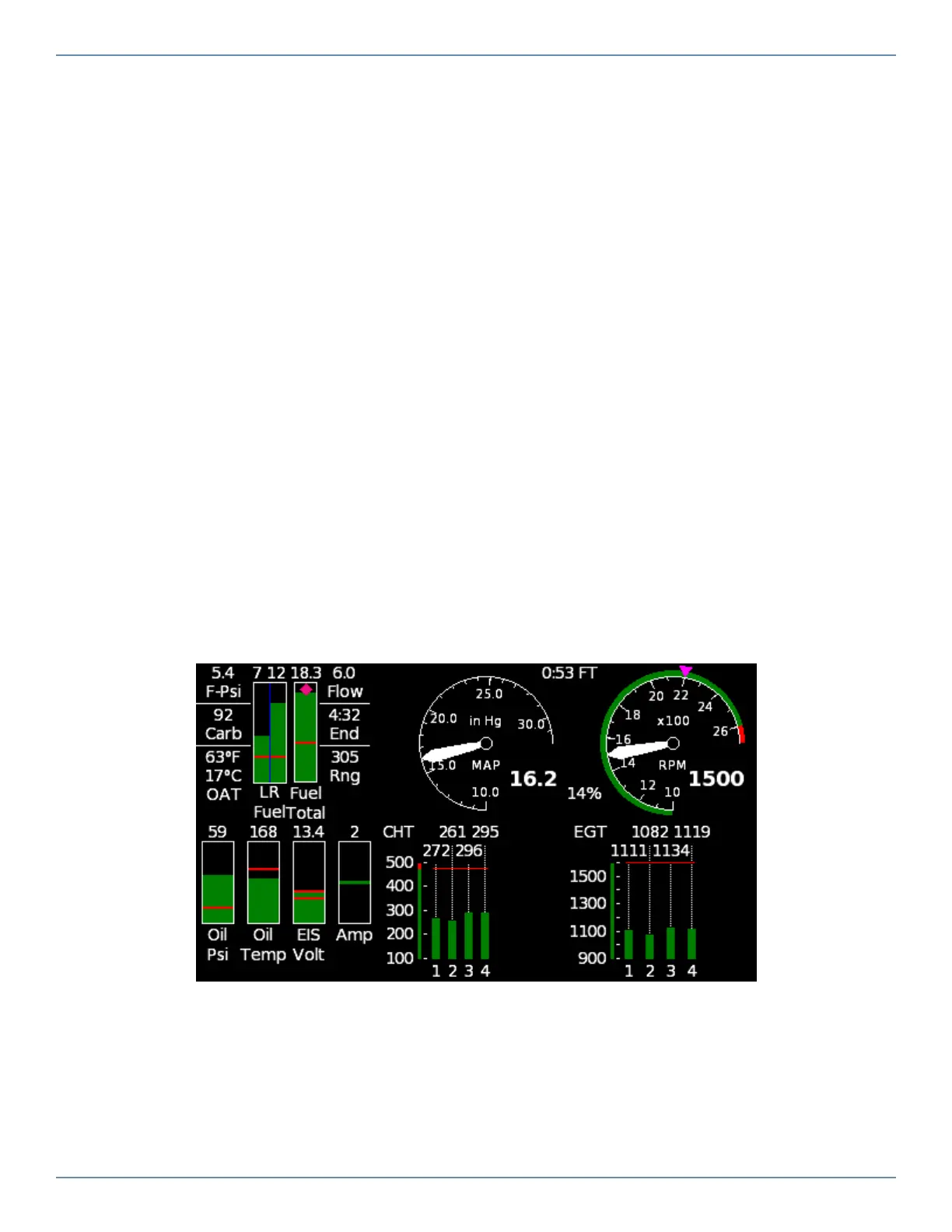
Temperatures Engine Page
This page features traditional bar graphs for EGT and CHT temperatures. The intent of this page is
to provide EGT/CHT bar graph temperature displays that may be familiar to many pilots.


 To Next Page