40
ENGLISH
Standby/ON
When you first connect the main unit to the mains
socket, the main unit will be in Standby mode.
• Press the button on the remote control or on
the main unit to switch the main unit ON.
• Press the button on the remote control or on
the main unit to switch the main unit back to
Standby mode.
• Disconnect the mains plug from the mains
socket if you want to switch the unit off
completely.
Tips:
• If there is no signal input under the DISC, USB,
BT (Bluetooth), LINE IN or AUX mode, the unit
will automatically switch off within 15 minutes.
Select Modes
• Press the MODE button on the unit or on the
remote control to select the desired mode.
• The selected mode DISC, USB, DAB, FM, BT,
AUX, LINE IN will show on the display.
Adjust the Volume
• Press the / buttons on the remote
control or rotate VOL+/- knob on the unit to
adjust the volume.
• If you wish to turn the sound off, press the
button on the remote control. Press the
button again or press / buttons to
resume normal volume.
Adjust the Bass Level
• Press the BASS +/- button on the remote
control to adjust the bass level.
MAIN OPERATION ____________________________
SETTINGS __________________________________
Tips:
• Each enabled state will be cleared if a button
is not pressed within 15 seconds.
• When the alarm rings, press the button on
the remote control or on the unit. The alarm
stops but the alarm settings remain.
Set Clock/Alarm while in ON mode
1 In ON mode, press MENU button and then
press OK button to entering system menu
setup.
2 Press / buttons on the remote control to
select CLOCK or ALARM setting, and then
press OK button to confirm.
3 Press / buttons to setup and confirm
with OK button.
Setup Menu
1 In ON mode, press MENU button and then
press OK button to entering system menu
setup.
2 Select the content with / (Left / Right) on
the remote control.
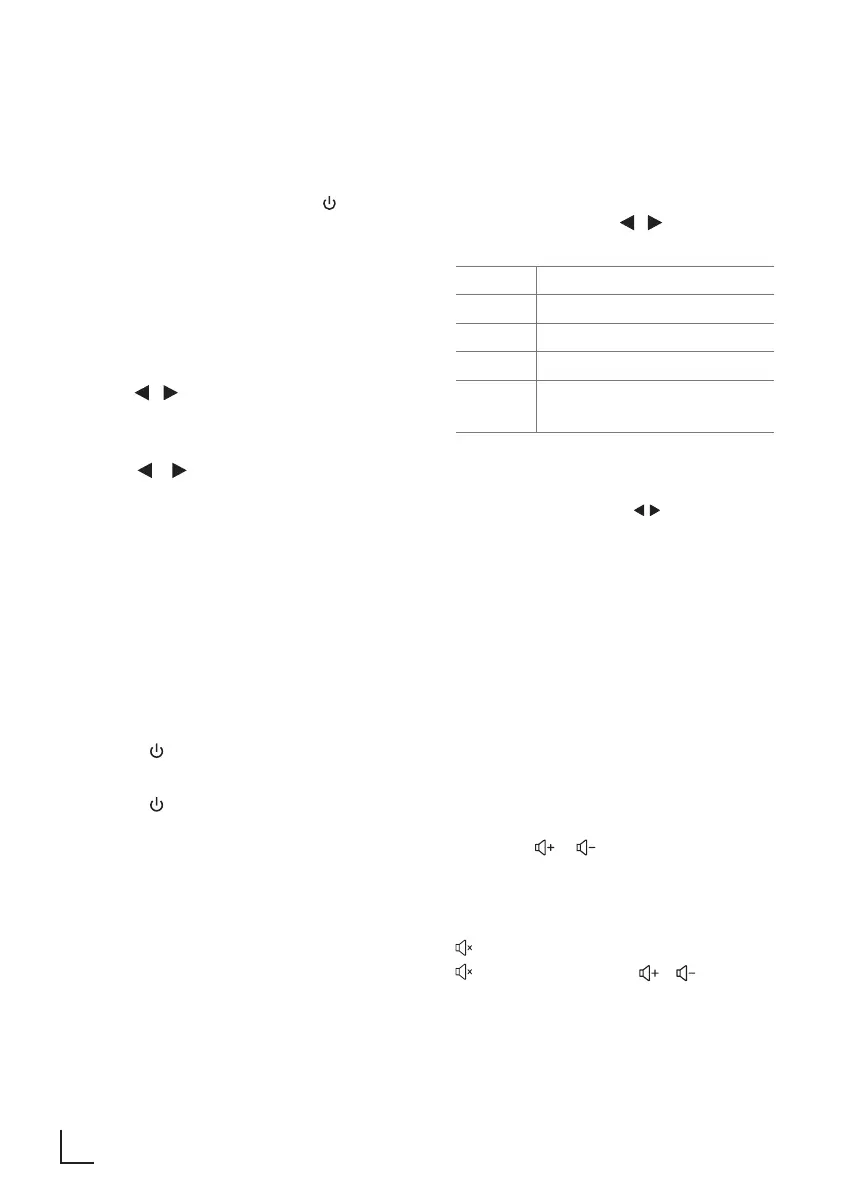
CLOCK Set the clock
ALARM Set the alarm Timer
RESET Reset device to default setting
SYNC Set synchronization the Clock
SETUP Setup the FM/DAB menu
(FM/DAB mode only)
3 Press OK (Enter) to confirm your selection.
Change the initial values for each of the
settings with the cursors / (Left / Right).
4 To exit the settings, press MENU button.











 To Next Page