EasyManua.ls Logo

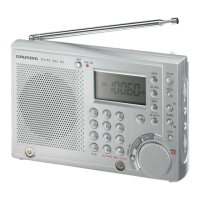
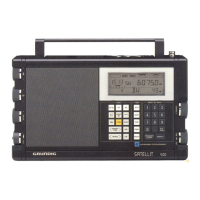
Grundig YB-P 2000 - User Manual

Grundig YB-P 2000
12 pages
Print Icon
To Next Page IconTo Next Page
Loading...
YB-P 2000 page 2
2
SW Tuning Table
SW1 (MHz)
2.30 - 7.40
SW2
9.40 - 26.10
SW
M-Band (MHz)
2.30 - 2.55 (120 m) 9.40 - 10.05 (31 m)
3.15 - 3.45 (90 m) 11.50 - 12.20 (25 m)
3.85 - 4.05 (75 m) 13.50 - 13.90 (22 m)
4.70 - 5.15 (60 m) 14.95 - 15.70 (19 m)
5.75 - 6.30 (49 m) 17.40 - 18.00 (16 m)
7.05 - 7.40 (41 m) 21.30 - 21.95 (13 m)
25.60 - 26.10 (11 m)
NOTES
English Page
Controls .................................................3-4
Display.....................................................5
Power Supply ............................................6
General....................................................7
Radio reception.......................................8-9
Clock.....................................................10
Alarm ....................................................10
Sleep ....................................................11
Lock.......................................................11
General information..................................12
Troubleshooting........................................13


Other manuals for Grundig YB-P 2000

Questions and Answers

  • R
    Ruth DuncanJul 29, 2025
    Why is my Grundig YB-P 2000 malfunctioning and losing settings?
    • S
      Stephen SmithJul 29, 2025
      If your Grundig Receiver is malfunctioning and losing time settings and preset radio stations, it might be due to continued operation with weak batteries. Remove the batteries, press a paper clip through the RESET hole, insert fresh batteries, and then readjust the time settings and the preset stations. As a precaution, set the 1 LOCK switch to ON when packing or storing the set.
  • M
    Melissa McdonaldAug 2, 2025
    What to do if my Grundig Receiver does not react to any button press?
    • L
      Leslie BeckAug 3, 2025
      If the Grundig Receiver does not react when you press any button, it could be due to electrostatic discharge. Try switching off the set, disconnecting the mains adapter or removing the batteries, and then reconnecting everything after a few minutes. Also, check if the 1 LOCK switch is activated and switch it off if it is.
  • R
    Robert MooreAug 7, 2025
    How to fix a Grundig YB-P 2000 Receiver when the power button does not work?
    • S
      Scott RamseyAug 7, 2025
      If the power button on your Grundig Receiver isn't working, check if the 1 LOCK switch is activated. If it is, switch off the 1 LOCK function.
  • E
    Elizabeth BushAug 11, 2025
    Why is there no sound coming from my Grundig YB-P 2000 Receiver?
    • C
      Chelsea HerreraAug 11, 2025
      If your Grundig Receiver isn't producing any sound, first ensure the volume is properly adjusted. Check if headphones are connected and disconnect them if they are. Also, make sure the batteries are fresh and correctly inserted. Finally, verify that the mains adapter is securely connected.
  • D
    Donna LambAug 15, 2025
    How to improve radio reception on my Grundig Receiver?
    • M
      Matthew LucasAug 15, 2025
      Poor radio reception on your Grundig Receiver can be due to a weak aerial signal. Try adjusting the aerial for optimal reception: for FM, incline and rotate the telescopic aerial; for MW, rotate the entire set; and for SW, extend the telescopic aerial vertically. Also, keep the receiver away from electrical equipment like TVs, computers, and fluorescent lamps, as they can cause interference.
  • E
    erinadamsAug 19, 2025
    Why doesn't the alarm function on my Grundig YB-P 2000 Receiver?
    • M
      Marissa JonesAug 19, 2025
      If the alarm on your Grundig Receiver isn't working, first ensure that the alarm time is correctly set. Also, check if headphones are connected, as this can prevent the alarm from sounding. Disconnect the headphones.
  • Y
    youngmarkAug 25, 2025
    Why is the sound quality poor on my Grundig YB-P 2000?
    • W
      wujuanAug 25, 2025
      If your Grundig Receiver's sound quality is poor, it might be because the batteries are running low. Try inserting fresh batteries or using a mains adapter.

Summary

Controls

Control Descriptions

Details functions of various controls like Power, Volume, Tuning, Display, and Alarm settings.

Display

Power Supply

Battery Installation

Instructions for inserting and handling batteries, including disposal advice.

AC Mains Adapter

Guidelines for connecting and using the AC mains adapter for power.

Radio Reception

Tuning to a Station

Methods for tuning: automatic, manual, and direct selection by frequency.

Preset Radio Stations

Instructions for programming and recalling up to 20 preset radio stations.

Clock and Alarm Functions

Sleep and Lock Functions

Troubleshooting

Problem Diagnosis

Lists common problems, their possible causes, and solutions for the radio.

Grundig YB-P 2000 Specifications

General IconGeneral
BrandGrundig
ModelYB-P 2000
CategoryReceiver
LanguageEnglish

Related product manuals