12
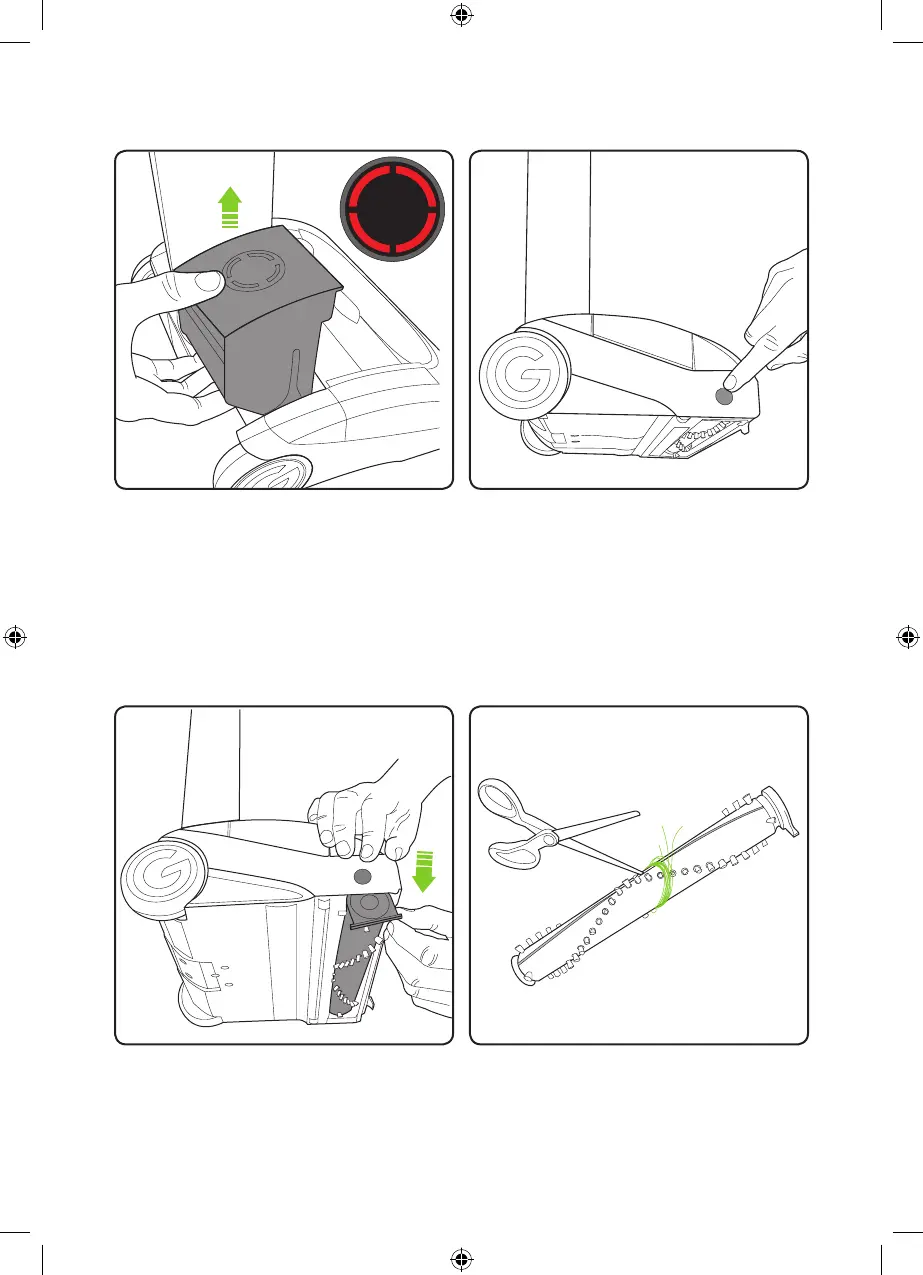
If the brush bar jams during use, the
AirRam will stop and the LEDs will appear
red. Before checking for a blockage,
remove the battery.
Rest the AirRam on its side and locate
the brush bar button on the right hand side.
Press the button inwards and then pull
the brush bar out from the bottom of
the AirRam.
The brush bar can now be removed,
starting at the button end.
To remove hair from the brush bar, run an
open pair of scissors down the groove to
cut the hair, then pull it out.
Removing and cleaning the brush bar
2859_System_TE_manual_update_aw.indd 12 31/05/2018 13:24



 To Next Page