7
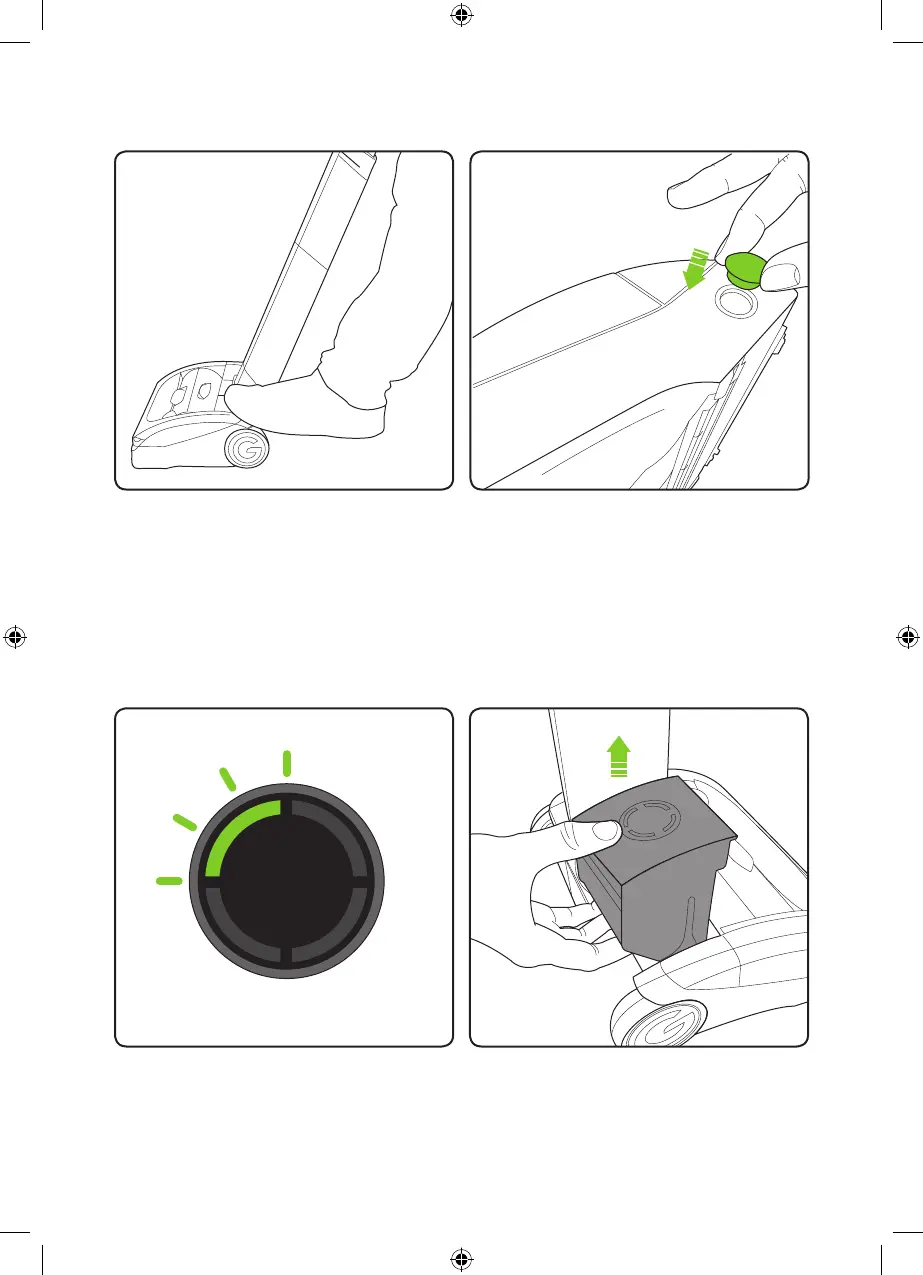
When the state of charge indicator starts to
ash one green LED, recharge the battery.
The battery can be charged whilst it’s in the
AirRam, or when it’s off the product.
To remove the battery, squeeze the latch
underneath and pull upwards.
Battery charging
Press the power button with your foot to
turn the AirRam on.
To get the best performance on hard oors
with deep crevices, remove the brush bar
as shown on page 11. Insert the supplied
brush bar hole plug into the side of the head
assembly as shown in the image above.
2859_System_TE_manual_update_aw.indd 7 31/05/2018 13:24



 To Next Page