6
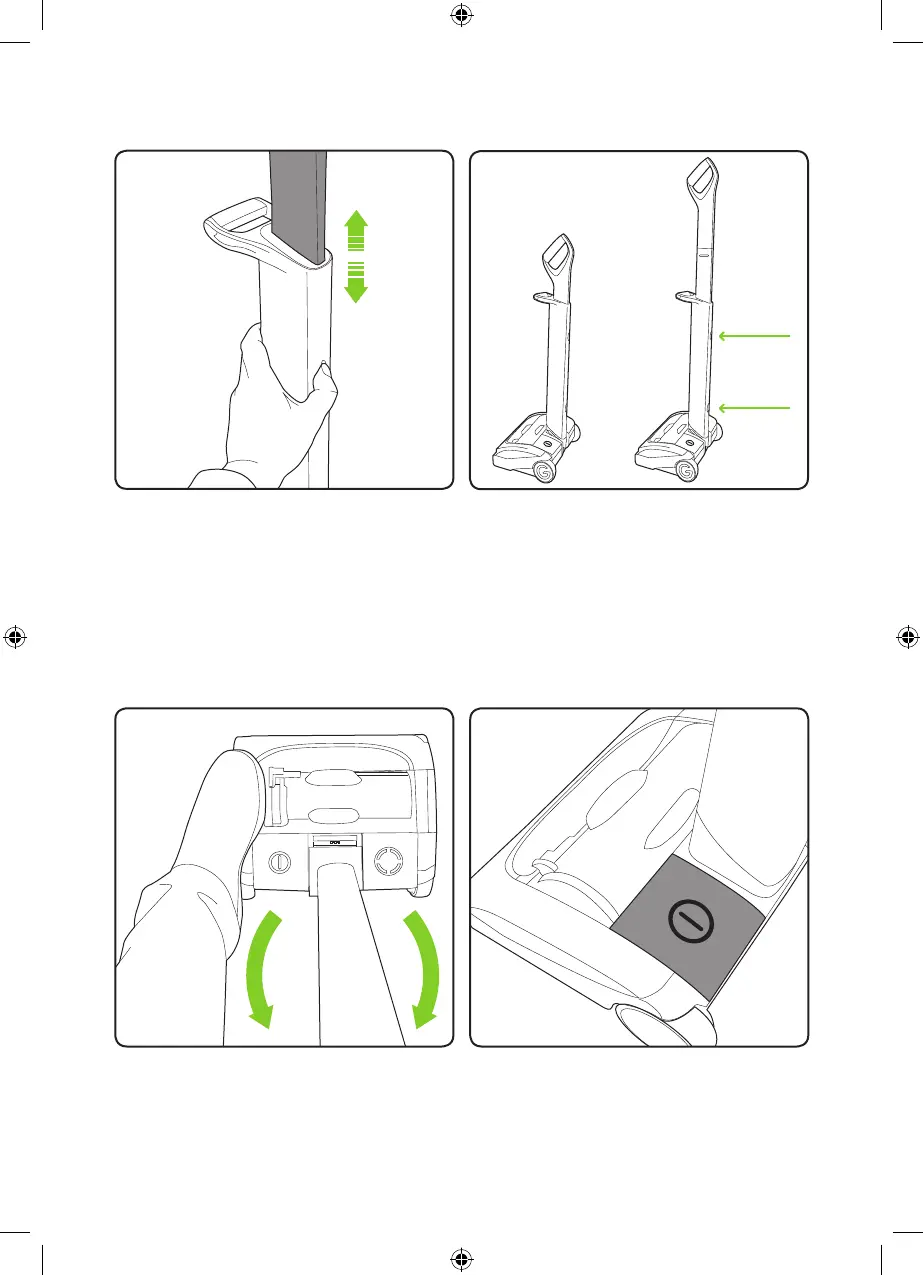
To stow or extend the upper handle simply
press the button on the lower handle to
unlock the upper handle.
The upper handle will now slide up or down
depending on required position.
Operation
Storage
Without pressing the power button, place
your foot on the left side of the AirRam
head and pull the handle back.
The upper handle can be set in two
positions: Lowered for storage and raised
for use. To lower the handle, release the
upper button. To raise the handle from the
stored position, release the lower button.
The power button is located on the left
hand side of the AirRam head assembly.
2859_System_TE_manual_update_aw.indd 6 31/05/2018 13:24



 To Next Page