50%
Charging
100%
Charging
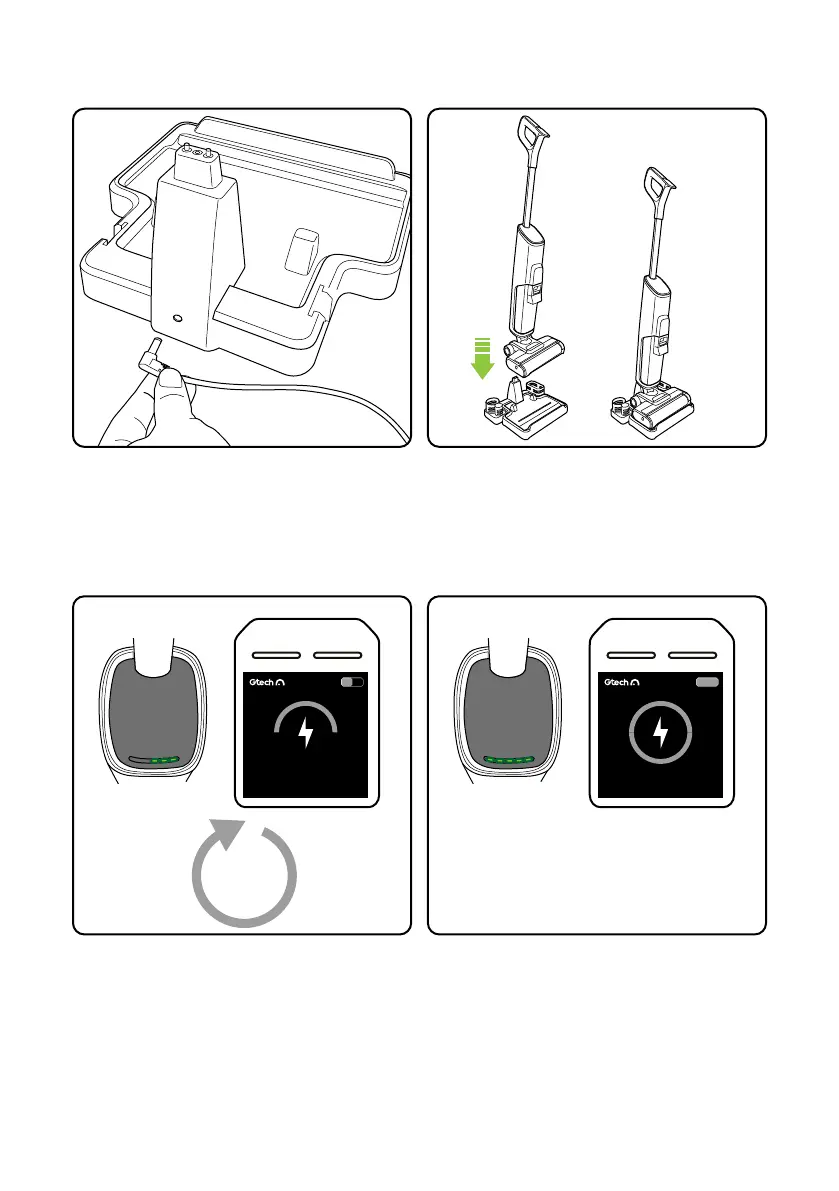
When charging the green lights will flash and
light up in turn.
The LCD display will indicate charging
When fully charged the 5 green lights will
be on.
The LCD display will show fully charged.
5
hours
10
Place the Orca onto the charge base
Position the charge base close to a plug socket
and plug the charger into the back of the
charge base as shown.
Charging


 To Next Page