10
3.2 IR remote control
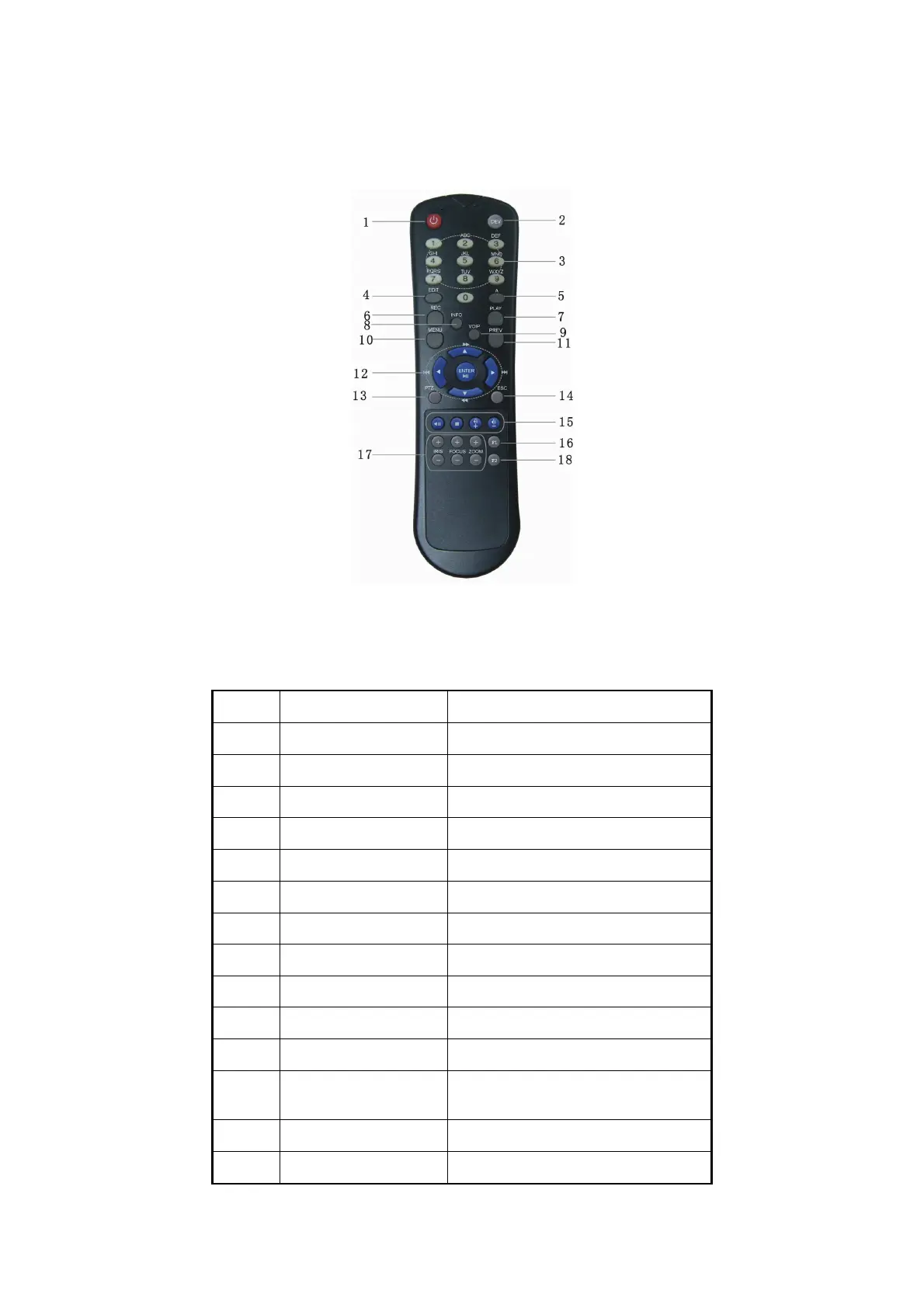
Fig. 3.2 Elevation of IR remote control
Table 3.2 Instruction of IR remote control
Index Name Description
1 POWER Turnoff device.
2 DEV Enable IR remote control
3 Numeric Keys Same as numeric keys of front panel.
4 EDIT Same as EDIT key of front panel.
5 A Same as A key of front panel.
6 REC Same as REC key of front panel.
7 PLAY Same as PLAY key of front panel.
8 Reserved
-
9 Reserved
-
10 MENU Same as MENU key of front panel.
11 PREV Same as PREV key of front panel.
12
Direction Keys
ENTER
Same as direction keys and enter key
of front panel.
13 PTZ Same PTZ key of front panel.
14 ESC Same as ESC key of front panel.



 To Next Page