EasyManua.ls Logo

Guest 16153 - User Manual

Guest 16153
25 pages
Print Icon
To Next Page IconTo Next Page
Loading...
R
Intelligent Charging System Series
OWNER’S MANUAL
ON BOARD BATTERY CHARGERS
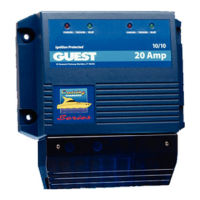
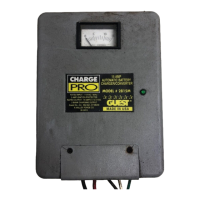
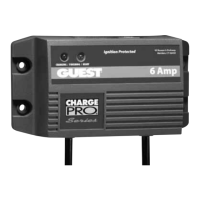
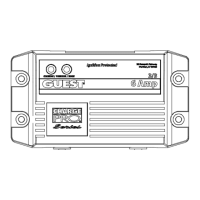
Models Amperage No. Of Banks Volts
16061
6 Amps 1 Bank 12
16102
6,6 Amps 2 Banks 12 or 24
16153
6,6,6 Amps 3 Banks 12 or 24 or 36
16202
10,10 Amps 2 Banks 12 or 24
IMPORTANT NOTICE
This manual contains important safety and operating instructions for the charger. Read
the entire manual before using. Also read all instructions and cautions for and on the
charger, batteries and equipment in the vicinity of the batteries.
SAVE THESE INSTRUCTIONS

Questions and Answers

Summary

Important Safety Instructions

Warnings

General safety warnings regarding battery types and explosive gases.

AC Connection and Grounding Precautions

Guidelines for safe AC connection and grounding to prevent shock.

Introducing the Charger

Personal Safety Precautions

Safety measures to follow when working near lead-acid batteries.

Installing the Charger

Choosing a Mounting Location

Recommendations for optimal charger placement for cooling and performance.

Mounting the Charger

Instructions for physically mounting the charger unit to a surface.

Making the DC Connections

Steps for connecting the charger's DC output wires to the battery.

Setting Up the Battery Chemistry

How to select the correct battery chemistry type for optimal charging.

Making AC Connection

Final step to connect the charger to a GFCI protected AC outlet.

DC Output Wiring Configurations

Overview of possible DC wiring setups for different charger models.

Operating the Charger

LED Function Chart

Explanation of charger status indications via LED lights during charging.

Battery Fault Indication

Troubleshooting

Charger status RED LED Blinking 3 times (14 hr. Bulk Timer has expired)

Troubleshooting steps for charger status RED LED blinking 3 times.

Charger status RED LED Blinking 5 times

Troubleshooting steps for charger status RED LED blinking 5 times.

Charger status RED LED Blinking 1 time (No Battery Present)

Troubleshooting steps for charger status RED LED blinking 1 time.

Charger Status GREEN LED ON when battery is not fully charged

Troubleshooting for GREEN LED indicating incomplete charge.

Battery Chemistry Indicator is not identifying the correct battery chemistry

Steps to resolve issues with battery chemistry indicator recognition.

Maintaining the Charger

Specifications

Additional Features

FCC Class A EMC Notice

Limited Warranty

Guest 16153 Specifications

General IconGeneral
BrandGuest
Model16153
CategoryBattery Charger
LanguageEnglish

Related product manuals