EasyManua.ls Logo

Guest 16202 - User Manual

Guest 16202
25 pages
Print Icon
To Next Page IconTo Next Page
Loading...
R
Intelligent Charging System Series
OWNER’S MANUAL
ON BOARD BATTERY CHARGERS
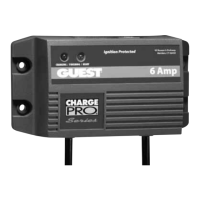
Models Amperage No. Of Banks Volts
16061
6 Amps 1 Bank 12
16102
6,6 Amps 2 Banks 12 or 24
16153
6,6,6 Amps 3 Banks 12 or 24 or 36
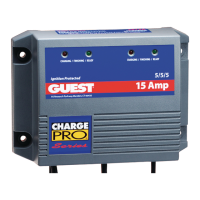
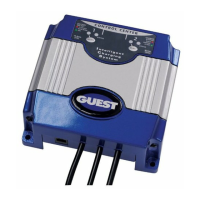
16202
10,10 Amps 2 Banks 12 or 24
IMPORTANT NOTICE
This manual contains important safety and operating instructions for the charger. Read
the entire manual before using. Also read all instructions and cautions for and on the
charger, batteries and equipment in the vicinity of the batteries.
SAVE THESE INSTRUCTIONS

Questions and Answers

  • H
    hicksglennAug 7, 2025
    What to do if Guest Battery Charger status GREEN LED is ON when the battery is not fully charged?
    • J
      Joshua GarciaAug 7, 2025
      If the Guest Battery Charger's green LED is on even when the battery isn't fully charged, it could be due to one of two reasons: 1. The 8-hour absorption stage timer has expired. Load test the batteries and replace if necessary. 2. One or more cells are defective or damaged. Turn off all DC equipment while charging.
  • B
    browntinaAug 13, 2025
    What to do if Guest Battery Charger status RED LED is blinking 1 time?
    • S
      smithlynnAug 13, 2025
      If the Guest Battery Charger's red LED is blinking once, indicating no battery is present, here are a few potential causes and solutions: 1. The DC output fuse is open. Replace the DC output fuse with an equivalent size. 2. There are faulty or contaminated terminal connections. Clean, tighten, or repair all terminal connections. 3. One or more cells are defective or damaged. Load test the batteries and replace them if necessary. 4. There is reverse polarity across the battery. Replace the DC output fuse and correct the charger lead orientation. 5. No battery is present. Connect DC output connections to the battery.
  • J
    jamesboydAug 18, 2025
    Why is Guest Battery Chemistry Indicator not identifying the correct battery chemistry?
    • J
      John WeberAug 18, 2025
      If the Guest Battery Charger's battery chemistry indicator isn't correctly identifying the battery chemistry, it could be due to: 1. AC power was applied before battery chemistry selection was made. Disconnect both AC and DC power. Reconnect DC connections to the battery and follow section Setting Up the Battery Chemistry. 2. There was an interruption to both AC and DC battery power. Disconnect both AC and DC power. Reconnect DC connections to the battery and follow section Setting Up the Battery Chemistry.
  • J
    jenniferbrooksAug 25, 2025
    What to do if Guest 16202 Battery Charger status RED LED is blinking 5 times?
    • X
      xchavezAug 26, 2025
      If the Guest Battery Charger's red LED is blinking 5 times, it indicates a microprocessor check sum failure. Return charger to the Guest Service Dept.
  • S
    Stephanie EspinozaOct 31, 2025
    What to do if Guest 16202 status RED LED is blinking 3 times?
    • S
      Steven AdamsOct 31, 2025
      If the Guest Battery Charger's red LED blinks 3 times, it indicates the 14-hour bulk timer has expired. This could be due to several reasons: 1. One or more defective or damaged cells. You should load test the batteries and replace them if necessary. 2. The charger has reduced its output voltage below the normal level because of a DC overload or a DC short. Remove the source of the overload or short. Disconnect the charger’s black (NEGATIVE) ring terminal from the battery. Reapply AC power, and the green LED only should now light. 3. On-board DC systems are drawing more current than the charger can replace. Turn off all DC equipment while charging. 4. Excessive ambient temperature has forced the charger to cut back output current to protect itself. Determine the cause of the excessiv...

Summary

Important Notice

Important Safety Instructions

Installing the Charger

Charger Installation Details

Making the DC Connections

Check polarity of battery posts. Connect Red charger wire to POSITIVE (+) and Black wire to NEGATIVE (-).

Setting Up the Battery Chemistry

Set battery chemistry (FLA, AGM, Gel, Safe Mode) using the pushbutton. LED indicates selection. Setting is saved to RAM.

Charger Installation Connections

Making AC Connection

Connect the AC plug into a GFCI-protected receptacle after setting battery chemistry selections.

Operating the Charger

LED Function Chart

Describes charging process stages (Bulk, Absorption, Float) indicated by RED, BLUE, and GREEN LEDs.

Troubleshooting

Maintaining the Charger

Specifications

Guest 16202 Specifications

General IconGeneral
BrandGuest
Model16202
CategoryBattery Charger
LanguageEnglish

Related product manuals