EasyManua.ls Logo

Guest 2606A - User Manual

Guest 2606A
9 pages
Print Icon
To Next Page IconTo Next Page
Loading...
R
MODEL 2606A
MODEL 2606A-B
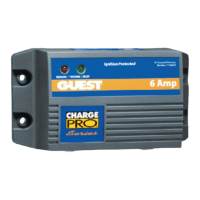
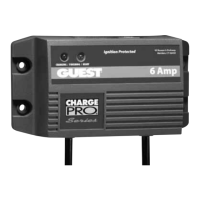
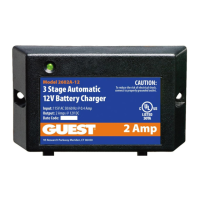
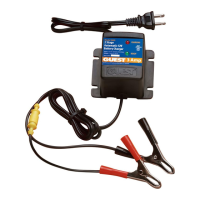
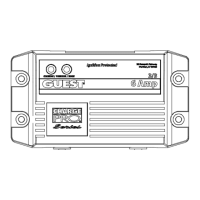
6 AMP PORTABLE BATTERY CHARGER
OWNER’S MANUAL
Connections at a glance:
The Guest MTC Model 2606A is designed to be used as a general purpose charger for lead acid
batteries (flooded cell or AGM types) and gel cell batteries. We recommend that you set up the
charger near the battery you wish to charge, and make connections in the following order:
1. Charger POS (red wire with fuse) to battery “ + “.
2. Charger NEG (black wire) to battery “ – “.
3. Plug AC line cord into a GFCI protected wall socket.
4. Remove connections in the reverse order.
SAVE THESE INSTRUCTIONS
+
-
12V BATTERY
2606
A

Other manuals for Guest 2606A

Questions and Answers

  • T
    Todd HartAug 18, 2025
    What to do if the red LED flashes on and off on my Guest 2606A Battery Charger?
    • J
      Janet SmithAug 18, 2025
      If the red LED flashes on and off, it indicates a reverse polarity connection. To fix this, disconnect AC power from the charger. Then, reconnect the output terminals of the charger to the correct battery posts: positive (red or white) charger terminal to the positive battery post, and negative (black) charger terminal to the negative battery post.
  • B
    Brian LewisAug 20, 2025
    Why does the red LED stay on for more than 24 hours on my Guest 2606A?
    • J
      James ThorntonAug 20, 2025
      The red LED may stay on for more than 24 hours due to several reasons: * One or more defective or damaged cells. In this case, load test the battery and replace it if necessary. * The charger has reduced its output voltage below the normal level because of a DC overload or a DC short. Remove the source of the overload or short. Disconnect the charger's black (NEGATIVE) terminal from the battery. Reapply AC power; only the green LED should light up. * On-board DC systems are drawing more current than the charger can replace. Turn off all DC equipment while charging.
  • S
    Stacey DanielAug 23, 2025
    What to do if the red and green LEDs stay on for more than 24 hours on my Guest 2606A Battery Charger?
    • L
      lauren60Aug 23, 2025
      If both the red and green LEDs stay on for more than 24 hours, it could be due to a few reasons: 1. On-board DC systems are drawing between 1.5 – 5A. Turn off all DC equipment while charging. 2. One or more defective or damaged cells. Load test the battery and replace if necessary. 3. Extremely low AC voltage at the battery charger. Apply a higher AC voltage source or reduce the length of the extension cord.
  • J
    James BarnettAug 26, 2025
    What to do if the green LED stays on when the battery is known to be low on my Guest Battery Charger?
    • J
      Jason MartinAug 26, 2025
      If the green LED remains on even when the battery is low, it could indicate: * An open DC output fuse. Replace the DC output fuse with a Bussmann (AGX-10). * Faulty or contaminated terminal connections. Clean, tighten, or repair all terminal connections. * One or more defective or damaged cells. Load test the battery and replace if necessary.
  • A
    annawernerAug 28, 2025
    What to do if the red LED is flashing on my Guest Battery Charger?
    • D
      danny92Aug 28, 2025
      To address a flashing red LED on your Guest Battery Charger, first, disconnect AC power. This issue arises from reverse polarity, meaning the charger's output terminals are incorrectly connected to the battery posts. Ensure you connect the positive (Red or White) charger terminal to the positive battery post and the negative (Black) charger terminal to the negative battery post.
  • W
    wguzmanAug 30, 2025
    What to do if neither LED turns on when AC power is applied to my Guest 2606A?
    • A
      Adam CookAug 31, 2025
      If neither of the LEDs turn on when AC power is applied to your Guest Battery Charger, the first thing to check is whether there is AC power available at the charger. Try connecting AC power or resetting the AC breaker on the main panel. If the problem persists, it may be due to component failure, in which case you should return the charger to the Guest Service Dept.
  • M
    Mr. Darrell WagnerSep 2, 2025
    Why do the red and green LEDs stay on for more than 24 hours on my Guest 2606A Battery Charger?
    • Z
      zrodriguezSep 2, 2025
      If the red and green LEDs on your Guest Battery Charger stay on for more than 24 hours, there are a few potential causes. One reason could be that on-board DC systems are drawing between 1.5 – 5A, in which case you should turn off all DC equipment while charging. Another possibility is that one or more cells are defective or damaged, requiring a load test of the battery and replacement if necessary. Lastly, extremely low AC voltage at the battery charger might be the issue; try applying a higher AC voltage source or reducing the length of the extension cord.
  • D
    David CoffeySep 4, 2025
    What to do if the green LED stays on when the battery is low on my Guest 2606A Battery Charger?
    • S
      Steven HowardSep 4, 2025
      If the green LED stays on even when the battery is low on your Guest Battery Charger, possible causes include an open DC output fuse (replace with a Bussmann (AGX-10)), faulty or contaminated terminal connections (clean, tighten, or repair them), or one or more defective or damaged cells (load test and replace the battery if needed).
  • A
    Alvin SnowSep 7, 2025
    Why does the green LED stay on when the battery is low on my Guest 2606A Battery Charger?
    • S
      Stacey BoyleSep 7, 2025
      If the green LED stays on when the battery is known to be low in your Guest Battery Charger, several issues could be the cause: 1. An open DC output fuse. Replace the DC output fuse with a Bussmann (AGX-10). 2. Faulty or contaminated terminal connections. Clean, tighten, or repair all terminal connections. 3. One or more defective or damaged cells. Load test the battery and replace if necessary. 4. Reverse polarity. Check for reverse polarity at the connections. 5. The charger has reduced its output voltage below the normal level due to a DC overload or a DC short. Remove the source of the overload or short. Reapply AC power, and the charger should operate normally.
  • D
    David McguireSep 9, 2025
    How to fix a Guest 2606A when the red LED stays on for more than 24 hours?
    • T
      Thomas BaileySep 10, 2025
      If the red LED stays on for more than 24 hours on your Guest Battery Charger, there could be several reasons: * One or more defective or damaged cells. Load test the battery and replace if necessary. * On-board DC systems are drawing more current than the charger can replace. Disconnect the charger’s black (NEGATIVE) terminal from the battery. Reapply AC power – only the green LED should light. If so, the battery may have been very low or too large for this charger. Reconnect the charger and monitor for no more than an additional 24 hours. * Turn off all DC equipment while charging.

Summary

Introducing The Charger

Charger Description and Features

Details the GUEST MTC 2606A charger's design, capabilities, and ideal applications for 12VDC batteries.

Important Safety Instructions

Outlines critical safety warnings for using the charger with 12VDC lead-acid or gel cell batteries.

Installing The Charger

Choosing Charging Location

Provides guidelines for selecting a safe and well-ventilated location for the charger.

Making DC Connections

Step-by-step instructions for connecting the charger's positive and negative terminals to the battery.

Making AC Power Connections

Instructions for plugging the charger into a properly grounded GFCI protected AC outlet.

Operating The Charger

LED Function Chart

Explains the meaning of the red and green LEDs during different charging stages (Bulk, Finishing, Float).

Troubleshooting

Common Problems and Solutions

Lists common issues like LED status, reverse polarity, and no power, with corresponding causes and solutions.

Maintaining The Charger

Cleaning and Connections

Recommends periodic cleaning of battery terminals and tightening connections for optimal performance.

Specifications

Output and Input Ratings

Details the charger's electrical output (voltage, amps) and input (AC voltage, current draw).

Physical Dimensions and Weight

Provides the physical measurements (height, width, depth) and weight of the charger.

Limited Warranty

Warranty Terms and Proof of Purchase

Outlines the two-year limited warranty, required proof of purchase, and limitations.

Guest 2606A Specifications

General IconGeneral
BrandGuest
Model2606A
CategoryBattery Charger
LanguageEnglish

Related product manuals