EasyManua.ls Logo

Guest 2610 - User Manual

Guest 2610
7 pages
Print Icon
To Next Page IconTo Next Page
Loading...
R
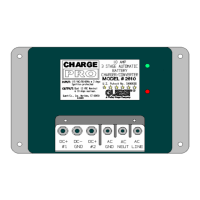
MODEL 2610
10 AMP ON BOARD BATTERY CHARGER
Two Output
OWNER’S MANUAL
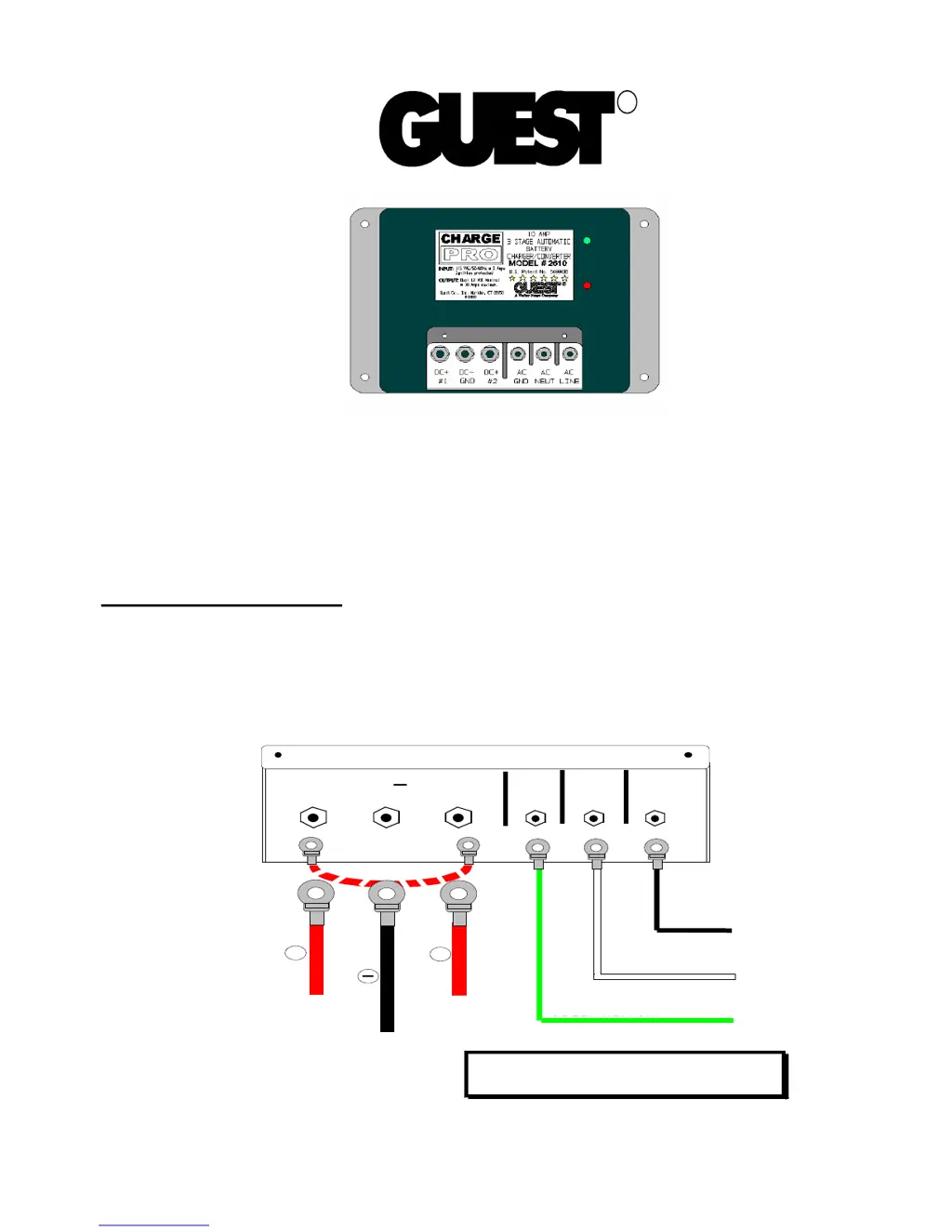
Connections at a glance:
For the best charging results both 12 Volt independent batteries should be equally discharged.
The charger will supply 5 Amps to each battery output for a total of 10 Amps. When unequally
discharged batteries are connected to the outputs, the charger will automatically steer more
current to the battery that needs it. We recommend that you set up the charger near the batteries
you wish to charge, and make connections in the following order:
SAVE THESE INSTRUCTIONS
A C
G N D
A C
N E U T
A C
H O T
D C
+
D C
+
# 1 # 2
G N D
D C
to A C "G R O U N D "
to A C "N E U T R A L "
to A C "H O T "
G R E E N o r G R E E N /Y E L L O W
G R E E N /Y E L L O W
W H IT E or B L U E
B L A C K or B R O W N
to B attery 1
to B attery 2
to N E G A T IV E
(e ng in e b lo c k )
R E D
P O S IT IV E
B L A C K
D C g ro un d
+
+
R E D
P O S IT IV E
J um p e r w ire (S e e no te )
N O T E : W he n c ha rg in g o n ly o ne ba tte ry, a 1 2 g a .
ju m p e r w ire (no t inc lu d e d) m u s t b e a d d e d b e tw e e n
o u tp ut p o s ts D C # 1 a nd D C # 2 .

Questions and Answers

  • A
    Andre BrownAug 3, 2025
    Why do the red and green LEDs stay on for more than 24 hours on my Guest Battery Charger?
    • Y
      youngdanielAug 4, 2025
      If the red and green LEDs on your Guest Battery Charger stay on for more than 24 hours, it could be due to several reasons. First, on-board DC systems might be drawing between 3 to 9 amps; in this case, turn off all DC equipment while charging. Second, one or more cells might be defective or damaged; load test the batteries and replace them if necessary. Finally, the AC voltage at the battery charger might be extremely low; apply a higher AC voltage source or reduce the length of the extension cord.
  • R
    Richard GarrisonAug 11, 2025
    How to fix a Guest Battery Charger when the red LED stays on for more than 24 hours?
    • Y
      ywallAug 11, 2025
      If the red LED on your Guest Battery Charger stays on for more than 24 hours, it could indicate several issues. It might be due to one or more defective or damaged cells, so load test the batteries and replace them if needed. Another cause could be that the charger has reduced its output voltage due to a DC overload or short; remove the source of the overload or short, disconnect the charger’s black (NEGATIVE) ring terminal from the battery, reapply AC power, and the green LED should light up. Alternatively, on-board DC systems might be drawing more current than the charger can replace; in this case, turn off all DC equipment while charging.
  • D
    David MartinezAug 18, 2025
    What to do if the green LED stays on when the battery is low on my Guest Battery Charger?
    • I
      igalvanAug 18, 2025
      If the green LED stays on when the battery is known to be low on your Guest Battery Charger, there are a few potential causes. First, the DC output fuse might be open; replace it with a Bussmann (AGX-15). Second, the terminal connections might be faulty or contaminated; clean, tighten, or repair all terminal connections. Third, one or more cells might be defective or damaged; load test the batteries and replace them if necessary.
  • C
    Chad MatthewsAug 26, 2025
    Why do neither of the LEDs turn on when AC power is applied to my Guest Battery Charger?
    • J
      Jody JacksonAug 26, 2025
      If neither of the LEDs turn on when AC power is applied to your Guest Battery Charger, it could be due to a couple of reasons. First, there might be no AC power available at the charger; connect AC power or reset the AC breaker on the main panel. Second, there could be a component failure.

Summary

Connections at a glance

Introducing the Charger

Important Safety Instructions

Personal Safety Precautions

Adhere to the following personal safety precautions when installing or working with the chargers.

Installing the Charger

Choosing Charging Location

The charger should have at least eight inches of unobstructed area for effective cooling.

Mounting the Charger

Steps to secure the charger to a mounting surface using appropriate hardware.

Making DC and AC Connections

Details on connecting DC and AC power, including fuse requirements.

Operating the Charger

Maintaining the Charger

Troubleshooting

Specifications

Limited Warranty

Guest 2610 Specifications

General IconGeneral
BrandGuest
Model2610
CategoryBattery Charger
LanguageEnglish

Related product manuals