EasyManua.ls Logo

Guest 2606A - User Manual

Guest 2606A
9 pages
Print Icon
To Next Page IconTo Next Page
Loading...
R
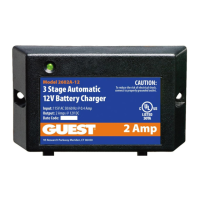
MODEL 2606A
MODEL 2606A-B
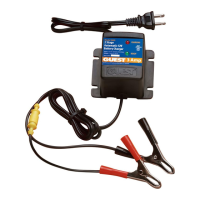
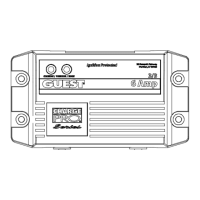
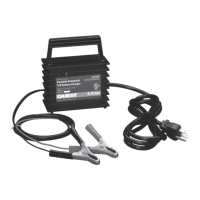
6 AMP PORTABLE BATTERY CHARGER
OWNER’S MANUAL
Connections at a glance:
The Guest MTC Model 2606A is designed to be used as a general purpose charger for lead acid
batteries (flooded cell or AGM types) and gel cell batteries. We recommend that you set up the
charger near the battery you wish to charge, and make connections in the following order:
1. Charger POS (red wire with fuse) to battery “ + “.
2. Charger NEG (black wire) to battery “ – “.
3. Plug AC line cord into a GFCI protected wall socket.
4. Remove connections in the reverse order.
SAVE THESE INSTRUCTIONS
+
-
12V BATTERY
2606
A

Other manuals for Guest 2606A

Questions and Answers

  • A
    anngilbertSep 12, 2025
    What to do if both red and green LEDs stay on for more than 24 hours on my Guest 2606A Battery Charger?
    • C
      Catherine HornSep 12, 2025
      If both the red and green LEDs stay on for more than 24 hours on your Guest Battery Charger, it could be due to several reasons: * On-board DC systems are drawing between 1.5–5A. Turn off all DC equipment while charging. * One or more defective or damaged cells. Load test the battery and replace if necessary. * Extremely low AC voltage at the battery charger. Apply a higher AC voltage source or reduce the length of the extension cord. * Battery finishing taking longer than expected. Check the battery manufacturer’s specs on battery charging and load test the battery after spec review.
  • N
    Nicholas FerrellSep 14, 2025
    Why won't any LEDs turn on when AC power is applied to my Guest 2606A?
    • L
      Lisa HillSep 15, 2025
      If neither of the LEDs turn on when AC power is applied to your Guest Battery Charger, the cause may be due to: * No AC power available at the charger. Connect AC power or reset the AC breaker on the main panel. * Component failure. Return the charger to the Guest Service Dept.

Summary

Introducing The Charger

Charger Description and Features

Details the GUEST MTC 2606A charger's design, capabilities, and ideal applications for 12VDC batteries.

Important Safety Instructions

Outlines critical safety warnings for using the charger with 12VDC lead-acid or gel cell batteries.

Installing The Charger

Choosing Charging Location

Provides guidelines for selecting a safe and well-ventilated location for the charger.

Making DC Connections

Step-by-step instructions for connecting the charger's positive and negative terminals to the battery.

Making AC Power Connections

Instructions for plugging the charger into a properly grounded GFCI protected AC outlet.

Operating The Charger

LED Function Chart

Explains the meaning of the red and green LEDs during different charging stages (Bulk, Finishing, Float).

Troubleshooting

Common Problems and Solutions

Lists common issues like LED status, reverse polarity, and no power, with corresponding causes and solutions.

Maintaining The Charger

Cleaning and Connections

Recommends periodic cleaning of battery terminals and tightening connections for optimal performance.

Specifications

Output and Input Ratings

Details the charger's electrical output (voltage, amps) and input (AC voltage, current draw).

Physical Dimensions and Weight

Provides the physical measurements (height, width, depth) and weight of the charger.

Limited Warranty

Warranty Terms and Proof of Purchase

Outlines the two-year limited warranty, required proof of purchase, and limitations.

Guest 2606A Specifications

General IconGeneral
BrandGuest
Model2606A
CategoryBattery Charger
LanguageEnglish

Related product manuals