PLANEBOOK
TM
OWNER’S MANUAL
© Gulfstream 2008 31 PlaneBook™ Owner’s Manual
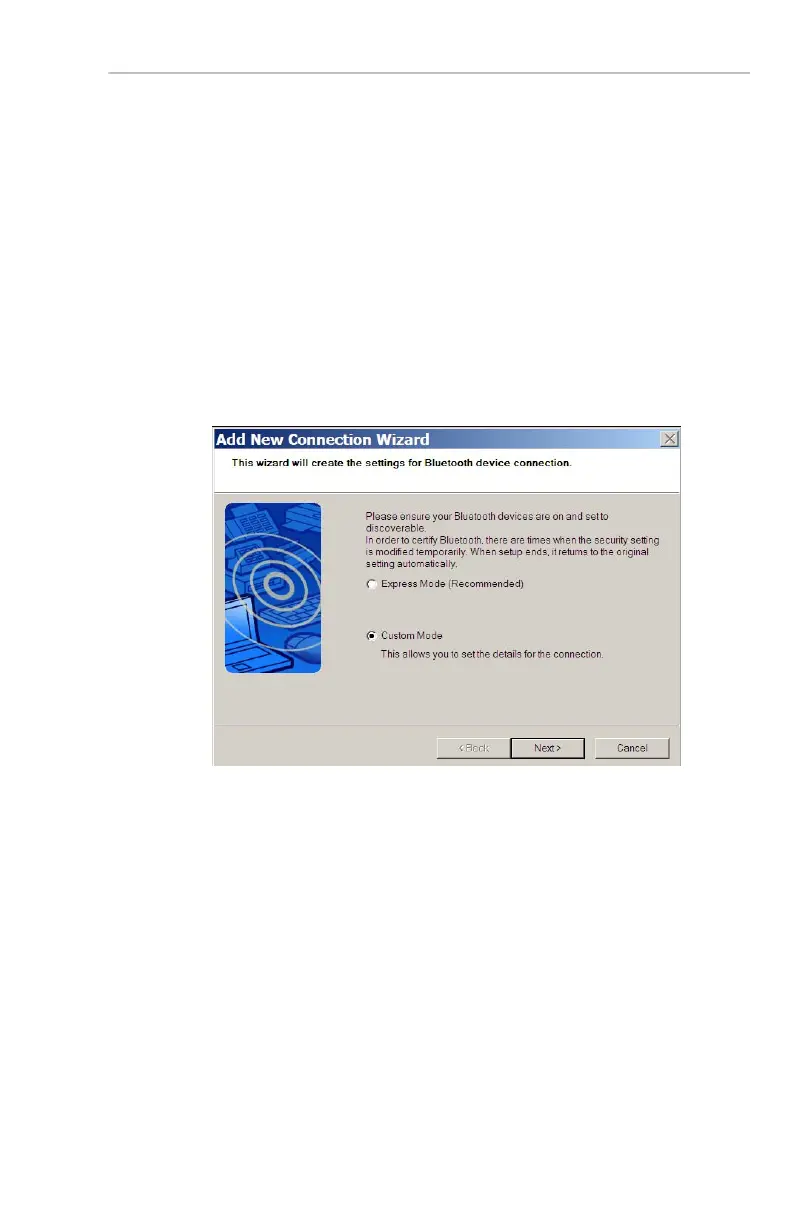
3. In the Bluetooth Settings application window
shown on page 2, select the New Connection
button. This will begin the Add New Connection
Wizard that will recognize, configure and connect
your GPS.
4. In the Add New Connection Wizard dialog box,
ensure Custom Mode is selected. Then select
Next. The wizard will now search for any devices
broadcasting a Bluetooth™ signal.


 To Next Page