PLANEBOOK
TM
OWNER’S MANUAL
PlaneBook™ Owner’s Manual 32 © Gulfstream 2008
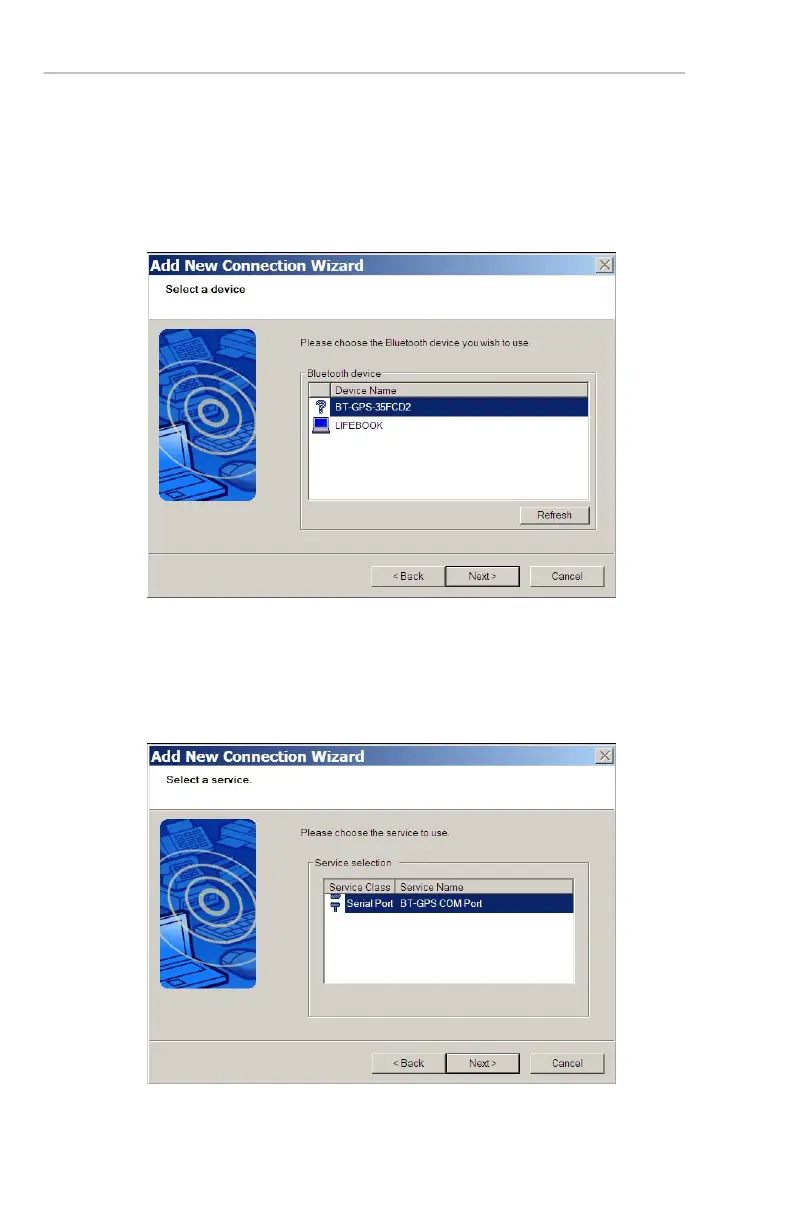
5. The next window shows a list of devices detected
broadcasting a Bluetooth™ signal. Select the
device you are trying to recognize, configure and
connect, in this case, the GPS. Then select Next.
The wizard will now connect to the GPS.
6. Select a service to use with the GPS. The default
Service Class of Serial Port and Service name of
BT-GPS COM Port will be the settings to be
used. Then select Next.


 To Next Page
 Loading...