PLANEBOOK
TM
OWNER’S MANUAL
© Gulfstream 2008 33 PlaneBook™ Owner’s Manual
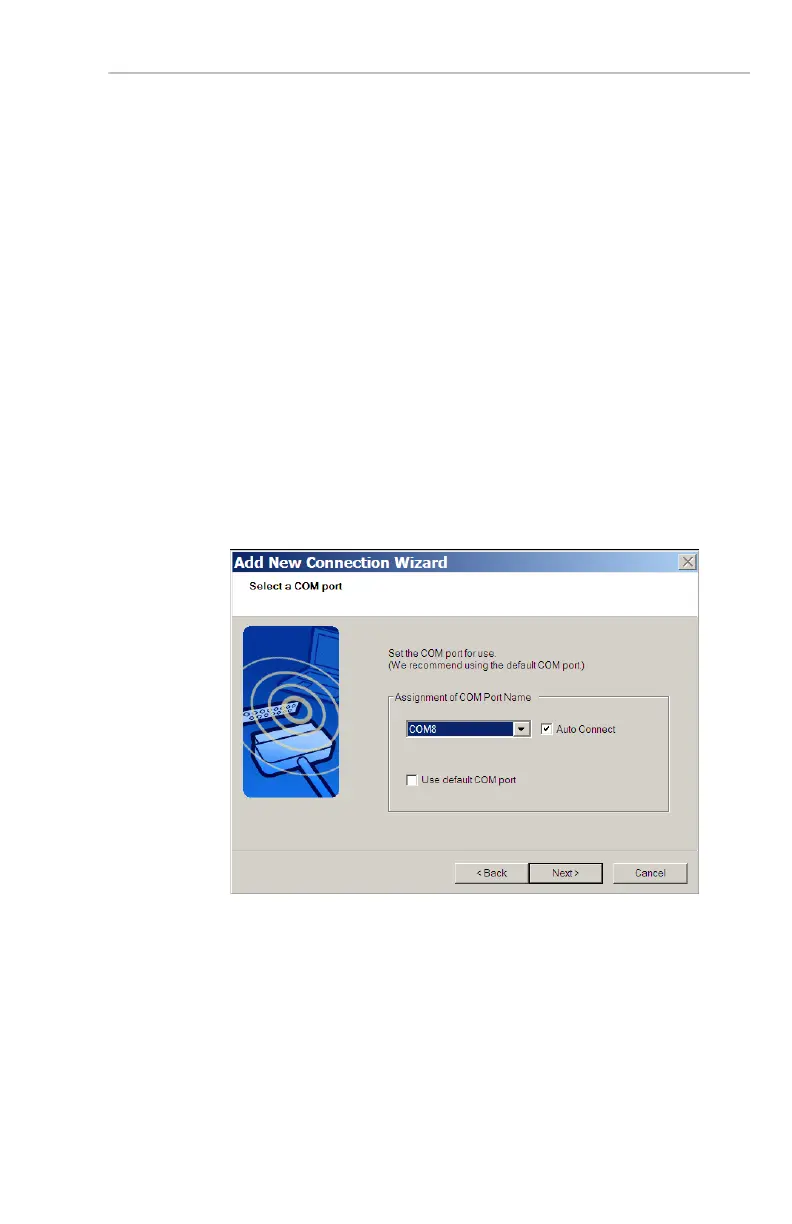
7. Select a COM port to use with the GPS.
a. First, de-select (un-check) the Use default
COM port box.
b. Using the drop-down list, select a COM port of
COM10 or lower. (In this example, we will use
COM8.)
Note: The GPS-based moving map feature
available in Jeppesen FliteDeck 3™ will not
operate unless the GPS setup COM port in
both PlaneBook™ and FliteDeck™ are both
set to the same COM port, and that COM port
must be COM10 or lower.
c. Ensure the Auto Connect box is selected
(checked). Then select Next.


 To Next Page
 Loading...