PLANEBOOK
TM
OWNER’S MANUAL
© Gulfstream 2008 35 PlaneBook™ Owner’s Manual
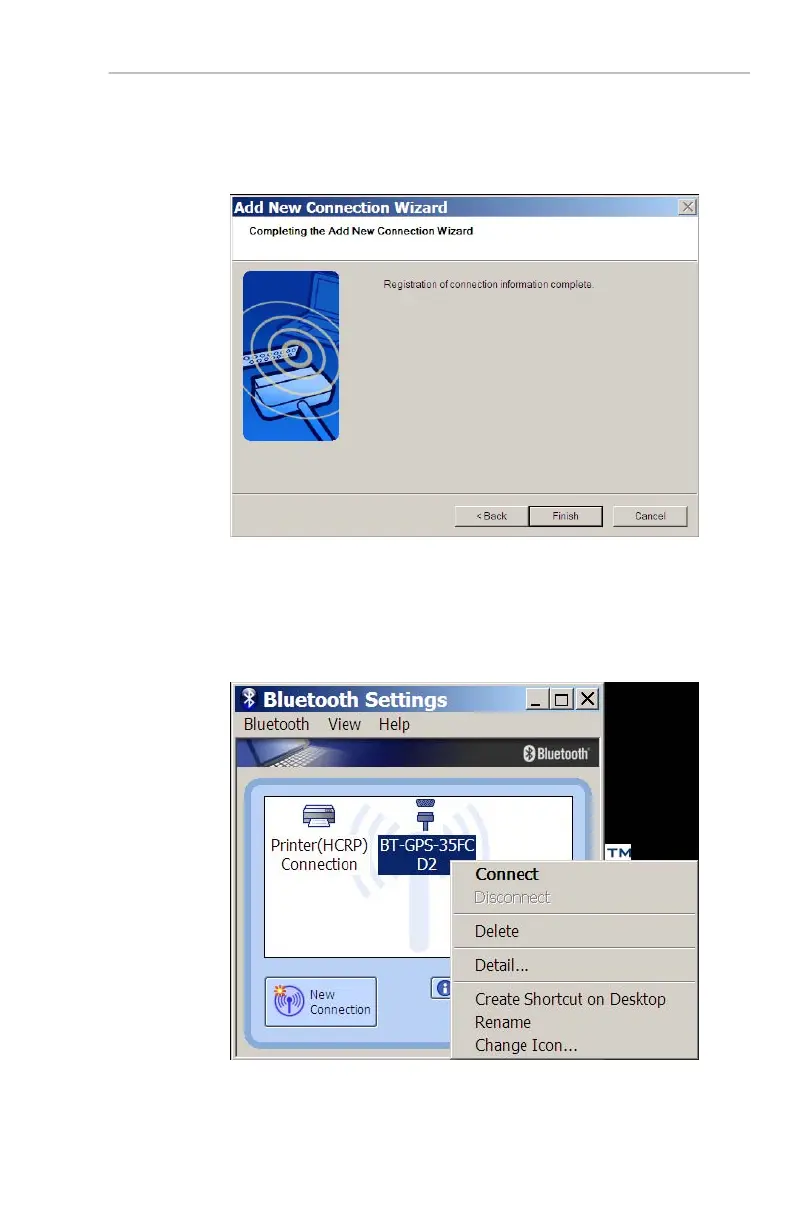
10. The following dialog box appears indicating setup of
your GPS is complete. Select Finish to close the
dialog box and exit the wizard.
11. Ensure your GPS is still ON. In the
Bluetooth
Settings application window, right-mouse-click
the GPS icon and select Connect. Allow a few
moments for connection to occur.


 To Next Page
 Loading...