14
M00000118- E-uk – 06.07 DL645 and Simplex 45
Section 3
Instruction for Use
The information contained in this section should be used as a base for the instruction of
personnel in the correct use of the Hercules-Lite Tripod Range of Barriers.
The Hercules-Lite Tripod turnstile is unlocked by presenting a personalised identity card or
device to the access control reader. (Supplied by others) It can also be unlocked by activating
a casework or remote reception push button, if fitted. This will release the mechanism locking
solenoids and render the Hercules-Lite Tripod ready for use by walking through the walkway
passage in the desired direction.
Should the user decide not to proceed with the passage, the locking solenoid will remain
unlocked for a predetermined time after which it will ‘time out’ and reset the unit making it
available for the next person.
Important Notices
• DO NOT try to push the rotor by hand as you walk through the barrier
• DO NOT walk through the barrier with large bags or briefcases in front or trailing
behind you.
• DO NOT drag bags over the top casework. (Always lift bags over the top of the
barrier).
Should any item become caught in the rotor, STOP, and DO NOT keep forcing through in the
same direction.
Signs and Symbols
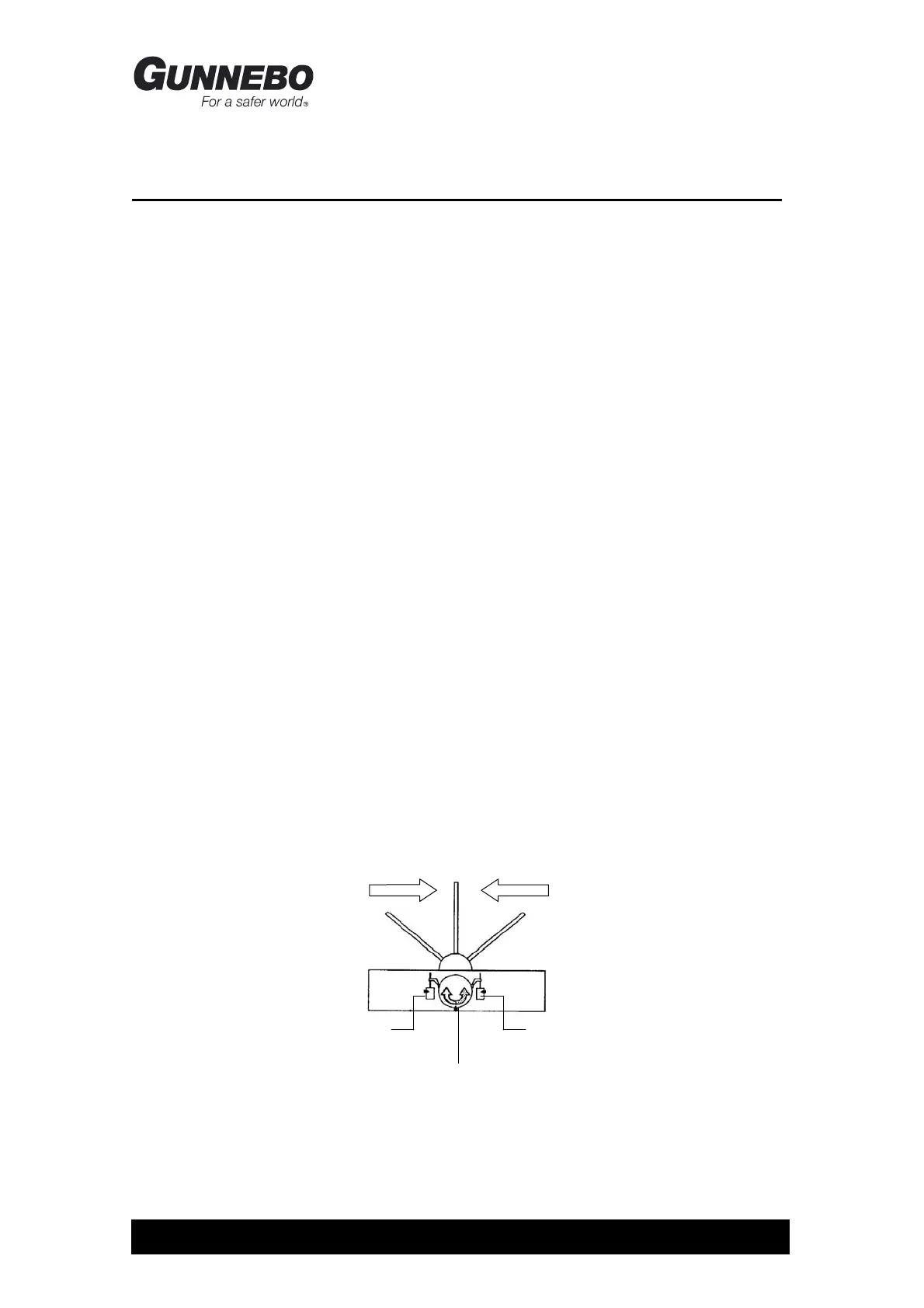
In this manual the conventional signs shown in the Figure 3.1 will be employed. Direction A is
the direction where the mechanism (or the rotor’s cabinet) is to the right when passing through
the turnstile.
Figure 3.1 Schematic Diagram of the Unit.
Head
Assembly
Direction A Direction B
Solenoid A Solenoid B



 To Next Page