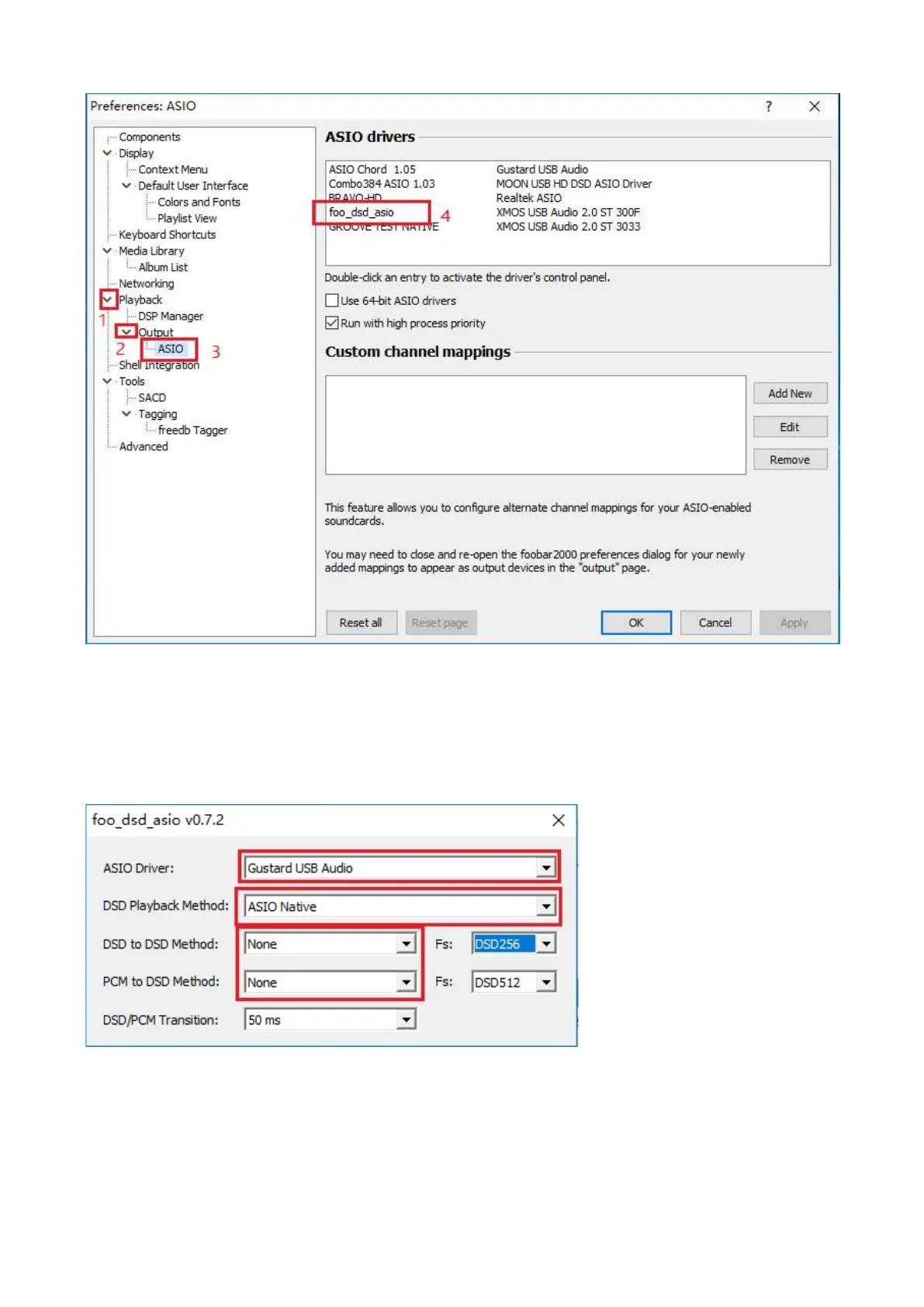
5. Expand Playback - Output - ASIO, and double-click foo_dsd_asio.
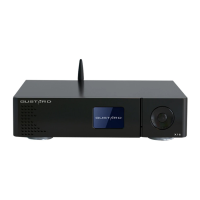
6. In the "foo_dsd_asio v0.7.2" window. Select "Gustard USB Audio" from the drop-down
menu of the first line ASIO Driver.
Select "ASIO Native" from the drop-down menu in the second line of the DSD Playback
Method.
For other settings, please make the same selection according to the red box in the
figure. Then click the X in the upper right corner to exit.


 To Next Page