** Settings Menu: **
On the main screen, long press the small gear button to enter the settings menu
(hereinafter referred to as the menu button). In this state, the menu button can
sequentially switch the menu items to be modified. "+" and "-" buttons are used to
adjust the currently selected menu options. When the screen is in the settings
menu, long press the menu button again to return to the main screen.
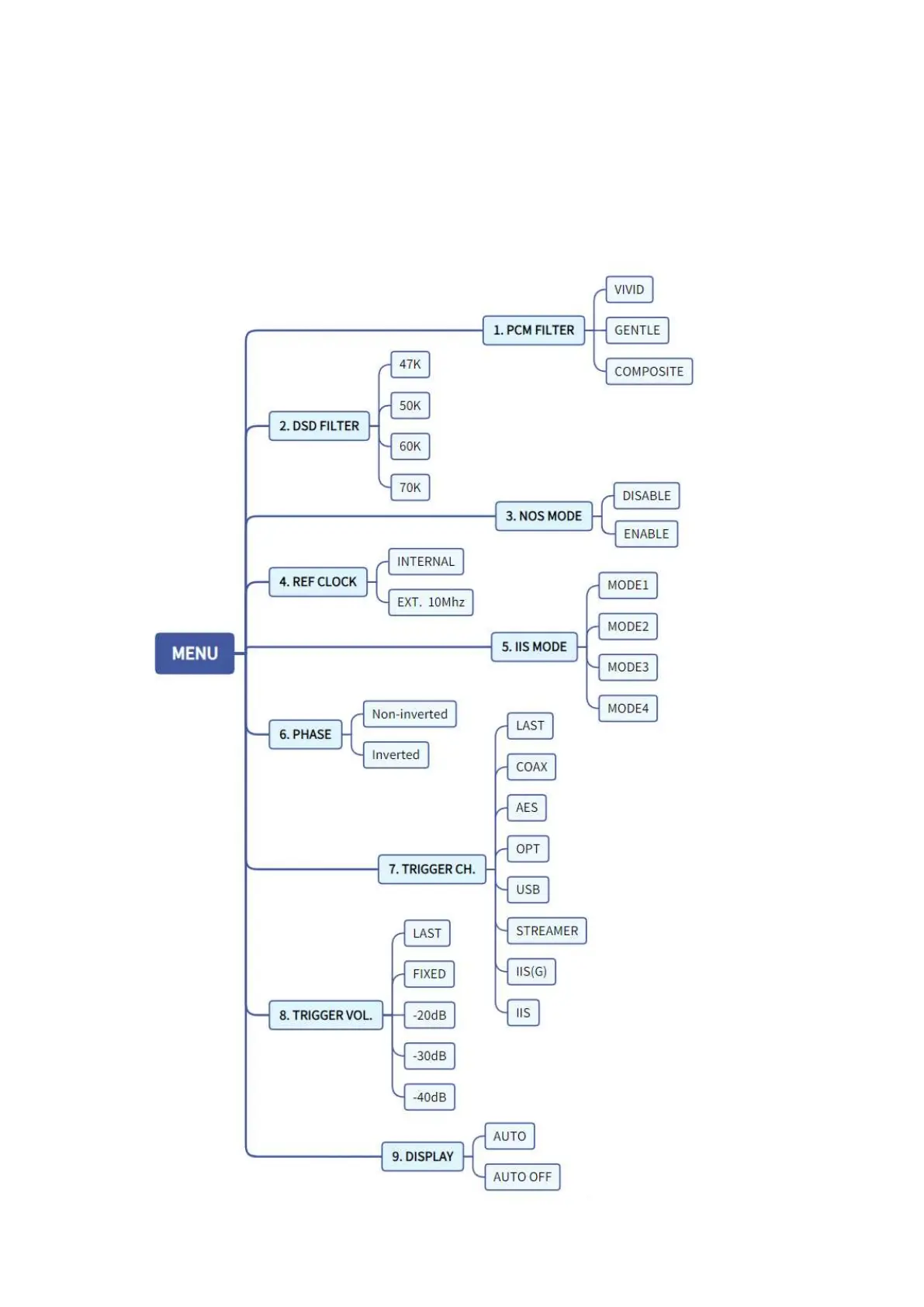
The menu directory tree structure is as follows:



 To Next Page