9
Data such as mode, brightness, color temperature, channel value can
be displayed.
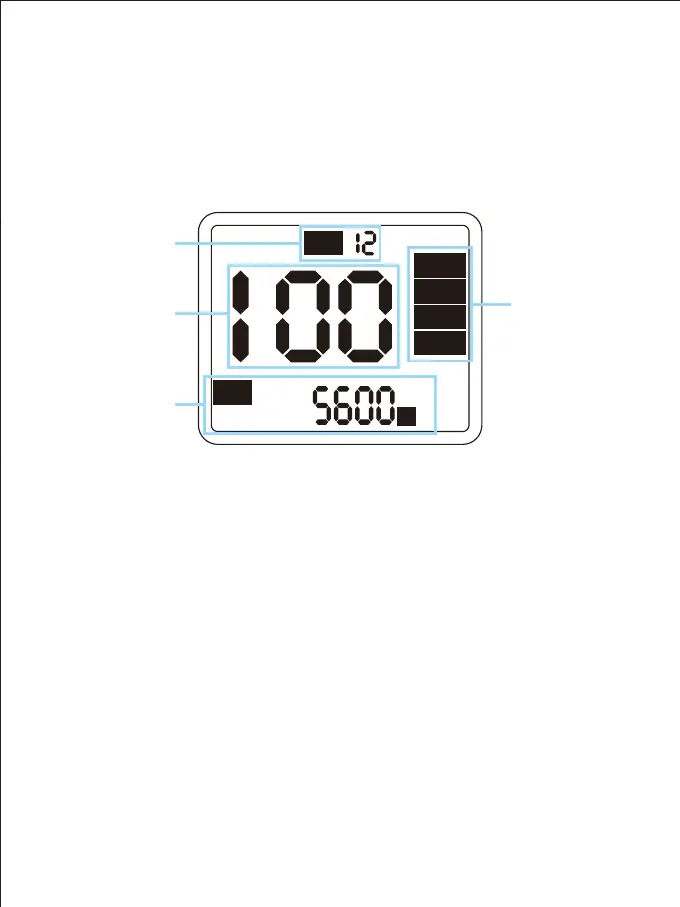
① LCD screen:
② Mode types and functions:
C H :
Rotate
Slave
Master
APP
K
CCT :
Brightness
parameter
Channel value
Control mode
(Only the current
mode is displayed)
Color
temperature
parameter
Press the mode key to switch the control mode, which are:
Rotate, Master, Slave, APP
Rotate mode: The brightness and color temperature can be adjusted through
the compound knob.
Master mode: The brightness, color temperature and channel can be adjusted
through the composite knob and the slaves of the same channel will also be
controlled synchronously.
Slave mode: The hannel can only be adjusted by the compound knob.When the
channels of the slave and the mast
er are the same, they can be synchronously
controlled by the master.
APP mode: The channel can only be adjusted through the compound knob, and
the light can be adjusted through the APP.
CARA PENGGUNAAN MENU



 To Next Page