EasyManua.ls Logo

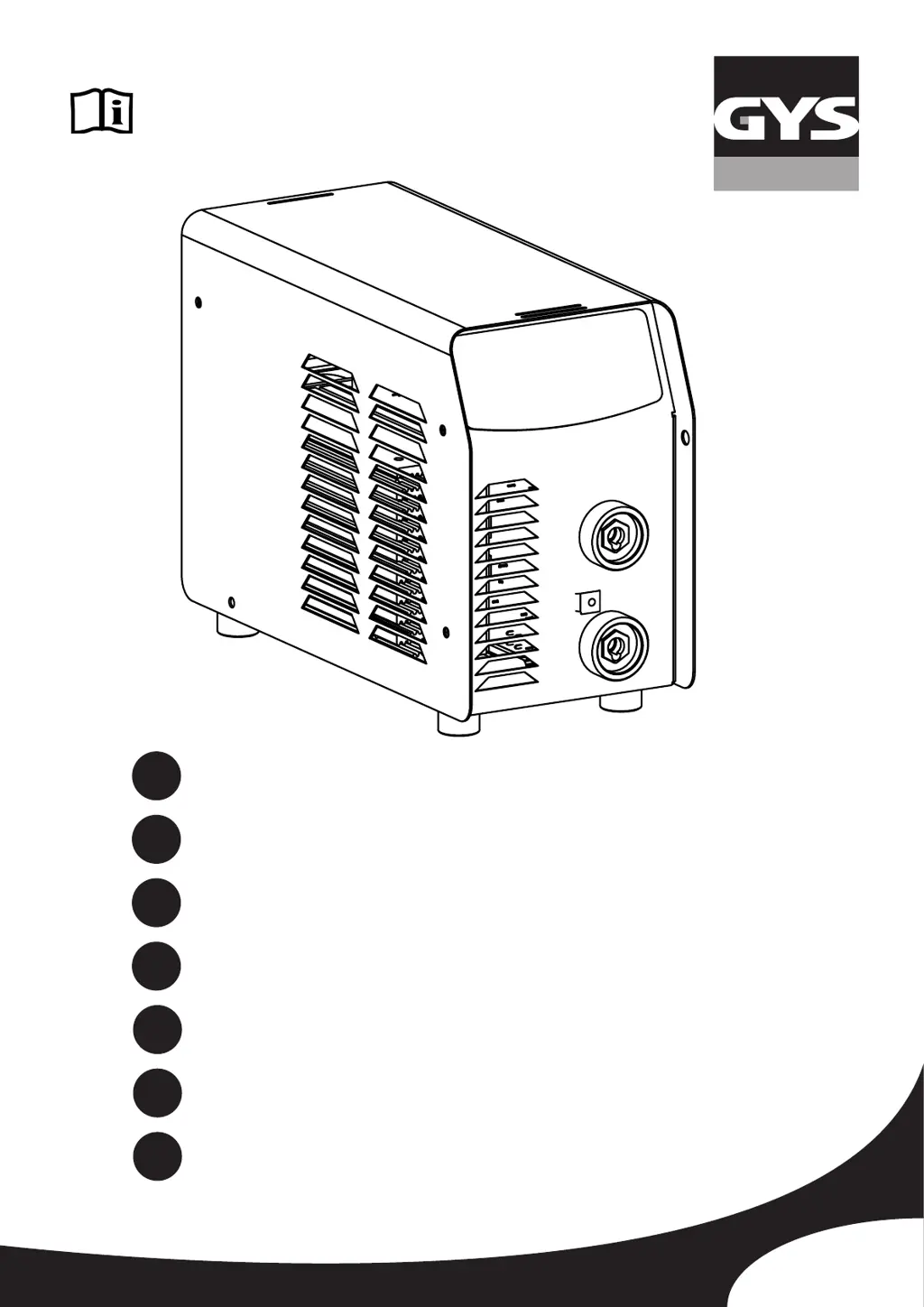
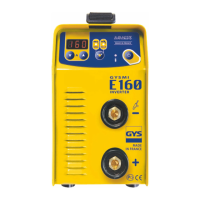
GYS GYSMI E160 - User Manual

GYS GYSMI E160
56 pages
Go to English
Print Icon
To Next Page IconTo Next Page
Loading...
73513_V21_01/08/2018
FR
EN
DE
ES
RU
NL
IT
02-08 / 51-56
09-15 / 51-56
16-22 / 51-56
23-29 / 51-56
30-36 / 51-56
37-43 / 51-56
44-50 / 51-56
GYSMI E160
www.gys.fr
MADE IN FRANCE

Other manuals for GYS GYSMI E160

Questions and Answers

  • A
    Alyssa GreenAug 16, 2025
    Why GYS Welding System has no current and thermal protection is on?
    • B
      Brian MartinAug 16, 2025
      If your GYS Welding System isn't delivering current and the yellow thermal protection indicator is on, the thermal protection has likely activated. Wait for the cooling cycle to complete, which takes about 2 minutes. The indicator (6) should then switch off.
  • B
    boyerkaylaAug 19, 2025
    Why is the arc unstable on my GYS Welding System?
    • N
      Nicole FoxSep 12, 2025
      An unstable arc in your GYS Welding System can be caused by several factors: * A fault due to the tungsten electrode: Use an electrode size more suitable to the thickness of your metal. * Use an tungsten electrode properly prepared. * Gas flow too high: Reduce the gas flow.
  • H
    Haley WheelerAug 22, 2025
    What to do if GYS Welding System indicator is on but no current?
    • J
      Justin MurphyAug 22, 2025
      If the indicator light is on but your GYS Welding System isn't delivering any current, the earth clamp or the electrode holder might not be properly connected to the unit. Check these connections to ensure they are secure.
  • R
    Rebecca NewmanAug 25, 2025
    Why does tungsten oxidize with GYS Welding System?
    • C
      Curtis JohnsonAug 26, 2025
      If the tungsten becomes oxidized and dull at the end of welding with your GYS Welding System, it could be due to issues with the welding area or gas flow. Check and tighten every gas connection. Also, wait for the electrode to cool down before switching off the gas flow. Also, check that the earth is connected to the +.
  • R
    Robyn CampbellAug 28, 2025
    Why do I feel tingling from my GYS Welding System?
    • K
      Kimberly BoyleAug 28, 2025
      If you feel a tingling sensation when touching the case of your GYS Welding System while it's connected to the mains, it indicates a faulty earth contact. Check the plug and the earth of your installation.
  • A
    amartinAug 30, 2025
    Why do I feel a tingling sensation when touching my GYS GYSMI E160 Welding System?
    • C
      Connie Elliott MDAug 30, 2025
      If you experience a tingling sensation when touching the GYS Welding System, it indicates that the unit isn't properly grounded. To resolve this, check the plug and the grounding of your electrical network.
  • S
    santosbrianSep 2, 2025
    Why does the electrode melt when using my GYS GYSMI E160 Welding System?
    • B
      Barbara SanchezSep 2, 2025
      If your GYS Welding System's electrode melts, it's likely due to a polarity error. Ensure that the earth clamp is properly connected to the positive (+).
  • C
    Carrie WilliamsSep 4, 2025
    Why does the tungsten electrode get oxidized on my GYS Welding System?
    • S
      Sarah FoxSep 5, 2025
      If the tungsten electrode gets oxidized and tarnishes at the end of welding with your GYS Welding System, it may be caused by the welding zone. Protect the welding zone from air flows.
  • W
    William GarciaSep 7, 2025
    What to do if my GYS GYSMI E160 Welding System display turns on and off quickly?
    • E
      Emily LewisSep 7, 2025
      If your GYS Welding System display turns on for a second and then turns off, it indicates a voltage issue. Have your electrical installation checked to ensure it meets the required voltage (single phase 230V).
  • C
    Colleen CobbSep 10, 2025
    How to fix a GYS GYSMI E160 Welding System that is not delivering current and the yellow indicator is on?
    • T
      Teresa BurnsSep 12, 2025
      If your GYS Welding System isn't delivering current and the yellow thermal defect light is on, the thermal protection has activated. Allow approximately 2 minutes for cooling. The indicator light will turn off when it's ready.

Summary

Safety Rules and General Instructions

Personal Protective Equipment

Safety precautions for welding, including protective gear and personal safety.

Welding Hazards and Safety Precautions

Fumes, Gas, Fire, and Explosion Risks

Hazards from welding fumes, gas, and risks of fire and explosion.

Electrical Safety

Critical safety measures for electrical connections and avoiding shocks.

Electromagnetic Emissions Reduction and Handling

Installation and Product Operation

Power Supply and Startup

Instructions for connecting the power supply and safely starting the device.

TIG Welding Procedures

Troubleshooting and Warranty

Troubleshooting Guide

Common problems, their causes, and recommended solutions for the welding machine.

Technical Specifications

Machine Performance Data

Key technical specifications including voltage, current, duty cycle, and dimensions.

GYS GYSMI E160 Specifications

General IconGeneral
AC input voltage230 V
Power consumption7.5 kVA
AC input frequency50 - 60 Hz
Welding processes-
Maximum welding current160 A
Minimum welding current10 A
Variable welding currentYes
Maximum electrode diameter4 mm
Minimum electrode diameter1.6 mm
Weight and Dimensions IconWeight and Dimensions
Depth210 mm
Width100 mm
Height270 mm
Weight4600 g

Related product manuals