Page 50 of 62
Brushless DC Controller HST-350
Orginal operating manual Rev1.3
Mounting and commissioning
1
2
3
4
5
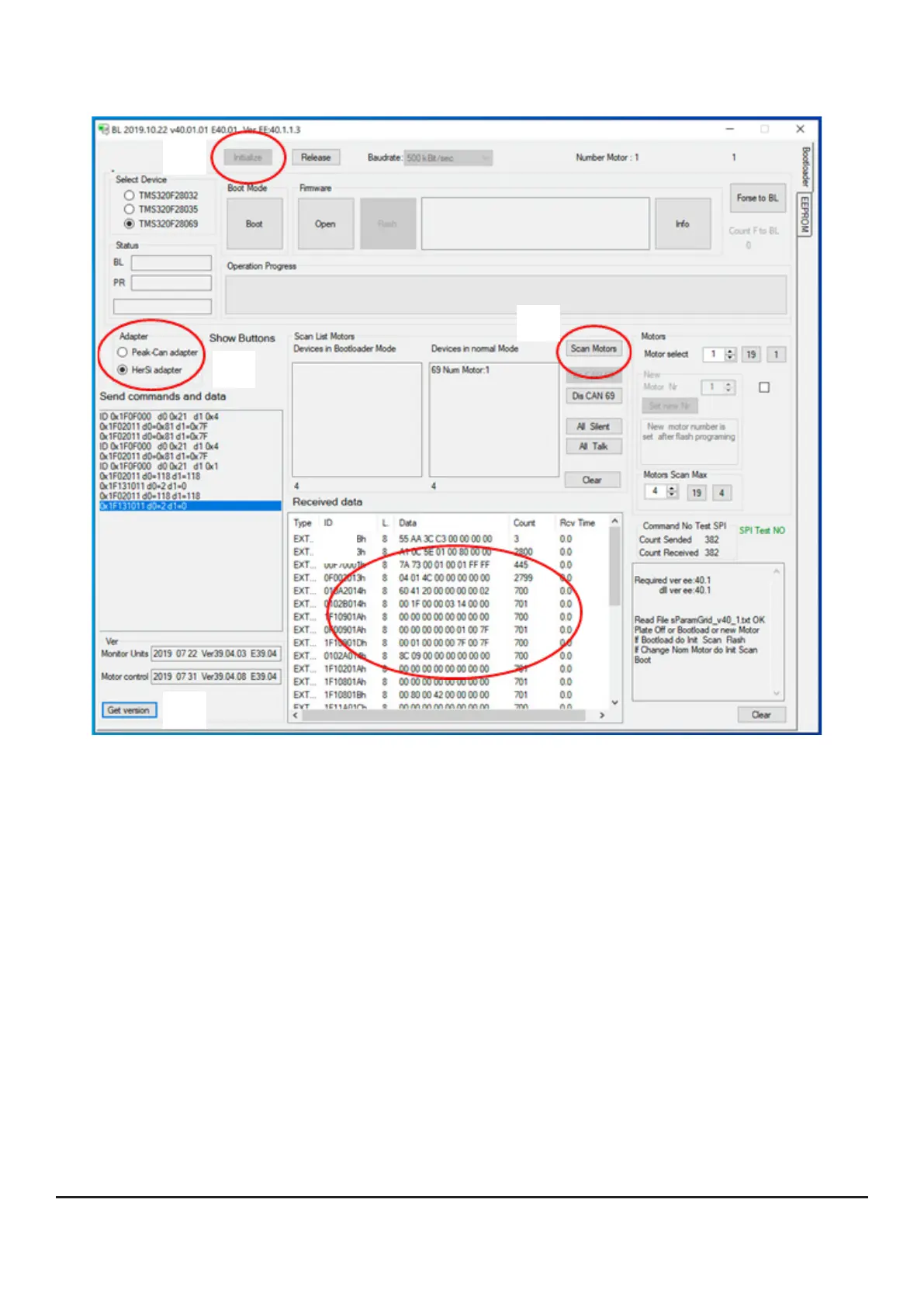
• Now establish a connection to the controller by
orstselecttheadapter(hereHerSiadapter)
o now initialize the system (press [Initialize])
opress[Getversion]atthebottomlefttodisplaythecurrentlyinstalledrmwareversion
(basic software of the controller).
onowintheeld„ReceivedData“thedatalogshouldbevisibleandpermanentlyupdated
o then press [scan motors]; you should then see device 69 in the „devices in normal mode“
window as motor no. 1
• The controller has now successfully connected to the programming interface.
• Thecontrollerisnowreadyforoperationandcanbeashedorparameterizedwithnewrm-
ware.


 To Next Page