Page 57 of 62
Brushless DC Controller HST-350
Orginal operating manual Rev1.3
Mounting and commissioning
Operating the graphical user interface
• After you have successfully connected and commissioned the controller, you can control
and monitor the motor via the Graphical User Interface (GUI).
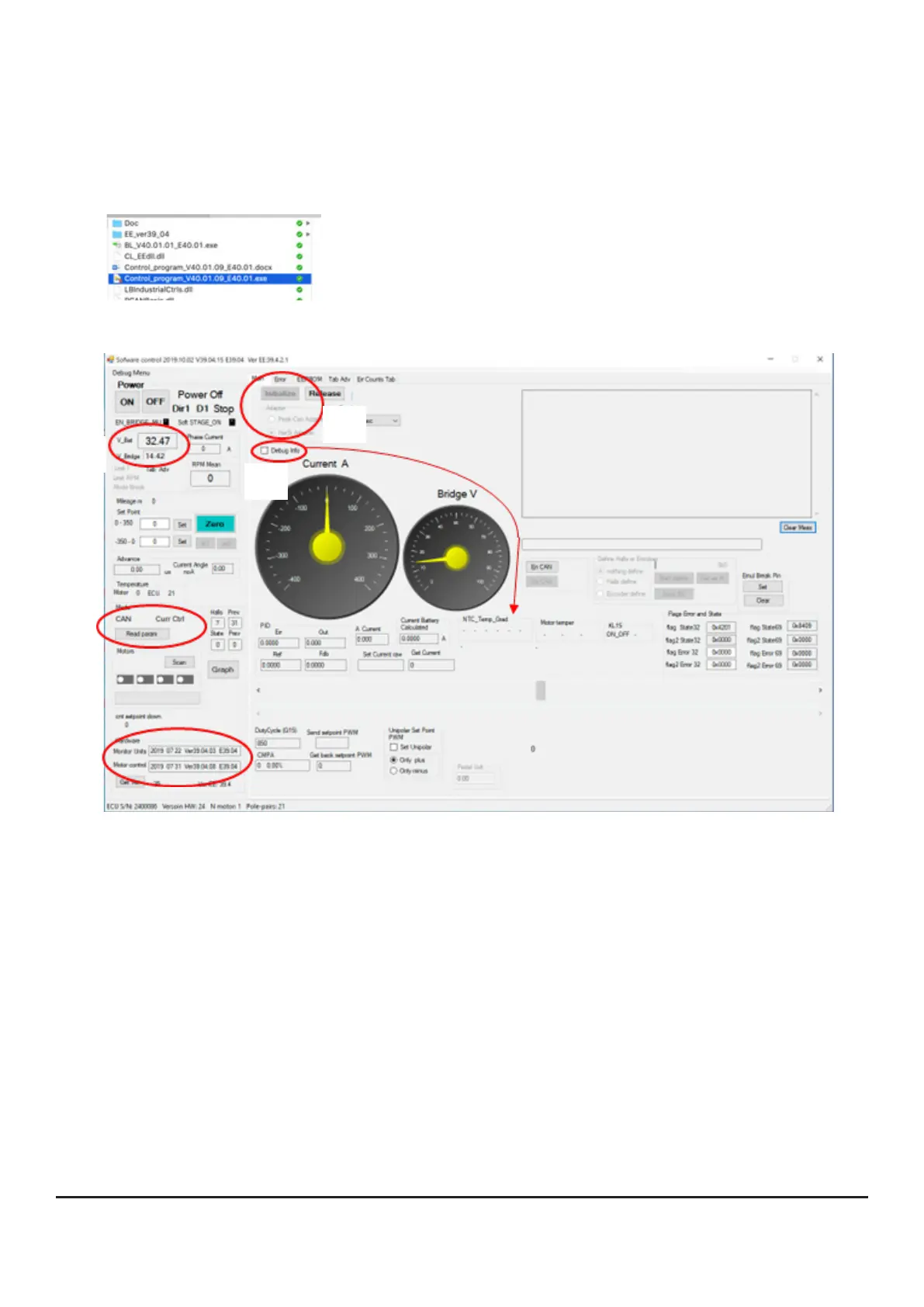
• To do this, open the „Control_Program*.exe“ application in the software package.
You should then get the following screen:
2
3
2
2
1
1.rstestablishtheconnectionGUIwiththecontroller.
• Select the CAN adapter
• Press the [Initialize] button
After successful connection you should immediately see the live data of the controller in the GUI.
• These would be e.g. the present voltage as well as
• The operating mode and
• The FW versions
• By activating „Debug Info“ sensor values will be shown to you.
In the screenshot you can see that we control via CAN and have selected Current Control as ope-
rating mode.
In the next step we switch on the controller by pressing the [ON] button.


 To Next Page