System Description 2-11
P/N 39551-00, Rev. F
CONTROL PANEL
The operator communicates with the MCS+ device computer through the Con-
trol Panel. Each time an active key is pressed, a short beep is sounded.
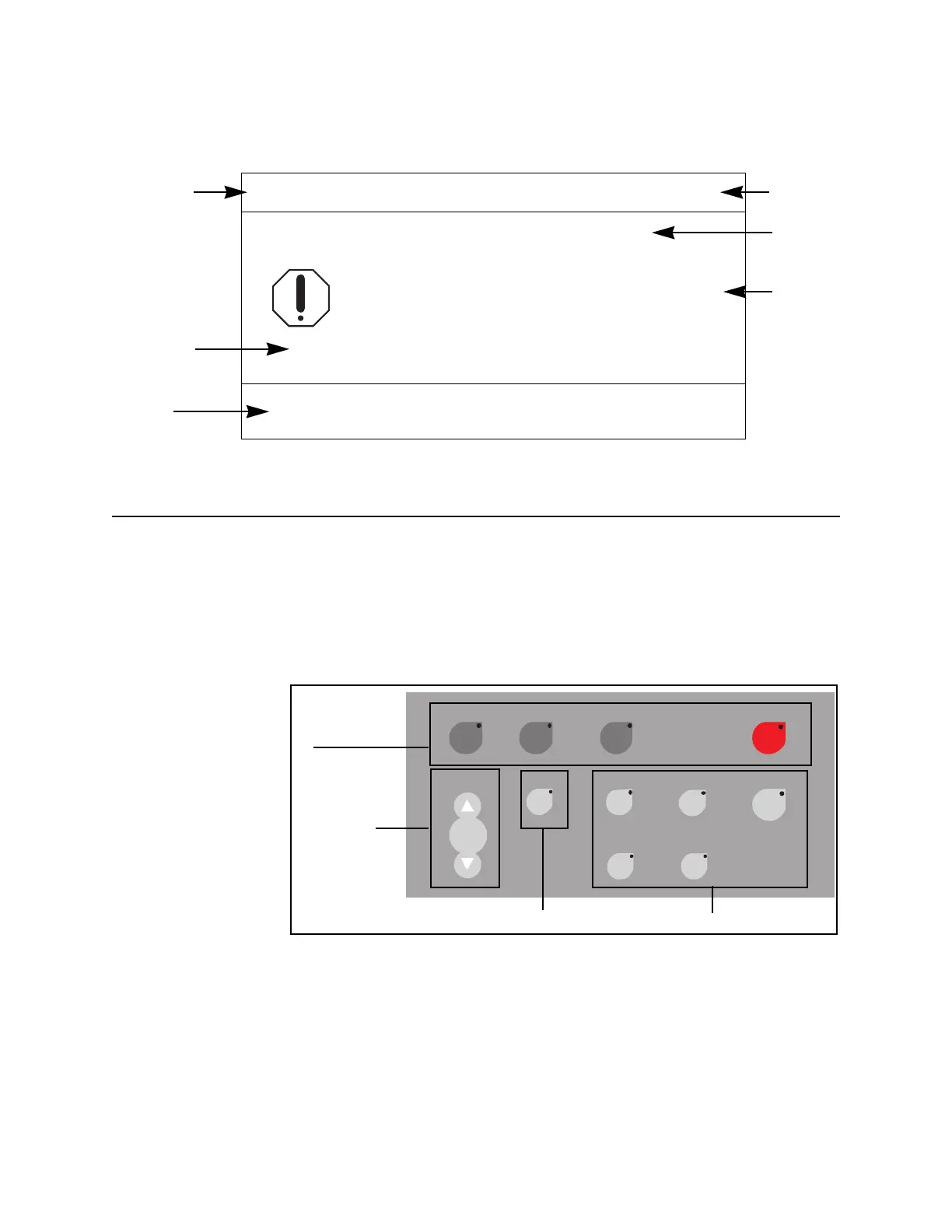
All system controls are functionally grouped as shown (Figure 2-5).
Figure 2-5, Control Panel Keys
SDPS
Filling Bowl
Press NO to Mute the Alarm.
ANTICOAGULANT AIR DETECTOR
Press HELP for the HaemoUpdate display.
Protocol
Hints
Current
Action
1. Check tubing installation in ACAD.
2. If air is present, turn AC pump CLOCKWISE to
4. Resume operation after air is cleared from ACAD.
Help
Messag
DRAW
175
Message
Number
Descriptio
of Proble
move air past ACAD.
3. Call Haemonetics Technical Service if problem persists.
Prime Return STOPDraw
Modify
Cuff
Yes No
Save
Help
Haemo
Calculator
+
–
Pump
Start/
Stop
Mode Keys
Pump Keys
Cuff Key
Programming Keys



 To Next Page