9
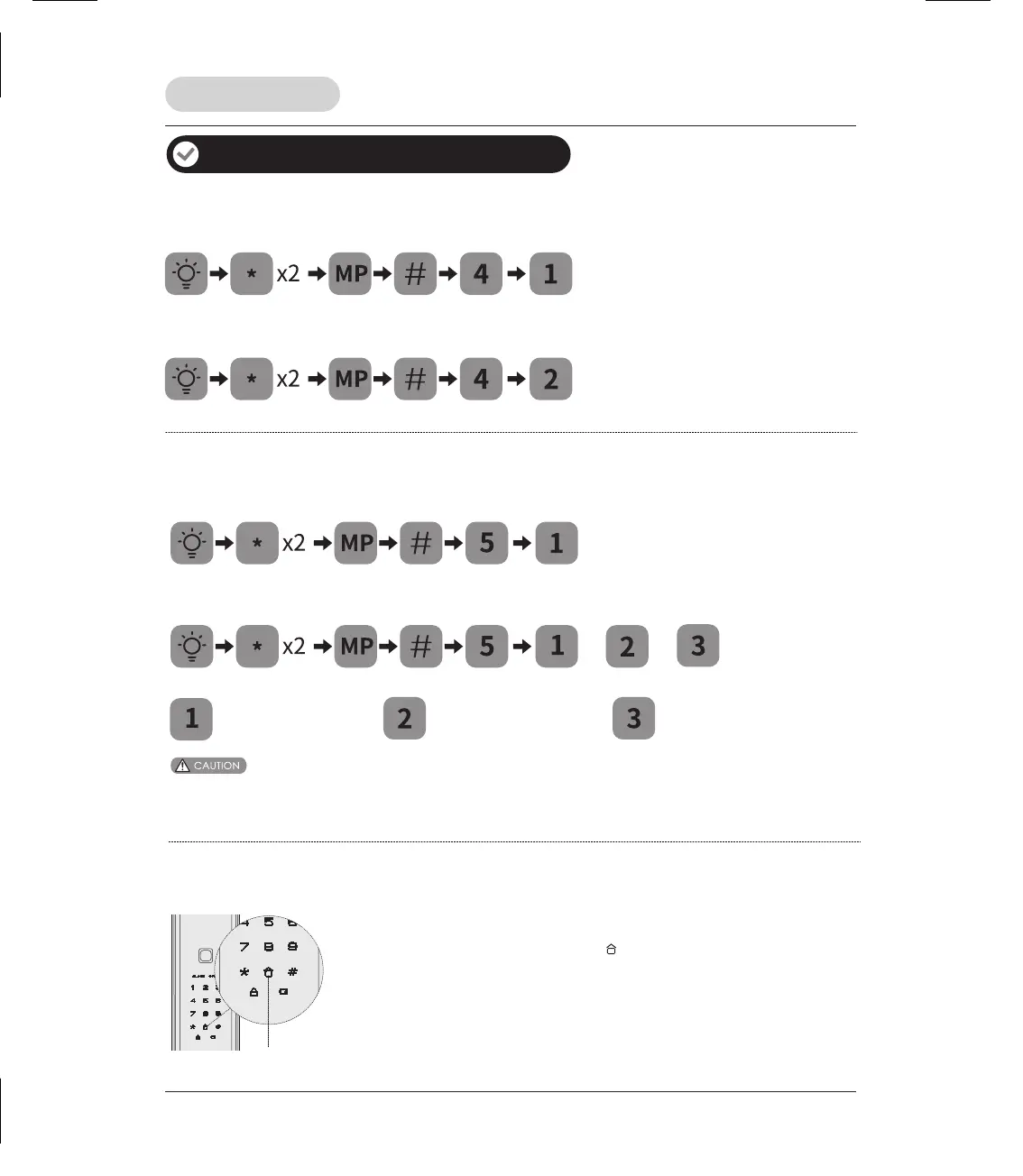
Delete log-in data
Lock operation
Additional lock features
Defense mode
Defense button
1. Enable: After door is locked, press [ ] button to enable defense
mode. Voice prompt “Defense mode enabled”. In this mode, when
the door is unlocked from inside, the alarm will be triggered.
2. Disable: Once the door is opened properly from outside, the
defense mode will be disabled.
Network module (Optionally available)
Log off network
(6 –12 digits)
(6 –12 digits)
Join network
Bluetooth settings
Manage Bluetooth (under Bluetooth turned on)
Enable Bluetooth
(6 –12 digits)
(6 –12 digits)
or
or
Connect Bluetooth
Disconnect Bluetooth
Disable Bluetooth
1. The default setting for Bluetooth is disabled.
2. Please enabling the Bluetooth first, before you manage Bluetooth. And please keep it is turned on, when you use it.


 To Next Page