XIBU TISSUEPAPER
Replacing the cover assembly
Replacing the cover assembly
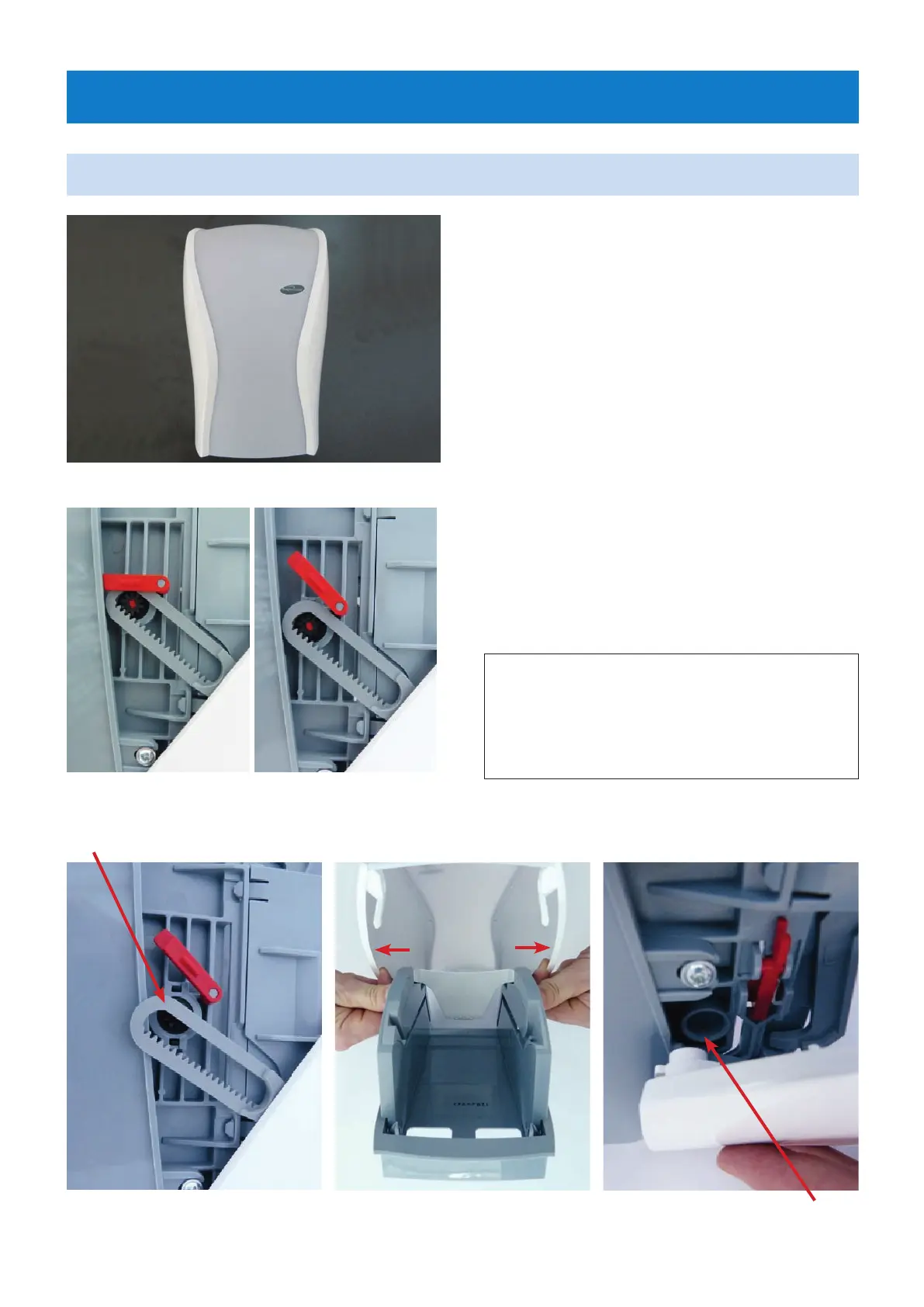
Open the dispenser with the XIBU key.
Press the red (grey) locking lever on the left
side wall (Fig. 2) and slide it upwards (Fig. 3).
Fig. 1: Cover assembly
Fig. 4
Fig. 5 Fig. 6
Fig. 2
Spare part name:
WC cover white XIBU
Article no.
492011620000
Fig. 3
Press the right side of the cover lightly
to the outside so that the cover can be turned
to the side wall via the latch (Fig. 5).
Turn the cover down and then remove it from
the pivot on the side wall (Fig. 6).
The installation of the new cover takes place
in the reverse order!
rotation point
Remove the gear rack from the gear.
(Fig. 4)
January 2018 | Tips & Tricks | 5


 To Next Page