XIBU senseFOAM / XIBU senseDISINFECT / XIBU senseDISHES
January 2018 | Tips & Tricks | 9
Replacing the potentiometer axis
Tools used:
Pin punch (Fig. 6)
Needle nose pliers
XIBU key
Requem:
Broken potentiometer axis
Solution:
Replace the potentiometer axis
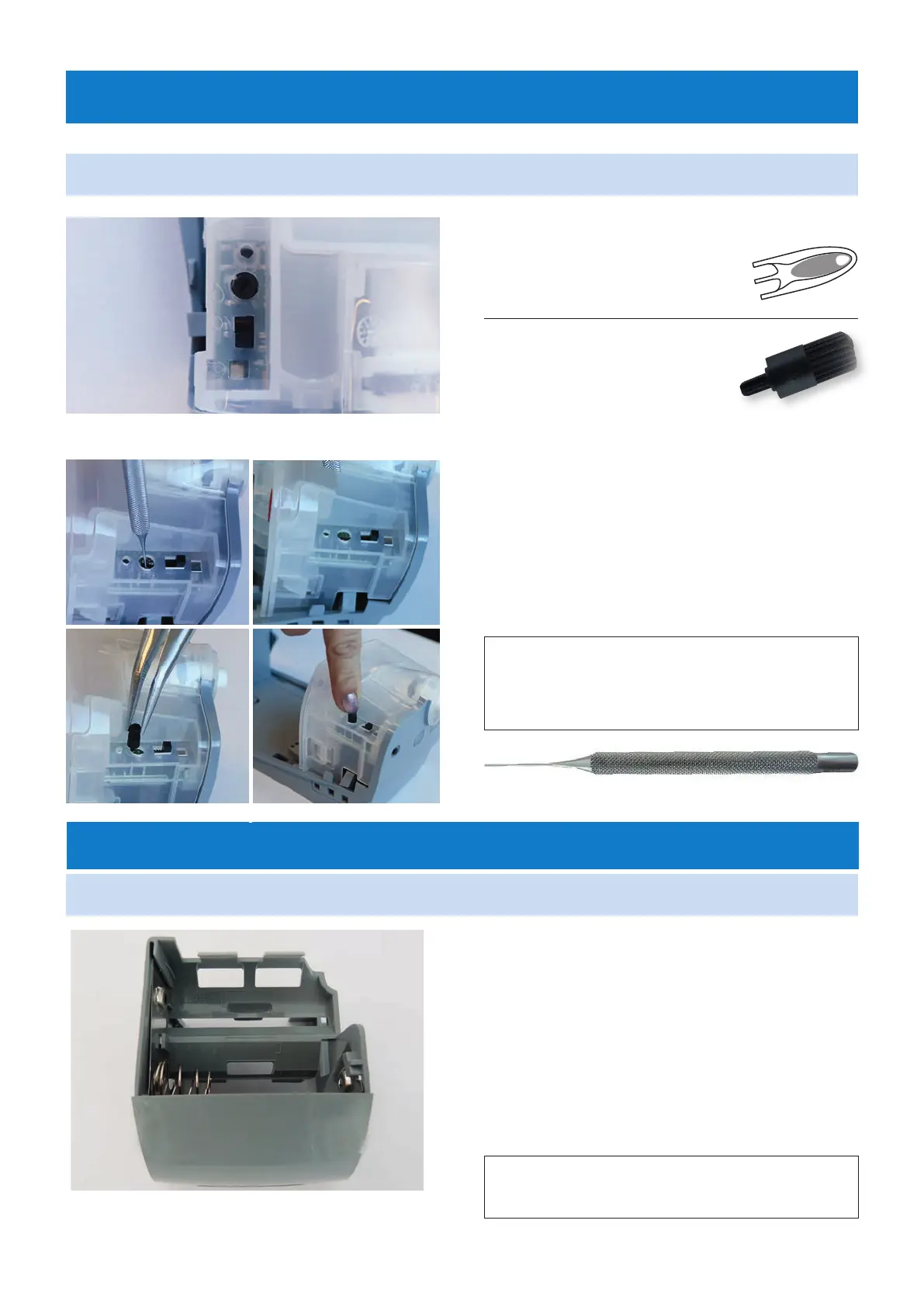
Push the remainder of the potentiometer shaft
out with the pin punch (Fig. 2)
Insert the new potentiometer shaft (Fig. 3 and
4) with the needle nose pliers and press it in
lightly by hand (Fig. 5)
Fig. 1
Fig. 6
Battery tray assembly
Fig. 7: Battery tray assembly
Spare part name: SE battery case XIBU
Article no. 492011590000
Spare part name:
SE potentiometer axis XIBU
Article no. 492011580000
Request:
No blinking signal, dispenser without function
Possible causes: Batteries are completely
empty, the battery springs are broken, the
battery contacts are oxidised
Solution:
Replace the batteries and/or battery tray
Fig. 2
Fig. 3
Fig. 4
Fig. 5
Battery tray assembly
XIBU senseFOAM / XIBU senseDISINFECT / XIBU senseDISHES / XIBU senseSEATCLEANER /
XIBU senseMOISTCARE


 To Next Page