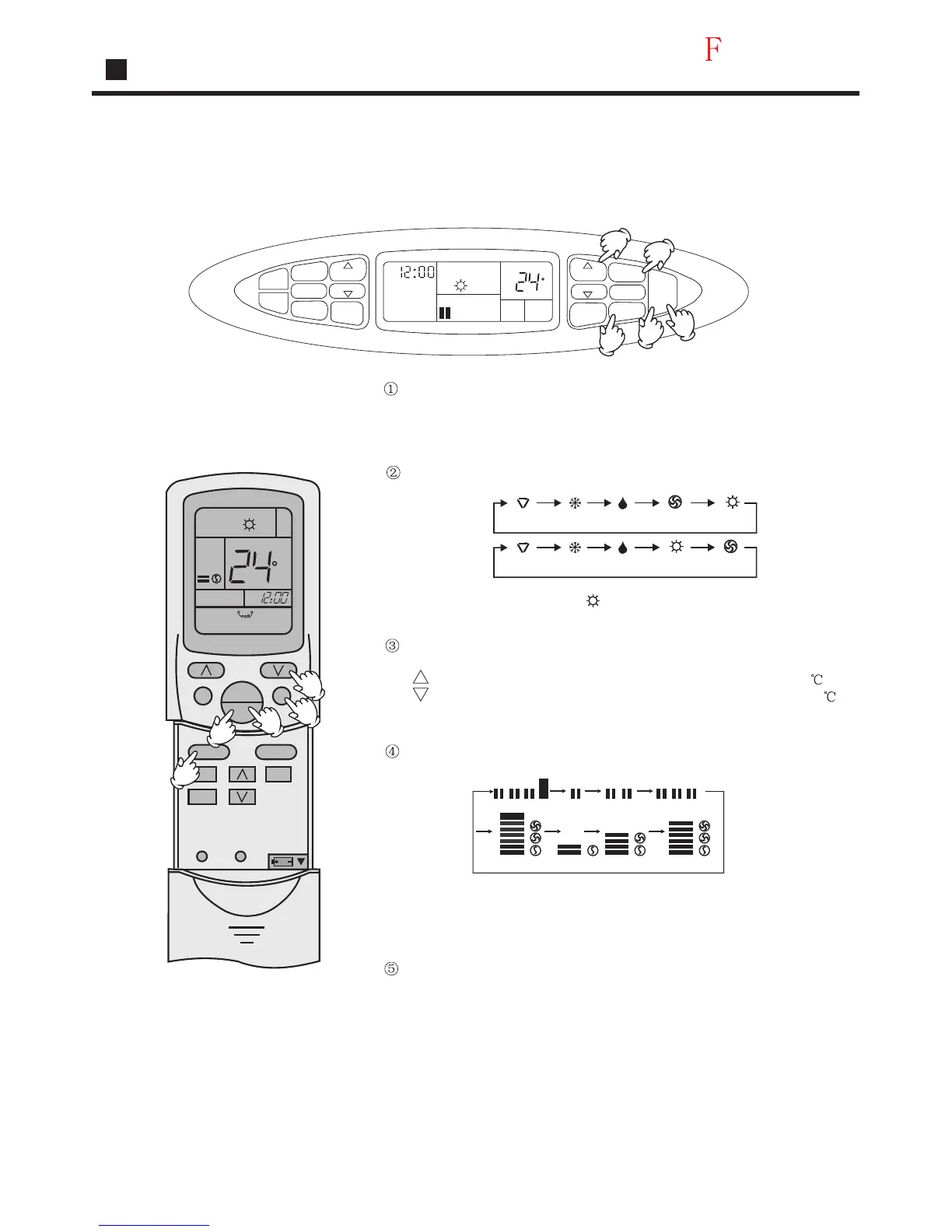
Heating
Manual Operation
Note:For cooling only type, this function is invalid.
Remote-controlled Operation
Press ON/OFF button
Unit starts running.
The previous status appears on the display
(except. TIMER, SLEEP and SWING mode)
Press MODE button. For each press, operation mode changes
as follows:
Select Heating operation " " appsare and
Heating operation starts.
In heat mode, warm air will blow out after a short period of time due
to cold-drafe prevention function.
In auxiliary heat function, the air condition can not operate in low fan
speed.
Select temp. Button
Press TEMP button
Every time the button is pressed,temp.setting increases 1
Every time the button is pressed, temp. setting decreases 1
If the button is kept pressed, setting will increase or decrease
quickly.
Press FAN button. For each press, fan speed changes as follows:
Press ON/OFF button
Unit stops setting when entering this mode next time.
C
AM
TEMP
SWING
MODE
CLOCK
TIMER
SLEEP
SET
FAN
ON
OFF
RESETLOCK
5
3
4
1
2
AM
TIMER
TIME
TEMP
TEMP
TIME
CLOCK
SET
SLEEP
SWING
FAN SPEED
MODE
ON
OFF
LOW
SET
TEMP
C
2
3
1
5
4
Operation
22
AUTO
AUTO
Manual
Remote
controlled
COOL
COOL
DRY
DRY
FAN
HEAT
HEAT
FAN
Manual
LOW MID HIGH LOW MID HIGH
LOW
A
U
T
O
LOW
LOW MID
MID HIGH
AUTO
Remote
controlled
AUTO




 To Next Page