Choose the Input source
Change the picture source so you can watch your
TV, VCR, DVD, Cable , or any other devices that are
connected to your TV.
Press A INPUT button to enter the Select Source menu
and then use
CH+/-
button to select the desired
items (TV, composite, Component, PC, HDMI).
Press B ENTER button to confirm .
Video Menu Options
Picture quality can be adjusted for any input
separately .
The picture quality on the screen can be adjusted as
follows:
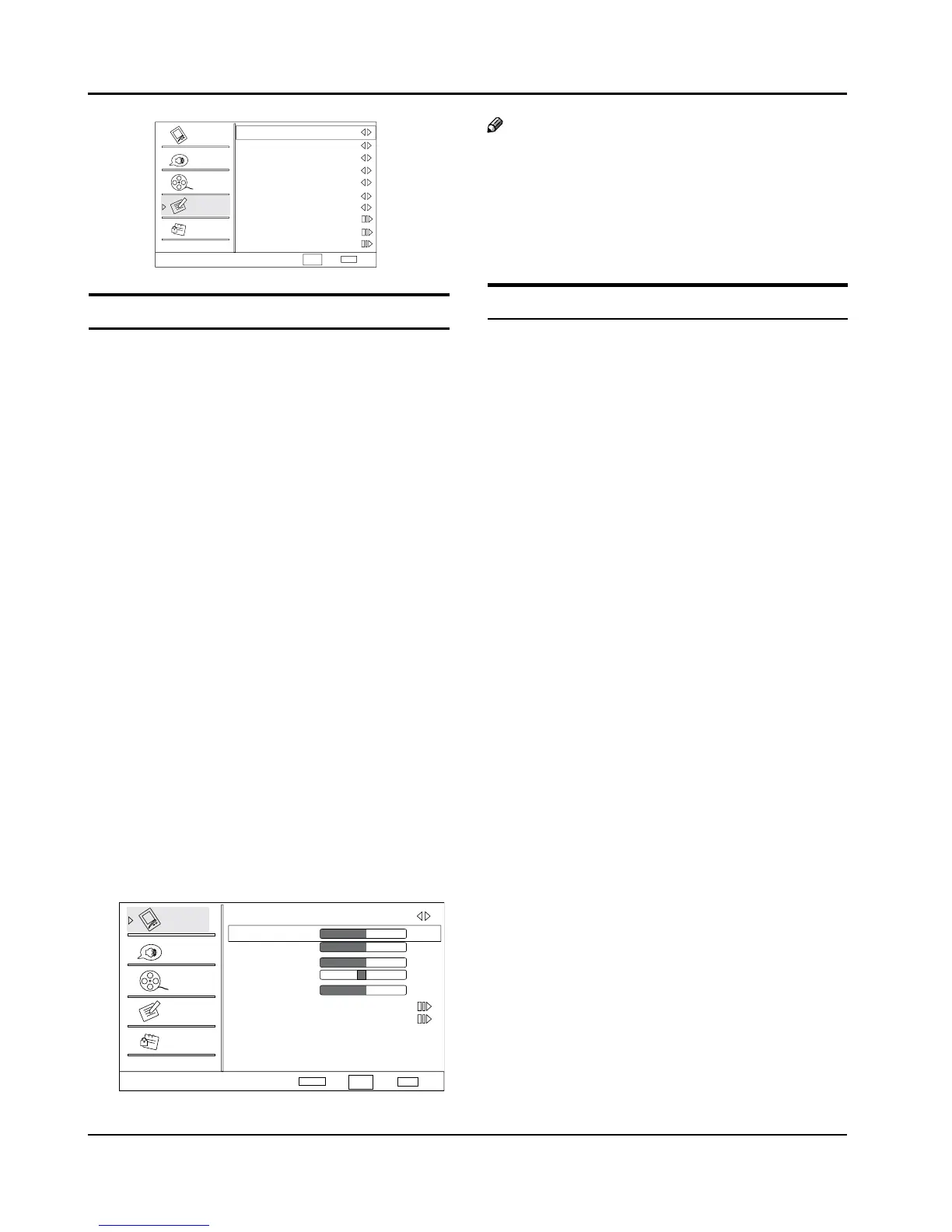
Press
A MENU button and then use CH+/- button until
the Video menu appears on the screen.
Press
B VOL+/ ENTER button to enter the menu
function and CH+/- button to scroll up and down to
select the desired function.
Press
C VOL+/ ENTER button to conrm and VOL+/-
button increase and decrease the level to adjust the
selected option to your preference.
Repeat step 2 and step 3 until desired picture quality
D
has been achieved.
Note
The options may be dierent because of the inputs. R
Symbols on top of the menu in this manual may R
dier from the actual set display.
The picture options can be changed only in Custom R
mode, the other modes are xed.
Function
Mode Y :
Select the type of picture which best
corresponds to your viewing requirements by
selecting picture mode in Video menu. You may
select the picture mode directly by pressing the
PICTURE button on the remote control.
Brightness: Y Press
CH+/- button and VOL+/
ENTER button to conrm, then press VOL+/-
button to adjust the brightness of the picture.
Contrast: Y Press
CH+/- button and VOL+ / ENTER
button to conrm, then press VOL+/- button to
adjust the contrast of the picture.
Color: Y Press
CH+/- button and VOL+/ ENTER
button to conrm, then press VOL+/- button to
adjust the color saturation.
Tint: Y Adjust the tone of the picture.
Sharpness: Adjust the amount of the detail
enhancement, the image sharpness rises as the
number increases (By increasesing the level, it will
show cleaner and clearer images and by descreasing
the level, it will make the picture smoother).
Color temperature: Y This will increase or decrease
Warm(red) and Cool(blue) colors to suipersonal
preferences. Select Cool to give the white colors a
biue tint, Standard to give the white colors a neutral
tint, Warm to give the white colors a red tint. User to
allow you change the color manually.
Advanced Video: Y To adjust the picture in advanced
level:
DNR: • Digital Noise Reduction, to adjust to reduce
the appearance of digitizing errror caused by the
compressin: Medium/Strong/Auto/o/Low.
MPEG NR: • To adjust the MEPG Noise Reduction:



 To Next Page