Installation
Haier LCD HDTV EN-8
Choose Your Connection
There are several ways to connect your television,
depending on the components you want to connect
and the quality of the signal you want to achieve. The
following are examples of some dierent ways to
connect your TV with dierent input sources.
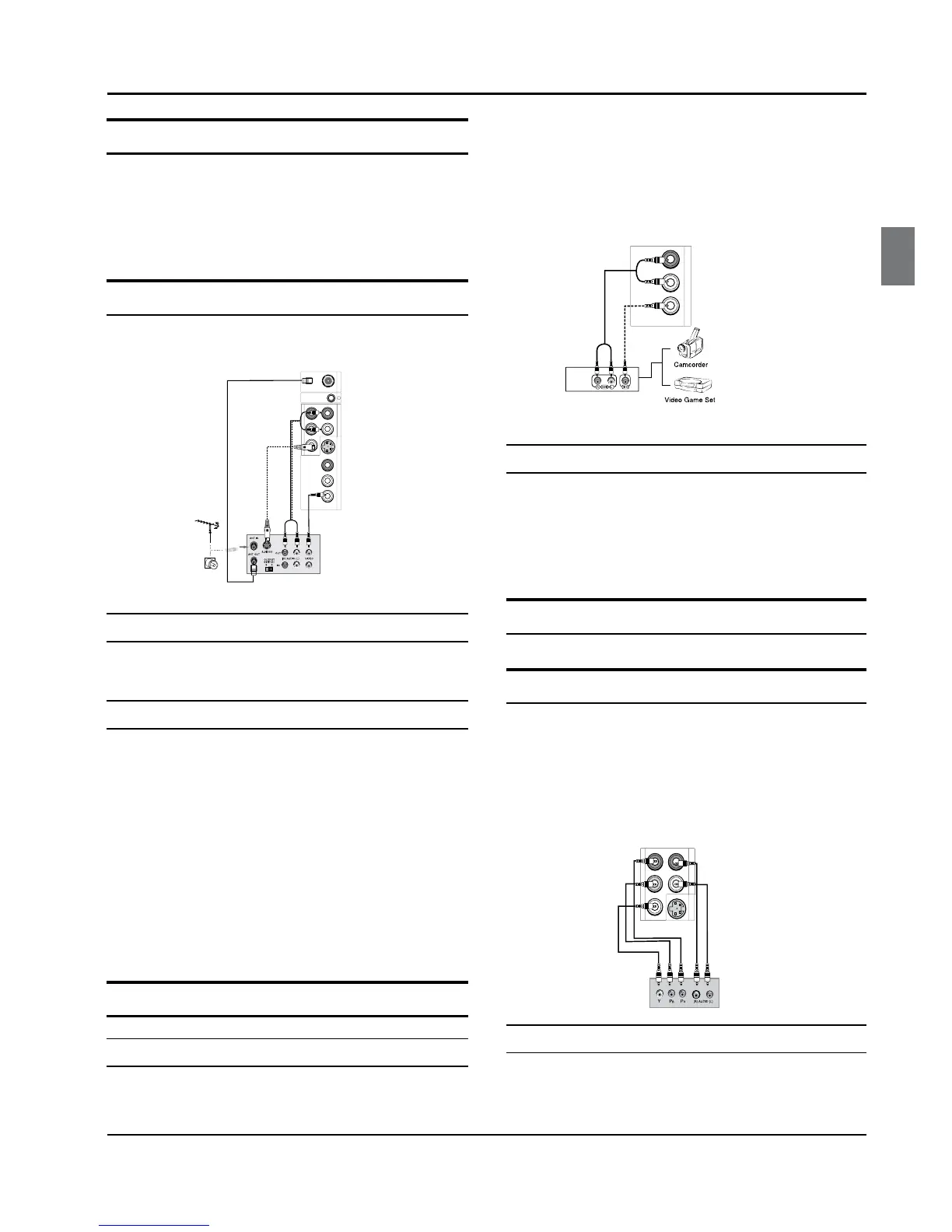
Connecting a VCR
To avoid picture noise (interference), leave an adequate
distance between the VCR and TV.
Connection Option 1
Set VCR output switch to channel 3 or 4 and then tune
the TV to the same channel number.
Connection Option 2
Connect the audio and video cables from the VCR’s A
output jacks to the TV input jacks, as shown in the
figure. When connecting the TV to VCR, match the
jack colors (Video = yellow, Audio Left = white, and
Audio Right = red). If you connect a S-VIDEO output
from VCR to the S-VIDEO input, the picture quality is
improved;compared to connecting a regular VCR to
the Video input.
Insert a video tape into the VCR and press
B PLAY on
the VCR. (Refer to the VCR owner’s manual.)
Select the input source with using the
C INPUT button
on the remote control, and then press CH+/- button
to select the source, press ENTER button to confirm.
External A/V Source Setup
How to connect
Connect the audio and video cables from the A
external equipment’s output jacks to the TV input
jacks, as shown in the figure.
When connecting the TV to external equipment,
B
match the jack colors (Video = yellow, Audio Left =
white, and Audio Right = red).
How to use
Select the input source with using the A INPUT button
on the remote control.
Operate the corresponding external equipment.
B
Refer to external equipment operating guide.
Component Setup
How to connect
Connect the DVD video outputs (COMPONENT) to A
the Y Pb Pr jacks on the TV and connect the DVD
audio outputs to the YPbPr Audio IN jacks on the
TV, as shown in the figure.
If your DVD only has an S-VIDEO output jack,
B
connect B this to the S-VIDEO input on the TV, as
shown in the gure.



 To Next Page