EasyManua.ls Logo

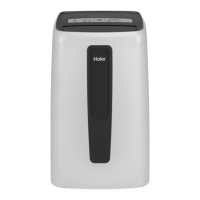
Haier HPC12XHR - User Manual

Haier HPC12XHR
26 pages
Print Icon
To Next Page IconTo Next Page
Loading...
Installation and User Manual
Instructions d’installation et
Guide de l’utilisateur
Instrucciones de instalación y
Manual del usuario
HPC12XCR
HPC12XHR
Portable Air Conditioner
Climatiseur portatif
Acondicionador de aire portatil
49-7822
11-17 GEA

Questions and Answers

  • B
    Bob FlemingAug 6, 2025
    What to do if my Haier Air Conditioner does not start?
    • D
      doriswrightAug 6, 2025
      If your Haier Air Conditioner isn't starting, here are a few things to check: * Ensure the power cord is properly plugged into a grounded outlet. * If the power supply cord has tripped, press the RESET button. * Make sure you've pressed the Power button on either the control panel or the remote. * Test the outlet with a working lamp to confirm it's providing power. * Check for blown fuses or tripped circuit breakers and replace or reset them. * If a Time Delay is programmed, cancel it. * Replace dead batteries in the remote control. * If the internal water tank is full, empty it.
  • C
    Cheryl GriffinAug 12, 2025
    Why is my Haier Air Conditioner remote control not working?
    • M
      millerhaydenAug 12, 2025
      If your Haier Air Conditioner remote isn't working, the batteries might be dead, so replace them. Also, ensure that the batteries are inserted correctly, paying attention to the correct position.
  • T
    Tyler RoseAug 18, 2025
    What to do if my Haier HPC12XHR is working but not cooling the room?
    • H
      Heidi JacksonAug 18, 2025
      If your Haier Air Conditioner is running but the room isn't cooling, consider these possibilities: * Give the unit time to cool the room, especially if the room temperature is high initially. Ensure the BTU rating is adequate for the room size. * Check that the Mode is set to Cool and the Fan Speed to High. * Remove any obstructions to airflow and ensure airflow is directed for uniform cooling. * Lower the set temperature. * Clean or replace dirty air filters. * Verify the exhaust hose and window panel are correctly installed. * Close doors and windows to prevent cooled air from escaping.
  • K
    Kevin SnowAug 23, 2025
    How to reset the power supply cord on a Haier Air Conditioner?
    • A
      anthony05Aug 25, 2025
      To reset the power supply cord on your Haier Air Conditioner, press and release the RESET button located on the power supply cord.
  • S
    Shari WatsonAug 30, 2025
    Why won't my Haier HPC12XHR turn on even after pressing the power button?
    • J
      Joel BranchAug 30, 2025
      If your Haier Air Conditioner doesn't turn on after pressing the power button, the power supply cord might not be plugged into an outlet, so plug the power cord into a grounded 3 prong outlet. Also, there might be no power to the electrical outlet, so plug a working lamp into the outlet to check for power.

Summary

Air Conditioner Safety

Important Safety Instructions

Essential safety precautions to reduce risk of fire, electrical shock, injury, or damage.

Parts and Features

Parts and Features Overview

Identification and description of the air conditioner's main components and features.

Installation Requirements

Tools and Parts

Required tools and parts to gather before starting the installation process.

Location Requirements

Guidelines for placing the air conditioner for optimal performance and safety.

Electrical Requirements

Specifications for power supply, including voltage, amperage, and grounding.

Installation Instructions

Unpack Air Conditioner

Instructions for safely unpacking the air conditioner unit and handling packaging.

Install Exhaust

Steps to connect the exhaust hose assembly to the air conditioner's rear panel.

Install Window Panels

Guide for assembling and installing the window panels for exhaust venting.

Attach Exhaust Hose to Nozzle

Connecting the exhaust hose assembly to the window bracket.

Complete Installation

Final steps including plugging in, testing the safety plug, and ensuring proper airflow.

Control Panel Overview

Control Panel Buttons and Indicators

Details on the functions of control panel buttons and the 'Bucket Full' indicator light.

Remote Control

Remote Control Functions

Use of the remote for power, mode, fan speed, timer, and temperature settings.

Air Conditioner Use

Air Conditioner Care

Guidance on cleaning, filter maintenance, water tank management, and storage.

Troubleshooting

Limited Warranty

Haier HPC12XHR Specifications

General IconGeneral
BrandHaier
ModelHPC12XHR
CategoryAir Conditioner
LanguageEnglish

Related product manuals